
APP TEMPLATE
What a React Native app template should already have done.
Most templates hand you navigation and a theme. The work that decides whether you ship is the work they leave out.
The gap in most React Native templates
A template earns its place by removing decisions you would otherwise make badly under time pressure. Navigation and a linting config are not those decisions — they take an afternoon and every option is fine.
The decisions that cost you are the ones with a wrong answer: where the paywall is enforced, what happens when a purchase is restored on a second device, whether a user can read another user's rows, how a provider API key stays off the client. A template that skips those has moved the work rather than done it.
What the template looks like running
Onboarding, the tab shell and account management, all built rather than sketched.
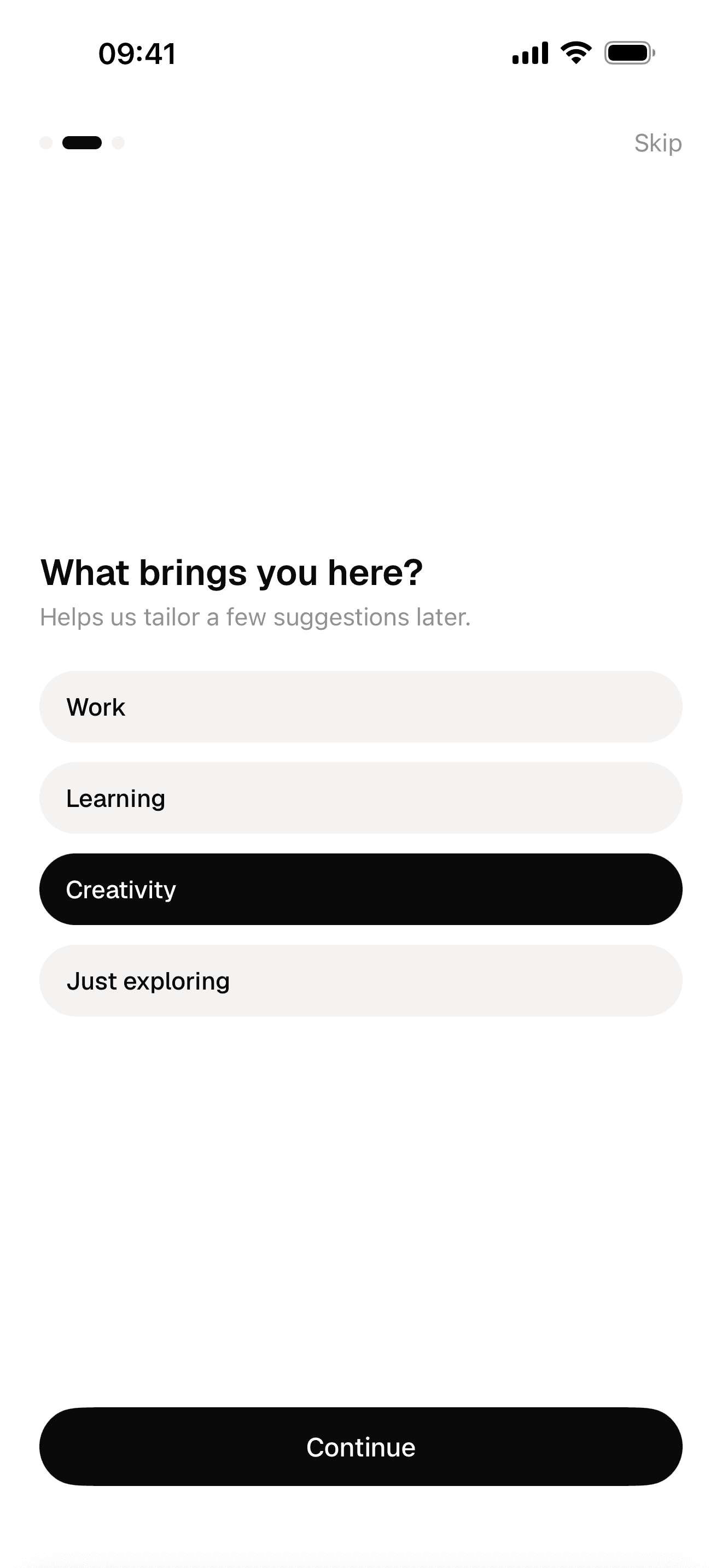
Onboarding, with state that persists
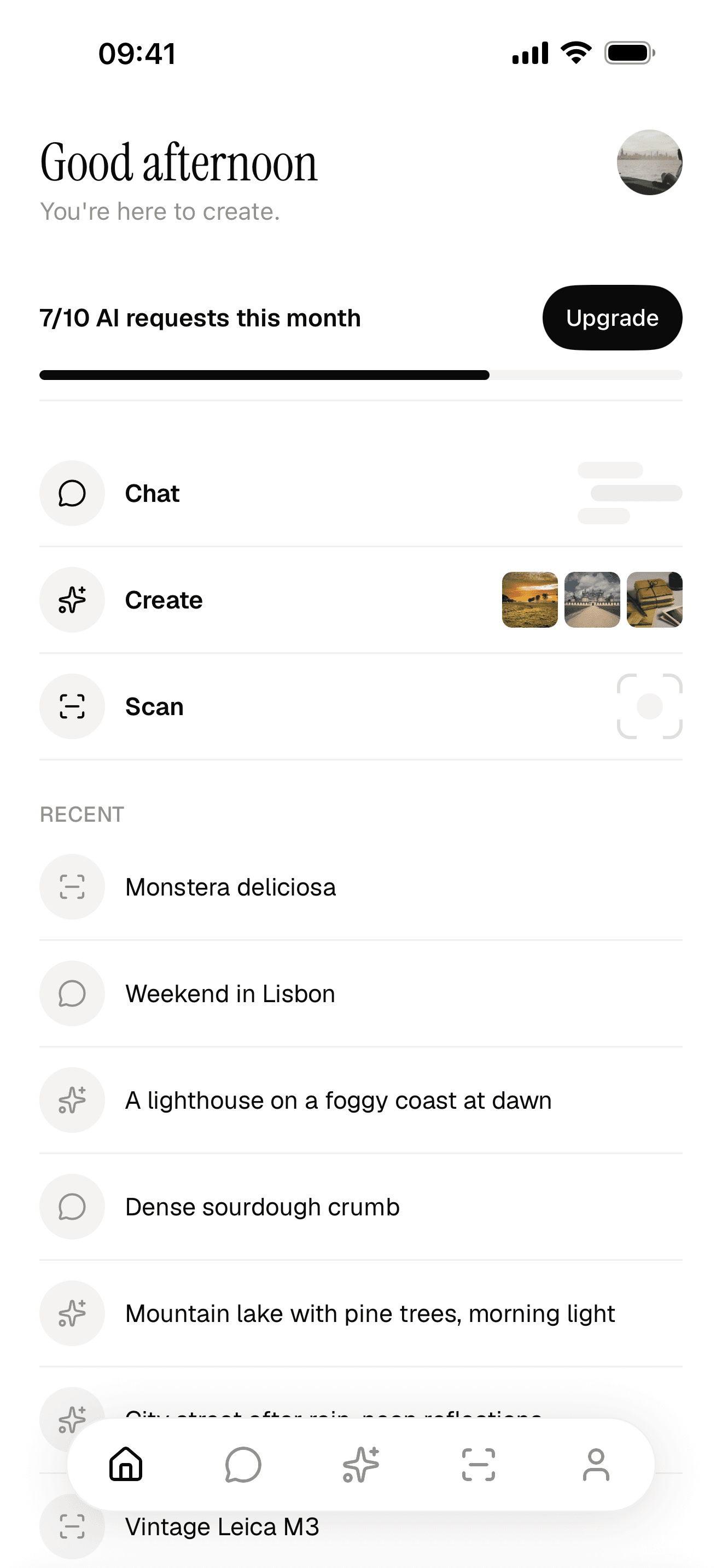
The tab shell and home screen
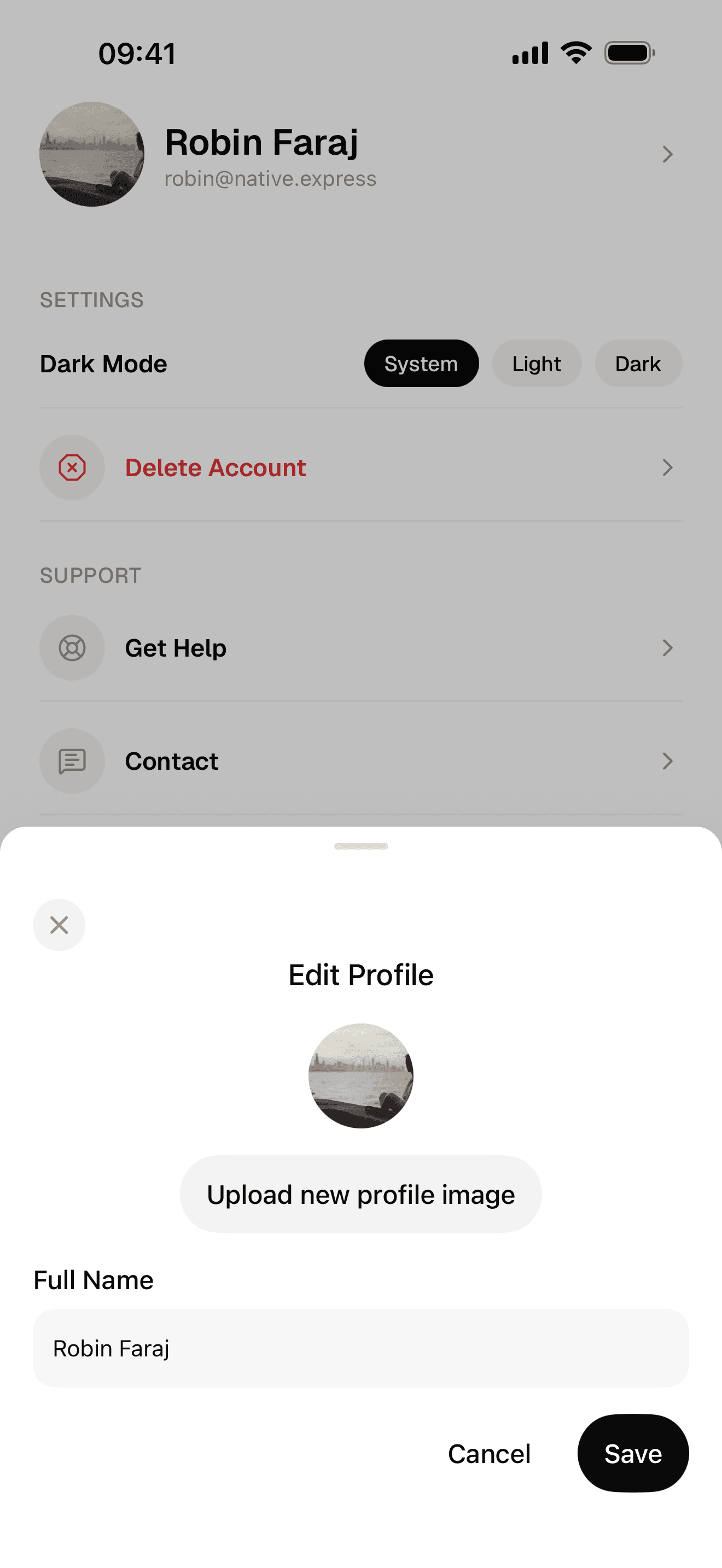
Account editing, and the delete Apple asks for
What this React Native template ships with
- Expo SDK 57, React Native 0.86, React 19.2
- Typed end to end, one convention per problem, and a single command that runs every check the project makes of itself.
- Sign-in that is finished, not sketched
- Supabase Auth with Google, Apple and email, and every screen that has to exist around it. Users sit in your own Supabase project from the first build.
- Payments wired before the first screen
- RevenueCat purchases and restore, a subscription screen, and paid access the server decides rather than the client.
- Three AI features already shipping
- Streaming chat with threads, image generation and a scanner, each independent, on Supabase Edge Functions with the Vercel AI SDK. Your provider key never leaves the server.
- Your Postgres, your rows
- Supabase Postgres with the initial migration written, row-level security on every record a user owns, and generated types so a wrong column fails at compile time.
- One seed colour, a whole theme
- Uniwind brings Tailwind CSS v4 to React Native, compiled by Metro. Light and dark are generated from a seed.
- Instructions written for your coding agent
- Skills ship with the clone and describe the code in that release, so your agent reads where things go before it writes a line.
- A route to both stores
- EAS build profiles, screenshots generated from a Maestro flow, and release checklists that say what to prepare.
Template types, honestly
Three kinds of React Native template exist. Only one of them is worth paying for, and only for some projects.
| What it is | When it is the right answer |
|---|---|
| A CLI scaffold — create-expo-app | A few screens, no accounts, nothing to sell. Start here and stop reading. |
| A free community starter | You want structure and conventions, and you are content to wire auth and payments yourself. |
| A production starter kit | The app has users and charges money, and you would rather spend that fortnight on the part nobody else has built. |
See what is actually in it.
Every screen, every feature and the full source, on GitHub the moment you buy.