
Best Mobile App Builders in 2026: AI Tools vs Your Own Code

The best mobile app builder for you depends on one question: do you want to rent the app or own it? If you want a working prototype this weekend, an AI builder like Rork, Vibecode or a0.dev is the fastest route. If you want a visual editor and no code at all, FlutterFlow or Adalo. If you plan to keep building for years, own the code and finish it with Cursor or Claude Code.
Most lists ranking for this search treat every tool as interchangeable and stop at the feature grid. The differences that decide whether your app survives its first year are less visible: whether the output is a real native app or a website in a frame, whether you can take the code with you, and what the pricing does once you are prompting every day.
We looked at the current pricing page and documentation of each tool below. Prices are as of October 2026 and they change often, so check the linked page before you pay.
The three kinds of mobile app builder
Every tool here falls into one of three groups, and the group matters more than the brand.
Prompt-to-app AI builders. You describe the app in chat and an AI agent writes the code in a hosted workspace. Rork, Vibecode, a0.dev, Bolt and Lovable. Fast to start, priced in credits or tokens, and the good ones let you export real code.
Visual no-code builders. You drag components onto screens and wire up logic in an editor. FlutterFlow, Adalo, Bubble and Thunkable. Predictable pricing, gentler learning curve, and in most cases the app only exists inside the platform.
Code you own. You start from a codebase on your own machine and an AI coding agent (Cursor, Claude Code, Codex) does most of the writing. More setup on day one, no ceiling later. A starter kit like NativeExpress sits here.
Comparison table (as of October 2026)
| Builder | Type | Cheapest plan that ships | What it produces | Can you take the code? | Store publishing |
|---|---|---|---|---|---|
| Rork | AI builder | $20/mo, 100 credits | Native iOS and Android | Yes, GitHub sync on paid plans | Built in for iOS; Android bundle uploaded by you |
| Vibecode | AI builder | $20/mo, $20 of AI usage | React Native and Expo | Yes, download or SSH from Cursor | App Store submission included |
| a0.dev | AI builder | $20/mo, 100 credits | Expo app | Yes, on Pro | One-click App Store publishing |
| Bolt | AI builder | $25/mo, 10M tokens | Expo app | Yes, download | You run the build and submit yourself |
| Lovable | AI builder | $25/mo, 100 credits | Web app | Yes | Needs a native wrapper built outside Lovable |
| FlutterFlow | Visual | $39/mo Basic | Flutter app | Download on Basic, GitHub from $80/mo | One-click deploy from Basic |
| Adalo | Visual | $36/mo billed yearly, 1 app | Native app | No | Automated publishing from Starter |
| Bubble | Visual | $42/mo billed yearly (Mobile) | React Native, runs on Bubble | No | 5 build submissions a month on Starter |
| Thunkable | Visual | $37/mo billed yearly, 1 live app | Native app | No export listed on any plan | From the Builder plan |
| Cursor or Claude Code on a starter | Code you own | $20/mo agent plus a one-time starter | React Native and Expo | It is your repository | You submit with EAS, with guides |
Every row also needs an Apple Developer account at $99 a year and a Google Play account at $25 once. No builder pays those for you, and the store accounts are always yours.
Prompt-to-app AI builders
Rork
Rork is the closest thing to a default AI mobile app builder right now, and its focus on mobile shows. The pricing page lists a free design-only tier, Rork Pro at $20 a month with 100 credits, and Rork Max from $200 a month for iPhone, iPad, Apple Watch and Vision Pro apps in SwiftUI.
Output is native, not a web view. The pricing page describes Pro as SwiftUI for iPhone and Kotlin for Android, while Rork's FAQ still describes Pro projects as React Native and Expo, so check which one your project generates. Paid plans get a two-way GitHub sync, so you can continue in Cursor and bring changes back. App Store publishing is built in; for Google Play, Rork gives you an Android App Bundle to upload yourself.
The catch is credits. Rork's FAQ says you cannot buy more when you run out: you upgrade or wait for the monthly reset.
Choose Rork if you want the most polished prompt-to-iPhone path and you expect to stay inside one tool for a while.
Vibecode
Vibecode has the most honest pricing model in the group: $1 of credits equals $1 of model usage, billed at cost, and unused credits roll over while your plan is active. Plus is $20 a month for $20 of usage, Pro is $50 for $55. Every paid plan includes App Store submission, source download and an SSH connection from Cursor. The project is a complete React Native and Expo app you can run locally.
The page also says the tiers are "experimental and may evolve", which is fair warning.
Choose Vibecode if you want usage you can reason about and an easy handoff to a real editor.
a0.dev
a0.dev is a Y Combinator-backed builder with Pro at $20 a month for 100 credits and Max at $200. Projects are Expo apps (its push notification guide is built on expo-notifications), with a Convex or Supabase backend, a GitHub sync and code export on Pro. Its pitch is the whole path: the homepage says it handles the build, creates your App Store Connect listing and uploads it, and adds payments and an analytics dashboard.
Choose a0.dev if you want build, publish and monetization in one place and are happy on Expo.
Bolt
Bolt is a general AI builder, and when you ask it for a mobile app it uses Expo automatically. Pro is $25 a month with 10M tokens. You preview on your phone through Expo Go, and when you are done you download the code.
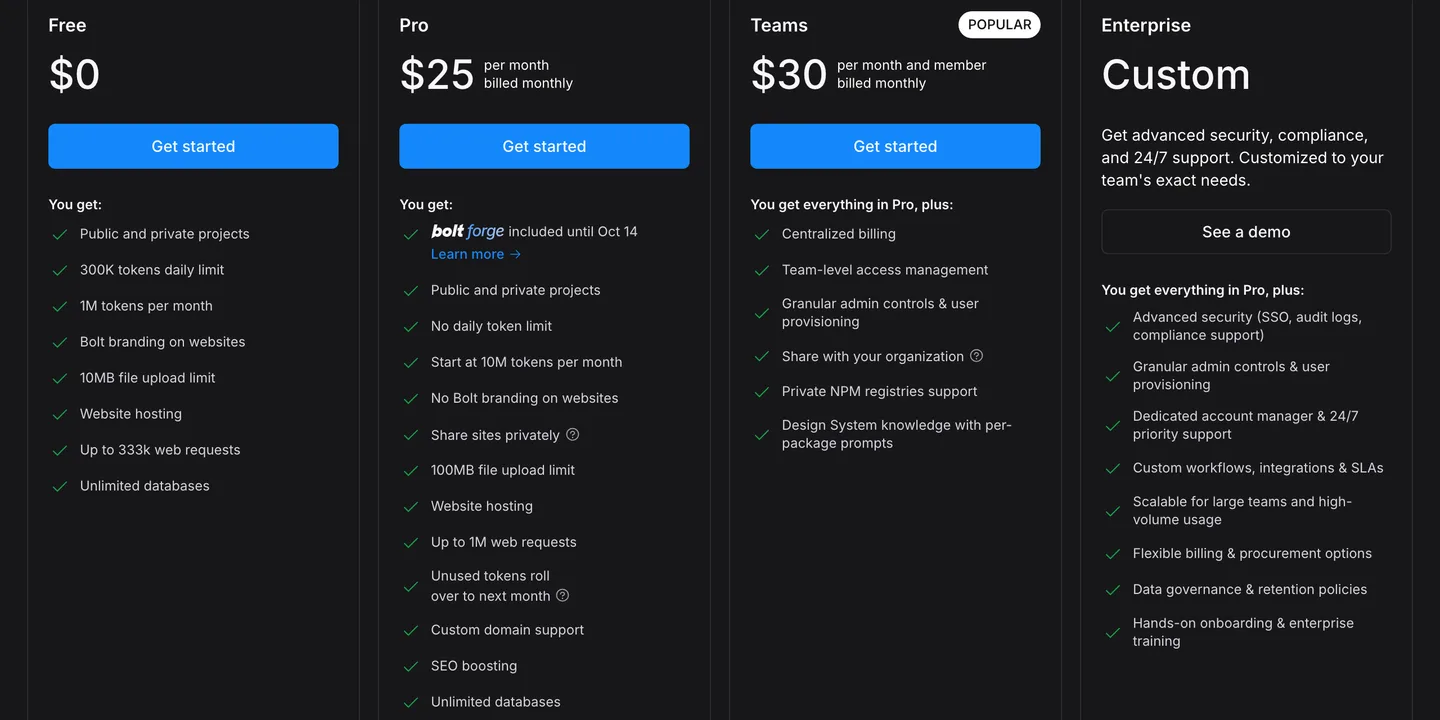
Bolt's plans as of October 2026. Pro is the cheapest plan with room to build a real app. Source
Publishing is your job. Bolt's own guide has you install Node and Git, then run eas build on your machine and finish in App Store Connect. That is the same work you would do with code you own, so Bolt is best seen as a fast way to start an Expo project.
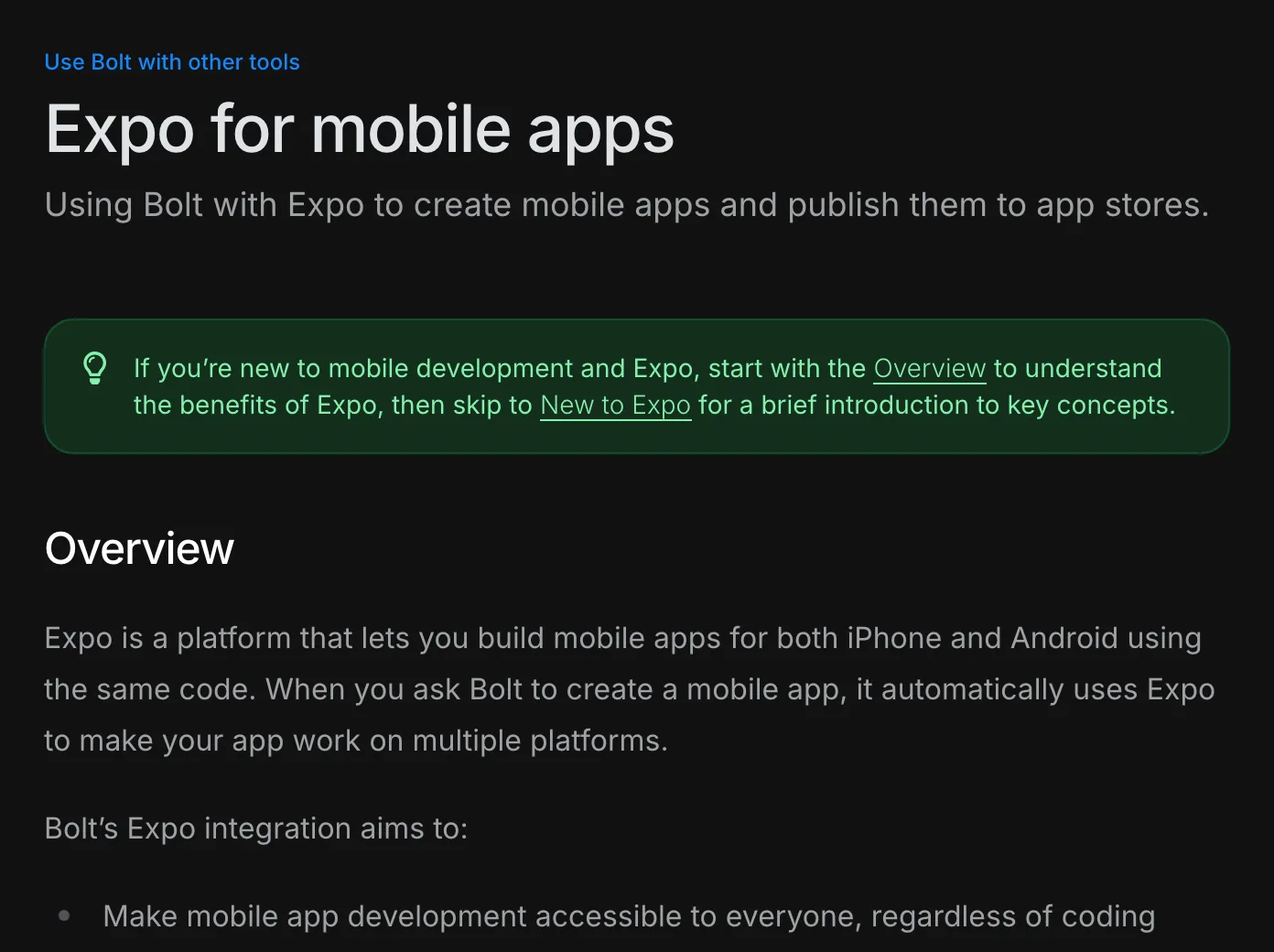
Bolt's own docs: ask for a mobile app and you get an Expo project. Shipping it is still up to you. Source
Choose Bolt if you already use it for web projects and want a head start on an Expo app you will finish locally.
Lovable
Lovable is excellent at web apps and does not make native ones. Its documentation says so: it builds web applications, and if you want something in the stores you wrap the published URL with a tool such as Capacitor, outside Lovable. Pro is $25 a month for 100 credits.
The risk with a wrapper is Apple's guideline 4.2, which asks that an app "elevate it beyond a repackaged website". A thin wrapper around a website is the classic rejection. We cover the options in can Lovable make mobile apps.
Choose Lovable if your product is really a web app and a store listing is optional.
Visual no-code mobile app builders
FlutterFlow
Is FlutterFlow good? For people who want a visual editor and still want real code at the end, it is the strongest option on this list. It generates Flutter, and paid plans can download the code or export it with a CLI. On the pricing page, Basic is $39 a month with code download and one-click App Store deployment; GitHub integration starts at Growth, $80 for the first seat. AI requests are capped per month (50 on Basic).
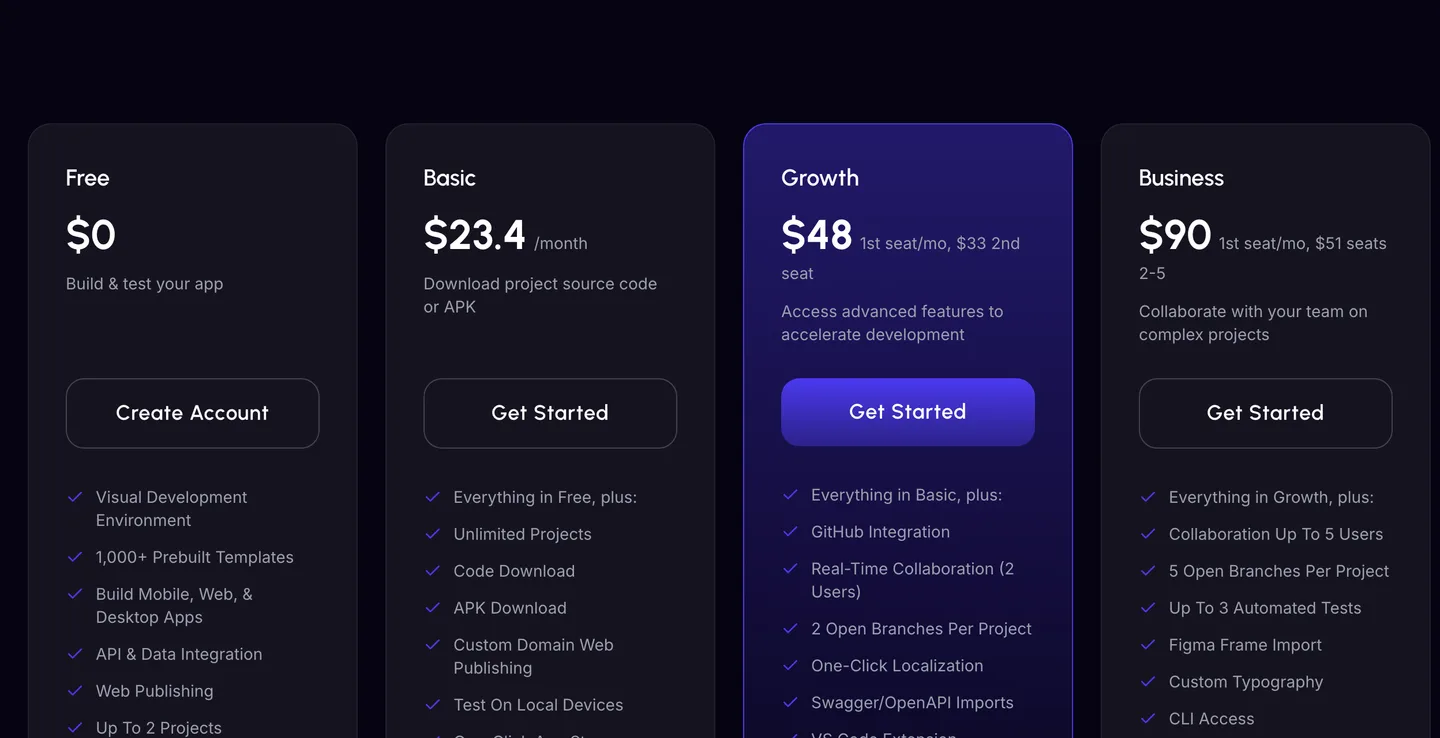
FlutterFlow's plans as of October 2026. Code download starts on Basic, GitHub integration on Growth. Source
The trade-off is that FlutterFlow is a real development tool with a real learning curve. You will think in widgets, state and backend queries. And code that came out of a visual builder is readable but not always the code you would have written, which matters when you or your agent take over.
Choose FlutterFlow if you like visual building, want Flutter, and want a way out that is real.
Adalo
Adalo is the simplest way here to get a native app into both stores without code. Starter is $36 a month billed yearly for one published app, with automated App Store and Play publishing, and there are no usage-based charges on any plan. Push notifications and geolocation start at Professional ($52).
You cannot take the code. An answer on Adalo's forum in August 2025 says source download is not available and has no timeline.
Adalo or FlutterFlow? Adalo if you want the easiest path and a flat bill for a database-driven app. FlutterFlow if you want more control, custom logic and the option to leave.
Choose Adalo if you want a simple app live quickly and never plan to touch code.
Bubble
Bubble added native mobile on top of its web builder, and its mobile apps run on React Native. The mobile-only Starter plan is $42 a month billed yearly, with five build submissions a month; web and mobile together is $59. Pricing is metered in workload units, with overages once you pass your plan's allowance.
Bubble is direct about lock-in: its manual says apps "can only be run on the Bubble platform" and cannot be exported as code.
Choose Bubble if you already run a Bubble web app and want a mobile app on the same backend.
Thunkable
Thunkable is a beginner-friendly visual builder with AI tokens on every plan. The Builder plan, $37 a month billed yearly or $59 monthly, is the first one that lists a live app (one); Advanced at $99 billed yearly allows unlimited. No plan lists code export.
Choose Thunkable if you are learning, teaching, or building something small that you will not outgrow.
Code you own: an AI agent on a starter
The last option is not a builder at all. You keep a real repository on your computer and let a coding agent write most of it. Cursor and Claude Pro, which includes Claude Code, both start at $20 a month.
The honest downside: day one is slower. You install tools, create accounts, and run a build. And an agent starting from an empty folder will spend your first weeks on sign-in, subscriptions, push notifications and store configuration, the parts no AI builder demo shows and every real app needs.
That gap is what NativeExpress fills. It is a React Native and Expo starter you buy once and own, delivered as a private GitHub repository. Sign-in with Google, Apple and email is finished, RevenueCat subscriptions are wired with entitlements checked on the server, three AI features (chat, image generation and a scanner) already run on Supabase Edge Functions, and it ships with agent skills that tell Cursor, Claude Code or Codex where code goes before they write any.
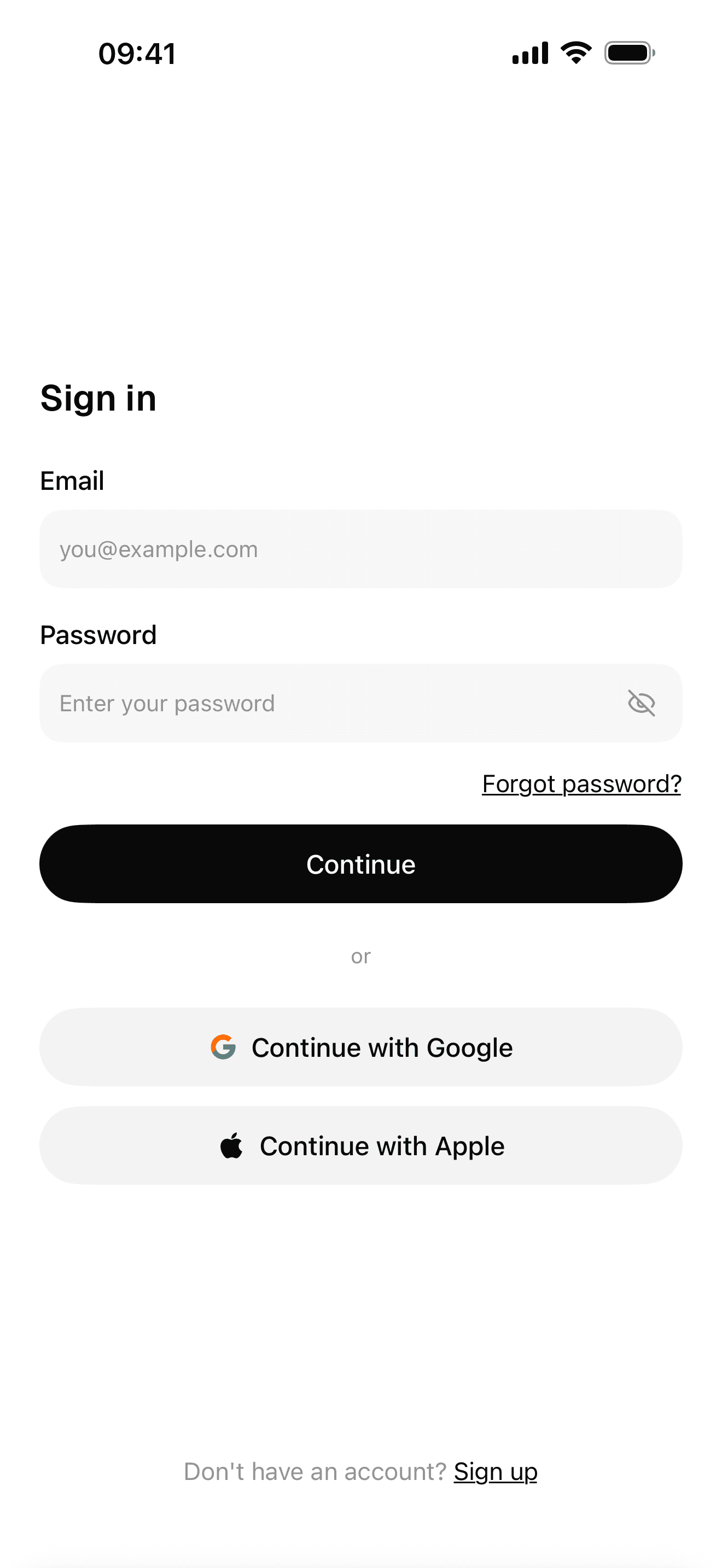
Sign-in with Google, Apple and email
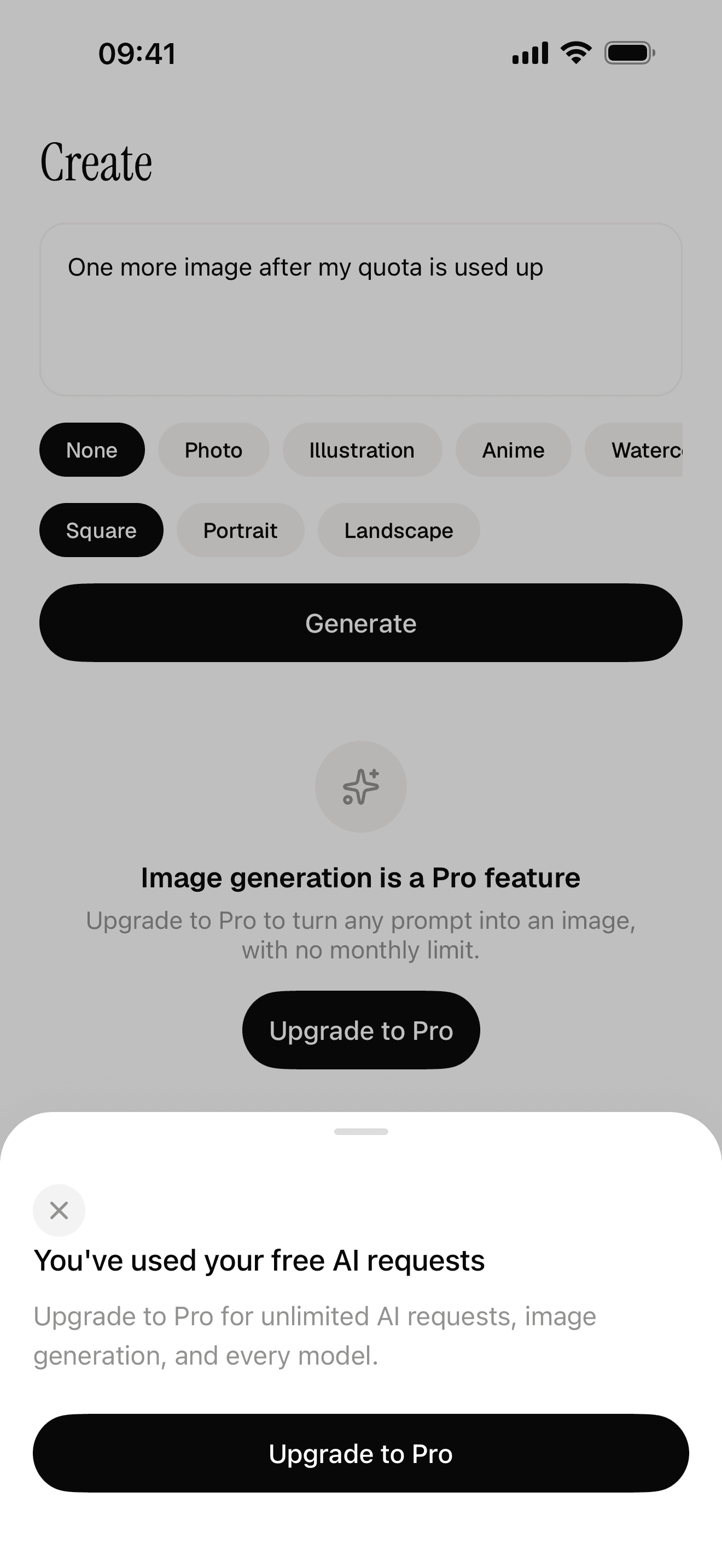
Free quota and a paywall the server decides
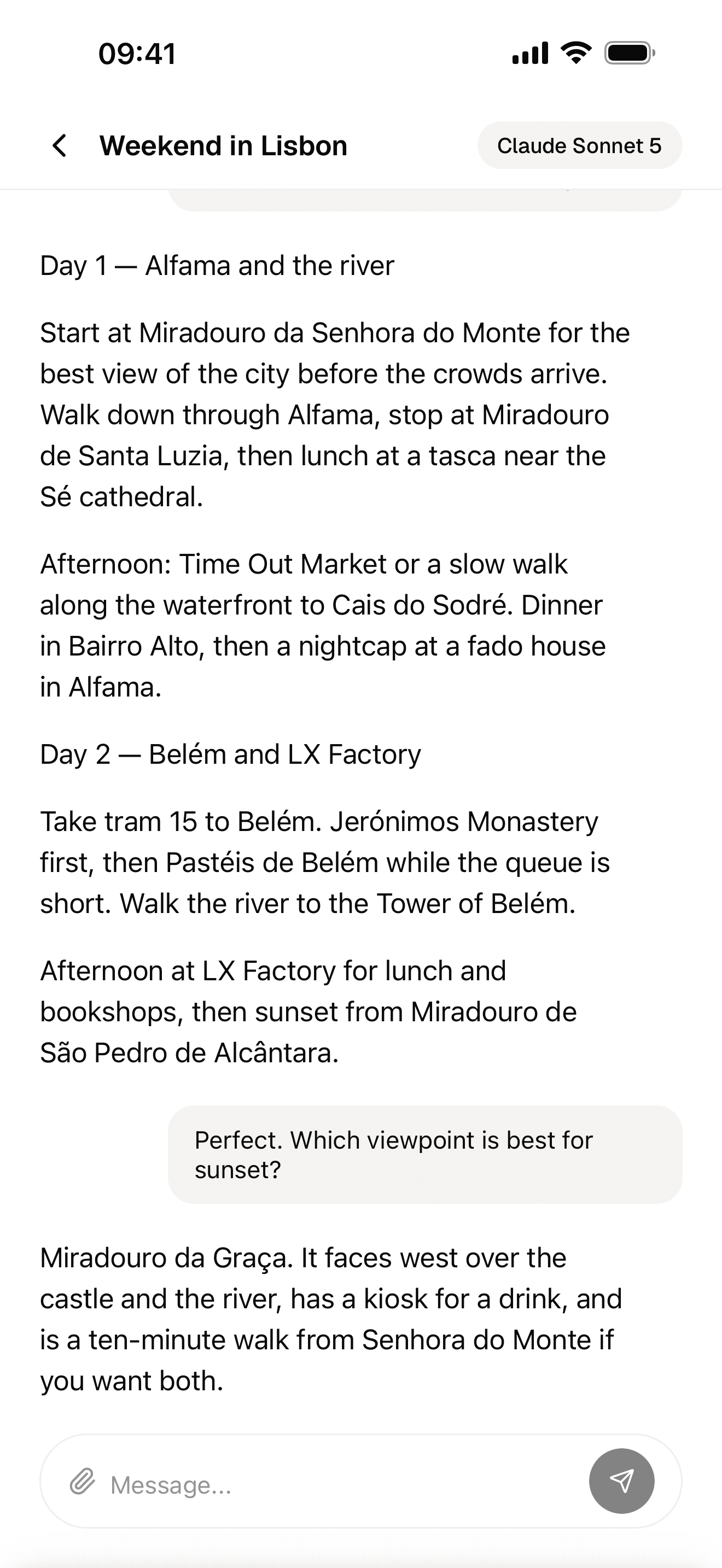
Streaming AI chat
You still do real work. Your agent writes most of the code; you make the decisions, sign in to services when asked and test on your phone. You need no mobile experience, but if you have never used a terminal, budget an evening for setup. Publishing stays yours too: you submit through EAS with your own store accounts, using the included checklists and guides.
What you get in return is no ceiling. No credits run out mid-feature, no platform decides which native module you may use, and if you outgrow the starter you simply keep building, because there is nothing to migrate off. The Expo or bare React Native question goes the same way: you can change your mind later.

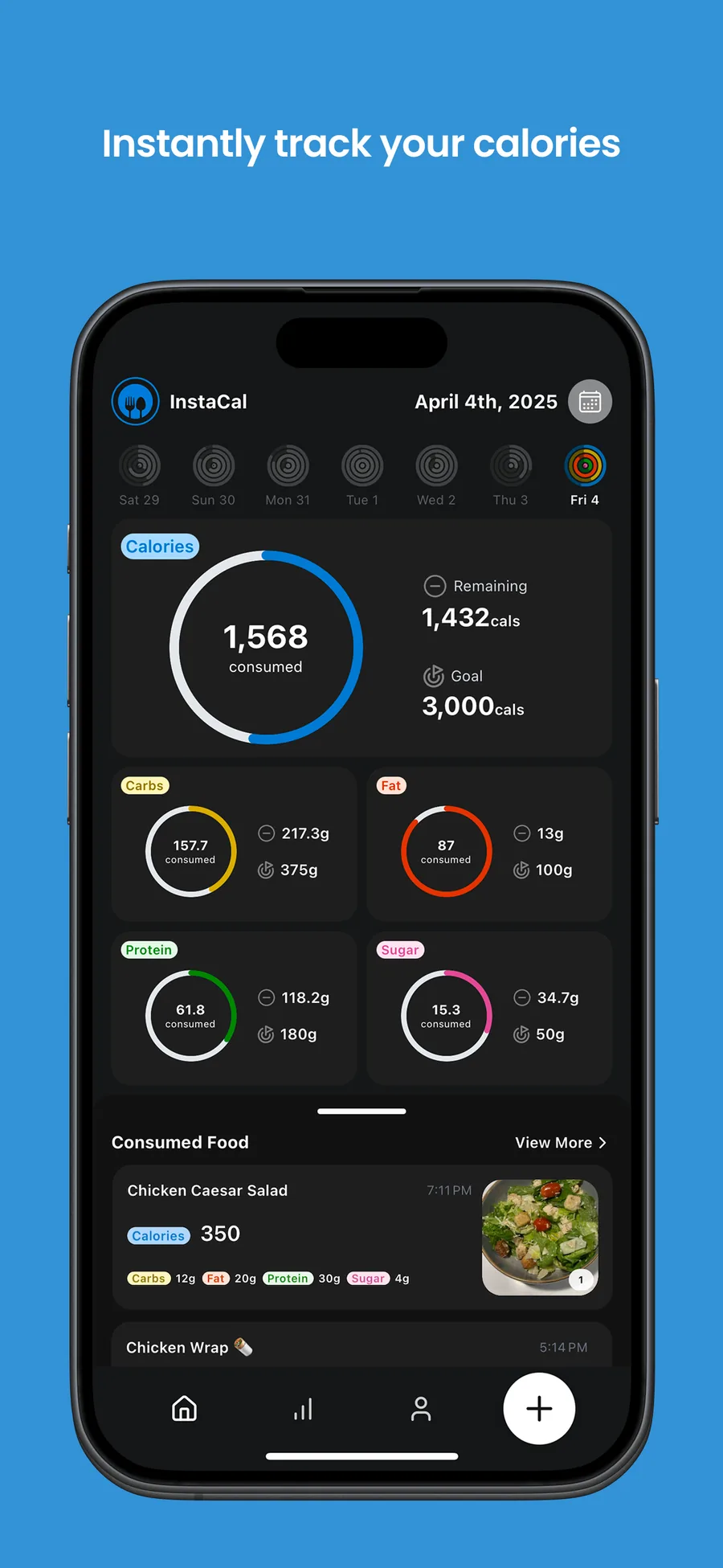
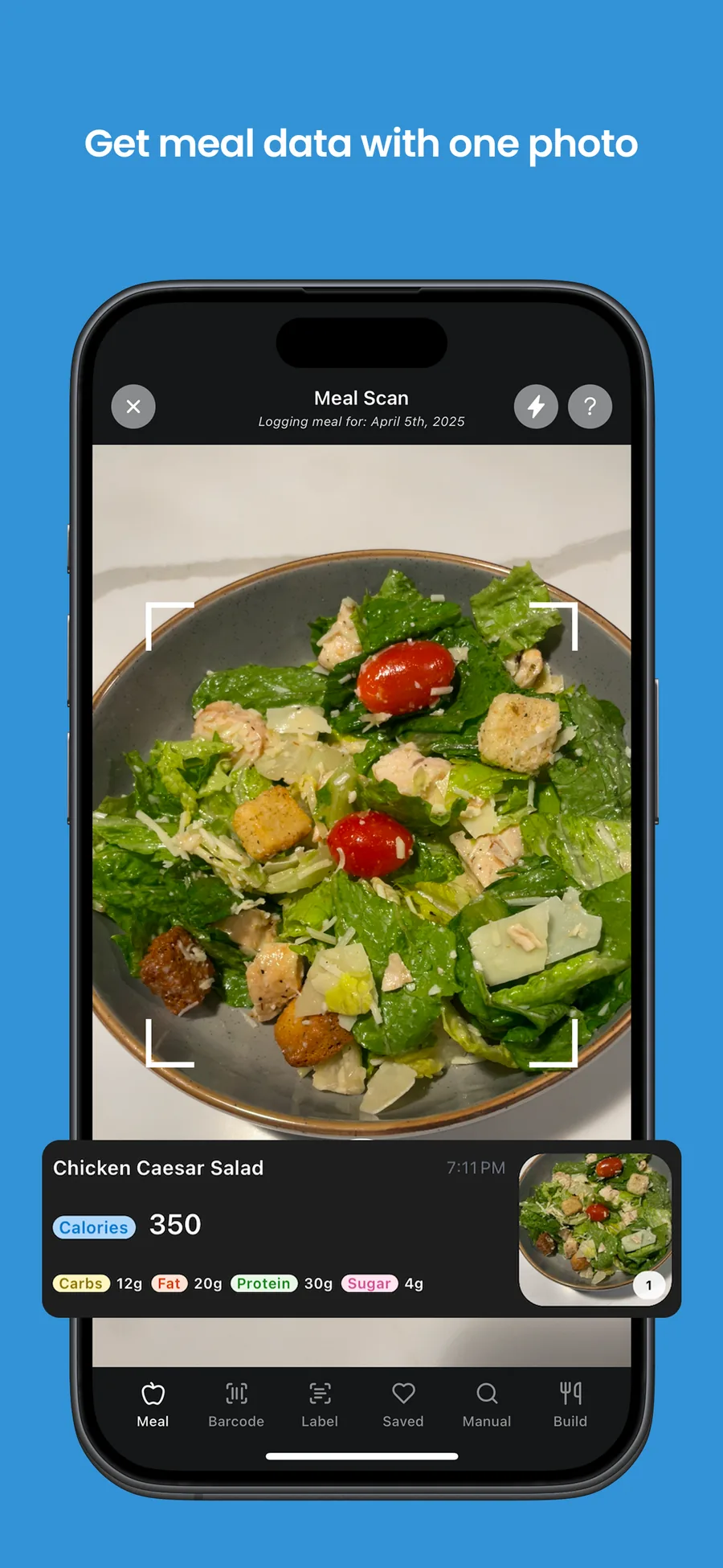
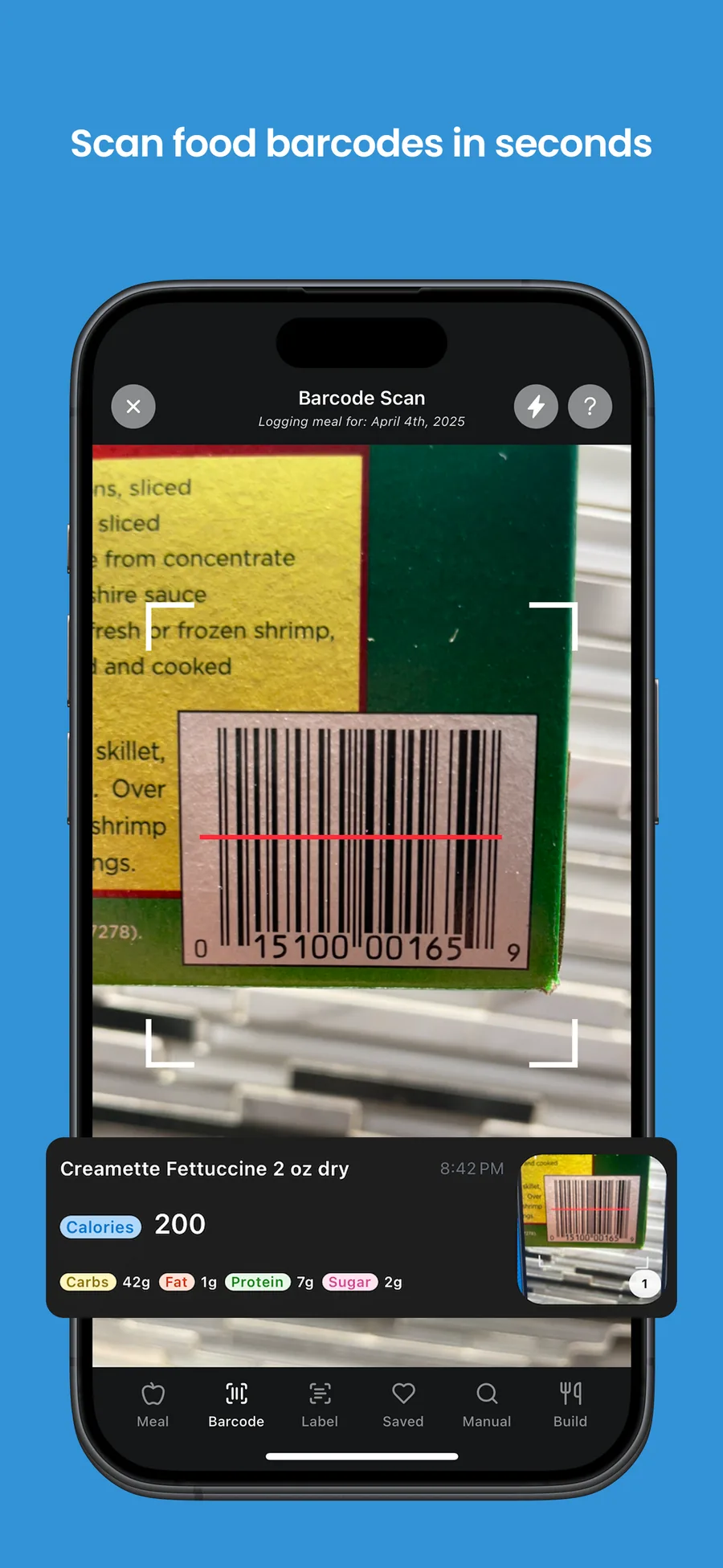
InstaCal, a calorie tracker built on NativeExpress, is one of the apps already in the App Store.
For the first time, I felt like I was actually going to make it to the App Store with my idea.
 Ilya LibinShipped his first app
Choose this if you already use Cursor or Claude Code, you want to charge for the app, and you want to own every line of it.
Which is the best mobile app builder for you?
Five questions settle it faster than any ranking.
Who owns the code?
Write down what happens if the company raises prices or shuts down. With Rork, Vibecode, a0.dev and Bolt you can export an Expo or native project. With FlutterFlow you can export Flutter. With Adalo, Bubble and Thunkable you rebuild. Lock-in is fine for a side project; it is a serious risk for a business.
How does it charge you?
Flat plans (Adalo, FlutterFlow, Thunkable) are predictable. Credit and token plans (Rork, a0.dev, Bolt, Lovable) get expensive exactly when you are busiest, because every fix costs a prompt and AI agents sometimes need several. Bubble meters server usage, so a successful app costs more. Read the fine print on top-ups and rollovers: Vibecode rolls credits over, Lovable for one month, Rork not at all.
Native app or a website in a frame?
Most builders here produce native apps. Lovable does not, and a wrapped web app has to clear Apple's minimum functionality rule. If you need the camera, health data, widgets or background tasks, check that the builder supports them before you start, not after.
Can you take payments?
If you plan to make money from the app, you need in-app subscriptions, restore purchases and a server that decides who has paid. Rork and a0.dev advertise RevenueCat or built-in monetization; on visual builders this ranges from plugin to not supported. Check before you design around it.
What happens when you outgrow it?
Every builder is fastest in week one. Ask what week thirty looks like: a feature the tool cannot express, a bug the agent cannot fix, or a bill that grew with your users. Exportable code means you can bring in a developer or your own agent. A closed platform means a rewrite. The real cost of making an app includes that rewrite.
Our recommendation
For a first experiment, start with Rork, Vibecode or a0.dev. They are cheap, they produce real native apps, and they let you export.
For a no-code app you will not outgrow, Adalo is simplest and FlutterFlow is the most capable.
For an app you want to charge for and keep improving, own the code. If you already work in Cursor or Claude Code, a starter gives your agent a finished foundation instead of an empty folder. If you are not sure yet, our guide to making an iPhone app walks through the whole path.
FAQ
What's the best way to build a mobile app?
For most first-time builders in 2026, it is an AI tool that produces a real native app and lets you export the code: an AI builder like Rork or Vibecode to start, or a coding agent like Claude Code on a React Native starter if you want to own everything. Pure no-code tools such as Adalo are simpler but lock you into the platform.
Can ChatGPT build me an app?
ChatGPT can write a lot of the code, but on its own it does not run, build or publish an app. You still need a project, a build service and store accounts. Coding agents such as Codex, Claude Code and Cursor work inside a real project on your machine, which is much closer to building an app than pasting code from a chat.
How can I build my own mobile app?
Pick a path (AI builder, visual builder or your own code), build the smallest useful version, test it on your phone, then create an Apple Developer account ($99 a year) and a Google Play account ($25 once) to publish. Our iPhone app guide walks through each step.
Is FlutterFlow actually good?
Yes, for people who want a visual editor and real code at the end. It generates Flutter, paid plans can download the code, and it deploys to both stores. It has a real learning curve, though, and the AI requests on lower plans are limited.
Which is better, Adalo or FlutterFlow?
Adalo is easier and has flat pricing with no usage charges, but you cannot export the code. FlutterFlow takes longer to learn, gives you more control and lets you download a Flutter project. Pick Adalo for a simple app you will keep on the platform, FlutterFlow if you might ever need to leave.
How much does Rork App Builder cost?
As of October 2026, Rork's pricing page lists a free design tier, Rork Pro at $20 a month with 100 credits, and Rork Max from $200 a month with 1,000 credits and larger tiers above that. Credits reset monthly and cannot be bought separately. You also pay Apple and Google their developer fees.