
Flutter vs React Native in 2026: An Honest Comparison

Flutter and React Native are both good enough in 2026 to ship a serious app on iOS and Android from one codebase. The real difference is how they draw the screen and what you write. Flutter paints every pixel itself with its own engine and you write Dart. React Native renders the platform's real native views and you write TypeScript and React.
So the short answer: pick React Native if you or your coding agent already know React and TypeScript, or if you want the iOS and Android look for free. Pick Flutter if you want identical pixels everywhere, heavy custom UI, or Google's integrated tooling.
We should say up front that we sell NativeExpress, a React Native starter kit, so you know where we stand. We have tried to be fair to Flutter anyway, because it deserves it, and because picking the wrong stack for your app costs you more than it costs us.
Flutter vs React Native at a glance
| Flutter | React Native | |
|---|---|---|
| Language | Dart | TypeScript or JavaScript (React) |
| Who maintains it | Meta, with Expo and the community | |
| How the UI is drawn | Its own engine (Impeller) paints every pixel | Real platform views (UIKit, Android views) |
| Looks native by default | Recreates Material and Cupertino widgets | Uses the system components |
| Recommended way to start | flutter create with the Flutter SDK | A framework, which in practice means Expo |
| Cloud builds without a Mac | Third-party CI (Codemagic and similar) | EAS Build from Expo |
| Over-the-air updates | Third-party (Shorebird) | EAS Update from Expo |
| Web | Canvas or WebAssembly app, weak for SEO | React Native for web, static rendering via Expo Router |
| Latest stable (October 2026) | 3.47 | 0.87 |
Language: Dart vs TypeScript
Dart is a pleasant language. It is typed, null-safe, compiles ahead of time for release builds and is easy to pick up if you have written Java, C#, Kotlin or TypeScript. Its weakness is that almost nobody uses it outside Flutter. In the 2025 Stack Overflow Developer Survey, 5.9% of respondents used Dart, against 43.6% for TypeScript and 66% for JavaScript.
That gap matters more than any syntax preference. TypeScript is the language of the web, so a React Native developer can share validation code, API clients and types with a Next.js site, hire from the much larger pool of React developers, and reuse a lot of npm. If you have built anything with React, the move to React Native is mostly learning new components (View instead of div) and the mobile platform, which our guide to React vs React Native covers in detail.
If you have never written either, Dart is arguably the cleaner first language, and Flutter's docs are excellent. It is just a skill that transfers less.
Rendering: Impeller vs native views
This is the actual technical difference, and it explains most of the others.
Flutter does not use the operating system's buttons, lists or text fields. Its FAQ says it plainly: Flutter "renders widgets directly using its own engine, providing implementations of Material Design and Cupertino (iOS-style) widgets." The engine doing the drawing is Impeller, which replaced Skia on mobile. It precompiles its shaders at build time, which fixed the first-run animation stutter (shader compilation jank) that Flutter apps were known for.
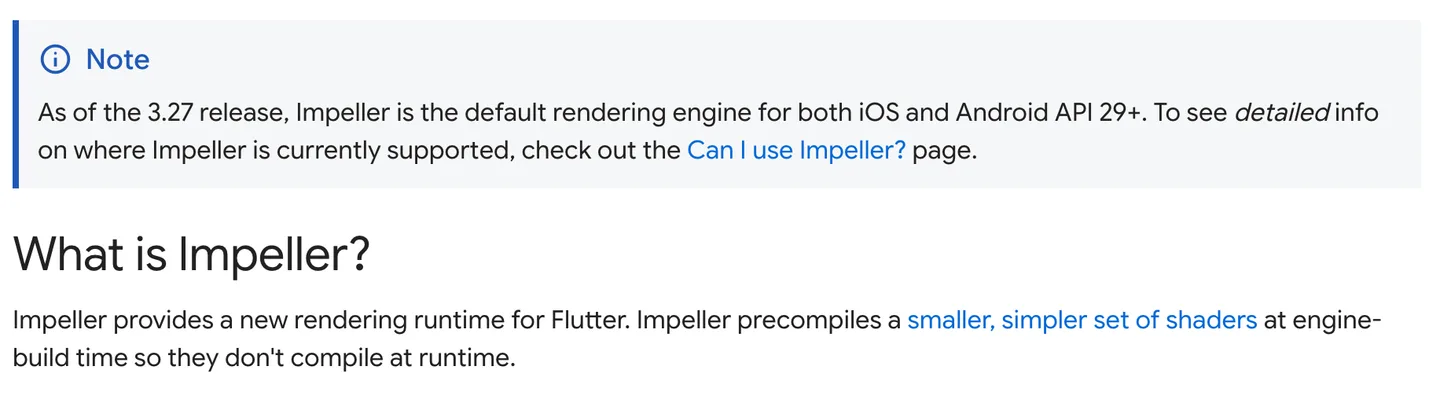
Flutter's Impeller page: the default engine on iOS and Android API 29 and up since Flutter 3.27, with shaders compiled ahead of time. Source
The upside of drawing everything yourself is control. Your app looks the same on a five-year-old Android phone and the newest iPhone, and custom animations and branded interfaces are where Flutter shines.
The downside is that when Apple or Google change their design language, Flutter has to reimplement it. Apple shipped Liquid Glass in iOS 26 and Flutter's Cupertino widgets did not follow: the tracking issue, opened in June 2025, is still open. In September 2026 the Flutter team moved Material and Cupertino into separate packages so they can ship design updates faster, and says official Liquid Glass work is underway. Until then you rely on community packages.
React Native goes the other way. Your <Switch> is a real UISwitch on iPhone and a real Android switch on Android. That is why, for example, Expo Router's native tabs use the system UITabBarController, and on iOS 26 "the system draws the tab bar with Liquid Glass" without anyone at Meta or Expo redrawing it.
React Native's New Architecture
The old complaint about React Native was "the bridge": JavaScript and native code talked through an asynchronous, serialized message queue, which caused lag in gestures, layout jumps and slow native calls. That is gone. The New Architecture replaces the bridge with JSI, an interface that lets JavaScript hold references to C++ objects directly, adds the Fabric renderer with synchronous layout, and supports React's concurrent features such as transitions and Suspense.
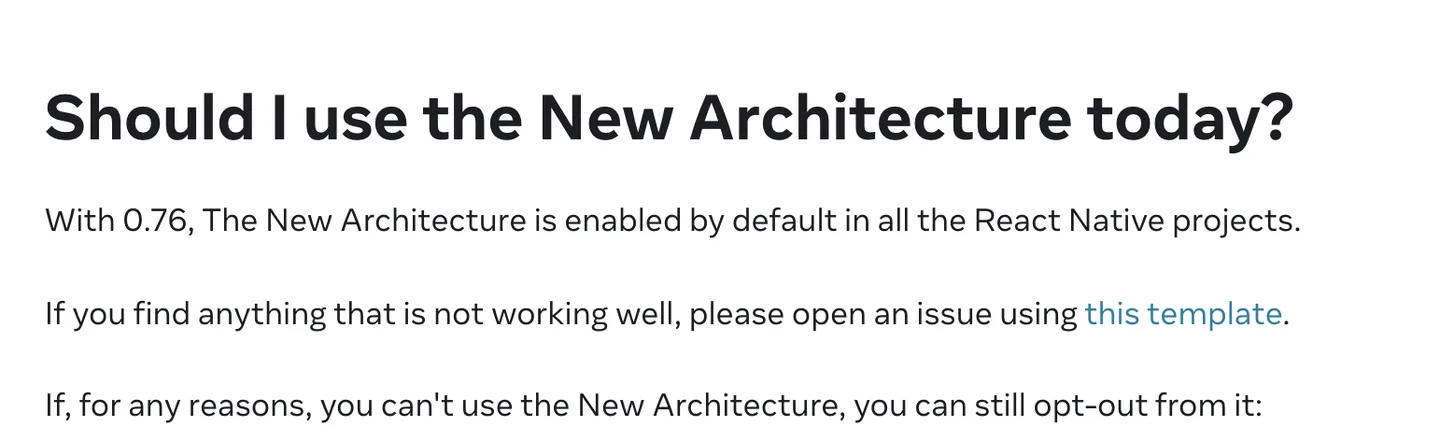
React Native's architecture page: the New Architecture has been the default since 0.76. Source
On top of that, React Native 0.84 made Hermes V1 the default JavaScript engine on iOS and Android. If an article about Flutter vs React Native still talks about the bridge, it is describing React Native from before late 2024.
React Native vs Flutter performance
Most "Flutter is X% faster" claims online come from benchmarks written by one side, on one device, measuring one thing. We could not find an independent, current benchmark we would trust enough to quote, so we will not invent one.
What the official docs do support:
- Flutter compiles Dart ahead of time "into native ARM machine code" on iOS and to native machine code on Android, and Impeller removes runtime shader compilation.
- React Native runs your JavaScript on Hermes, but the views on screen are native, and JSI removed the serialization cost of the old bridge.
In practice both hold 60 frames per second for the kind of app most people build: forms, lists, feeds, chat, a camera, a paywall. Where the frame rate drops, it is nearly always your code (an unvirtualized list, a re-render on every keystroke, a giant image) and not the framework. Flutter has an edge for animation-heavy, canvas-like interfaces. React Native has an edge when you want screens that behave exactly like the platform's.
Ecosystem and packages
Flutter packages live on pub.dev. The core plugins for camera, storage, maps and in-app purchases are maintained by the Flutter team, and the Flutter Favorite program flags well-kept community packages. Quality is generally good and consistent, partly because the ecosystem is smaller and more curated.
React Native draws on npm, which is enormous, and on the React Native Directory, which lists native libraries and whether they support the New Architecture. Pure JavaScript libraries (date handling, validation, state management, data fetching) work as they do on the web. Expo's SDK covers most native needs with maintained, versioned modules: camera, notifications, file system, secure storage and so on.
The practical difference for a first app: in both ecosystems the services you will actually use, such as Supabase, RevenueCat, Sentry and OneSignal, ship official SDKs for both. You will not be stuck on either side for mainstream features.
Hiring and community
The most-cited source is the Stack Overflow survey. In the 2024 edition, 9.4% of all respondents had done extensive work with Flutter in the past year and 8.4% with React Native. Among professional developers it was 9.4% and 9.0%. Among people learning to code, Flutter led more clearly, 11.1% to 6.7%.
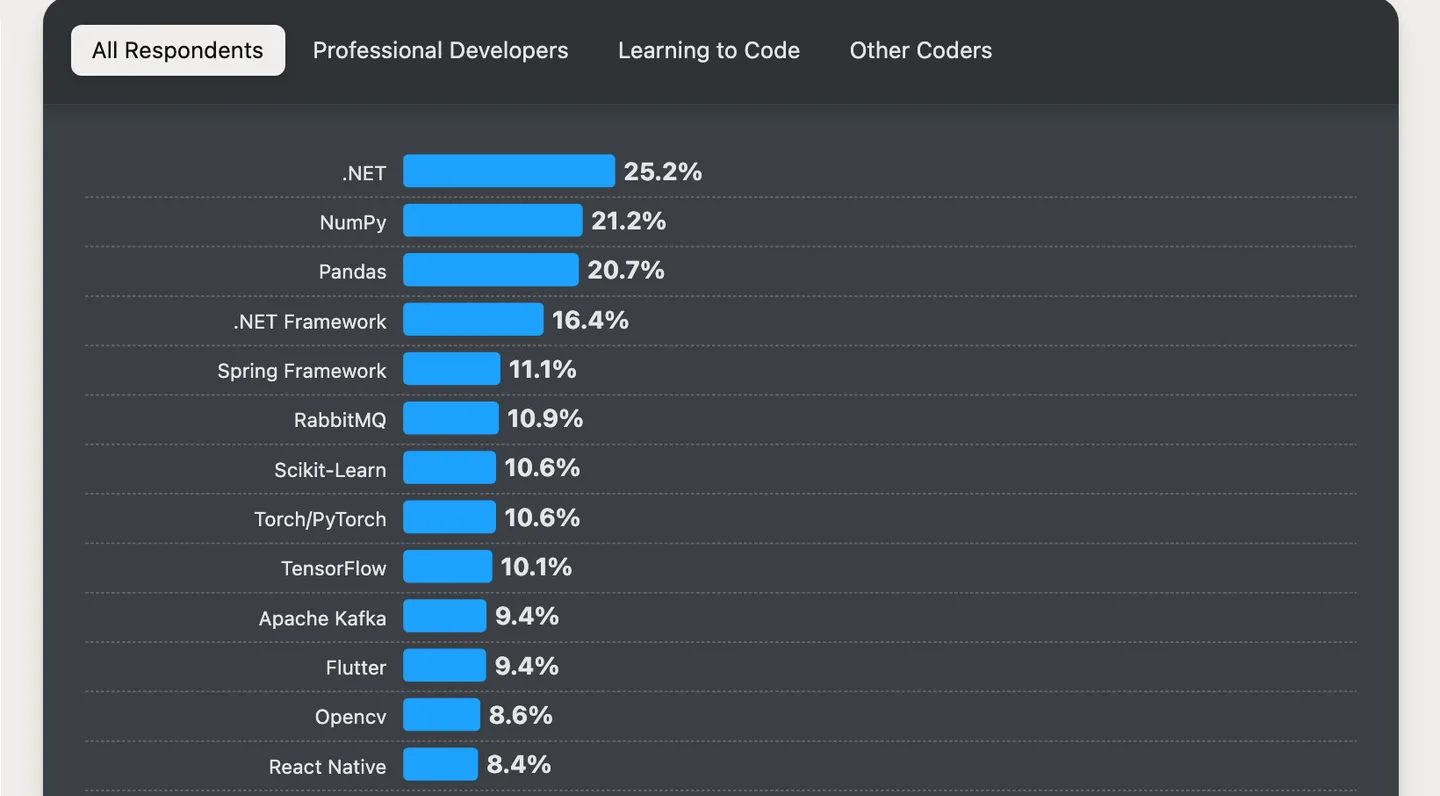
Stack Overflow's 2024 survey, "Other frameworks and libraries": Flutter 9.4%, React Native 8.4% of all respondents. The 2025 survey no longer charts either framework. Source
So by usage the two are roughly level, with Flutter more popular among newcomers. The hiring picture is different, because a React Native role draws on everyone who knows React and TypeScript, which is a far larger group than Dart developers. A web developer can be productive in React Native within weeks. If you plan to hire, or to hand the project to a freelancer later, that pool is the stronger argument for React Native.
Both have real companies behind them and public showcases of production apps: Flutter's and React Native's.
Tooling: Expo and EAS vs Flutter's tools
Flutter's tooling is one coherent package from Google: the flutter CLI, DevTools, solid VS Code and Android Studio plugins, and stateful hot reload that keeps your app's state while you change code. It is very good. The gaps are around shipping. Flutter's own docs say "Xcode is required to build and release your app" on iOS, so you need a Mac or a third-party CI service such as Codemagic. Over-the-air updates come from a third party too, Shorebird.
React Native's own docs recommend starting with a framework and name Expo as the production-grade one. Expo gives you file-based routing, a library of native modules, development builds with fast refresh, and EAS, its hosted services. EAS Build compiles iOS apps on Expo's macOS machines in the cloud, so you can build and submit an iPhone app from Windows. EAS Update pushes JavaScript fixes to users without a new store review. If you are weighing Expo against plain React Native, our Expo vs React Native CLI post covers that decision, and mobile app development tools covers the wider toolchain.
For someone without a Mac who wants to ship an iPhone app, this is often what decides it.
Web support
Both run on the web, in different ways.
Flutter compiles to JavaScript or WebAssembly and draws into a canvas. That is great for app-like tools such as dashboards or editors. Flutter's own web docs are honest that text-heavy, static content like blog articles is better served by normal HTML, and point Dart users to a separate project, Jaspr, for that.
React Native reaches the web through React Native for web, which turns <View> and <Text> into real DOM elements. With Expo Router, Expo websites can be statically rendered for SEO or client-rendered. If a real website matters, React Native has the advantage. If you want the same app in a browser tab, both work.
AI coding agents: which stack do they handle better?
Most first-time builders now write their app with Claude Code, Cursor or Codex, so this matters. There is no rigorous public benchmark comparing agent output across the two frameworks, so treat what follows as experience.
In our experience, agents write React Native and TypeScript more reliably than Dart and Flutter. The likely reason is simple: there is vastly more React and TypeScript code in the world for models to learn from, and agents carry web React habits straight into React Native. The failure mode is the reverse of that strength. Agents sometimes write web code (a div, a CSS property React Native does not support) and need correcting, which a typed project and good instructions catch quickly.
Both ecosystems are investing here. Google ships an official Dart and Flutter MCP server that gives agents analyzer diagnostics, symbol lookup, test runners and runtime inspection, with Claude Code and Cursor support. Expo ships skills and a remote MCP server for Claude Code, Codex and Cursor with live docs and EAS build history. Whatever you pick, set these up: they cut the number of outdated APIs your agent reaches for. Our posts on Codex vs Claude Code and Claude Code skills for mobile apps go further.
React Native vs Swift for an iOS-only app
If you only care about iPhone, the real alternative to React Native is Swift with SwiftUI. Flutter is a weaker fit for iOS-only work because its main advantage is sharing one UI across platforms, and its Cupertino widgets lag Apple's design changes.
Choose Swift and SwiftUI if:
- You will never ship on Android, and you are sure of that.
- You need Apple features on day one: widgets, Live Activities, watchOS, visionOS, App Intents, the newest frameworks the week they ship.
- You have a Mac and are willing to learn Xcode, Swift and Apple's documentation.
Choose React Native if:
- Android is even a maybe. Rewriting a Swift app for Android later costs far more than starting cross-platform.
- You already know React or TypeScript, or you lean on a coding agent. Our iPhone app guide explains why agents tend to do better there.
- You do not own a Mac. EAS builds and submits iOS apps from the cloud.
The gap is also smaller than it was. React Native renders real UIKit views, and Expo UI lets you use SwiftUI components directly from React, with a one-to-one mapping to SwiftUI views. When you need a native Swift module, you can write one and call it from TypeScript.
Choose Flutter if
- You want pixel-identical UI on every device, or your design is heavily custom: games-adjacent interfaces, rich animation, a brand that should not look like iOS or Android.
- You or your team already know Dart, or come from Java, Kotlin or C# and do not know React.
- You want desktop apps too. Flutter builds Windows, macOS and Linux apps from the same SDK, while React Native's desktop support lives in separate projects from Microsoft.
- You prefer one vendor's integrated tooling and docs over assembling pieces.
- You are learning to build apps from scratch and like a single, consistent widget model.
Choose React Native if
- You or your coding agent already work in React and TypeScript.
- You want screens that look and behave like the platform, including new system designs, without waiting for a framework update.
- You do not own a Mac and want cloud iOS builds and over-the-air updates from one provider (Expo).
- You want to share code or developers with a web app, or need a website that ranks in search.
- You might hire later and want the biggest pool of developers who can read your code.
Coming from React, the transition to React Native was super smooth thanks to Native Express.
 MiguelIndie Maker
Flutter or React Native in 2026: which is better?
Neither wins for every app. We sell a React Native kit, so weigh our view accordingly. For the reader this blog is written for, a first-time builder working with an AI coding agent who wants an app in both stores, we think React Native with Expo is the better default: TypeScript, native components, cloud builds without a Mac, and agents that know the stack well. If your app is mostly custom visuals, or you already know Dart, Flutter is an excellent choice and you will not regret it.
What neither framework gives you is the app around your idea: sign-in, payments, push, analytics and store setup. You build those either way, or you start from a kit. Ours is for React Native; you can see apps people have shipped with it.
FAQ
Is Flutter still relevant in 2026?
Yes. Google released Flutter 3.47 in August 2026, Impeller is now the default renderer on mobile and desktop, and in Stack Overflow's latest framework data Flutter was used by 9.4% of developers, slightly ahead of React Native. Its weak spot is keeping its iOS widgets current with Apple's design changes, which the team is addressing by splitting out the Material and Cupertino packages.
Which is better in 2026, Flutter or React Native?
It depends on your team and your app. React Native is the better fit if you know React or TypeScript, use a coding agent, want platform-native screens or need web and hiring flexibility. Flutter is the better fit for highly custom, animation-heavy UI, for desktop, or if you already know Dart.
Is Flutter considered native?
Partly. Flutter compiles your Dart code ahead of time into native machine code, so it is not a web view or an interpreter. But it does not use the platform's native UI components; it draws its own versions of them with its Impeller engine. React Native is the reverse: your logic runs in JavaScript, while the components on screen are the platform's real native views.
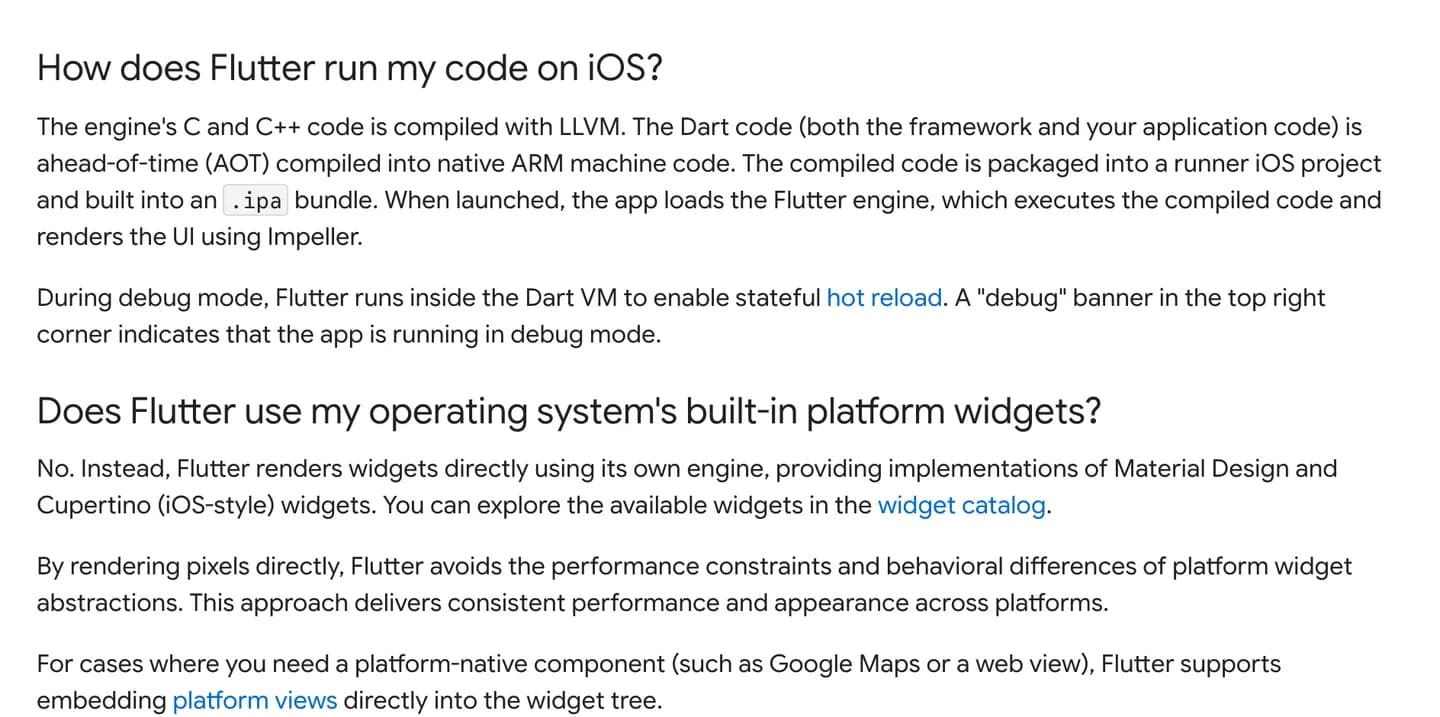
Flutter's FAQ: native machine code, but its own widgets rather than the operating system's. Source
Should I use React Native or Swift for an iOS app?
Use Swift and SwiftUI if you are certain the app will only ever be on Apple platforms and you need the newest Apple features first. Use React Native if Android is a possibility, if you know TypeScript, or if you do not have a Mac, since Expo's EAS can build and submit iOS apps from the cloud.