
App Ideas for 2026: 26 You Can Build and Charge For

Most lists of app ideas are written for agencies pitching clients: "Uber for dog walking", "a metaverse for pets". This one is for a single person with a coding agent, a phone and a few evenings a week, who wants an app that people pay for.
The short version: the best app ideas for a solo builder in 2026 do one narrow job for a specific group of people, use something a phone does better than a laptop (the camera, the microphone, notifications, location), add an AI step that removes the tedious part of that job, and charge a subscription. Below are 26 ideas built on that pattern, grouped by category, each with who pays, the core feature, the hard part and a pricing model. After the list: how to check an idea in a week before you build it.
Where app money actually goes in 2026
Before picking an idea, look at where people already spend. Two public datasets cover most of what a first-time builder needs.
Sensor Tower's State of Mobile 2026 reports that in-app purchase spending reached $167 billion in 2025, and that spending in non-game apps passed games for the first time. ChatGPT was the third-highest grossing app of the year, and AI apps grew downloads 148% year over year. The largest non-game revenue sources are still social media, streaming and dating.
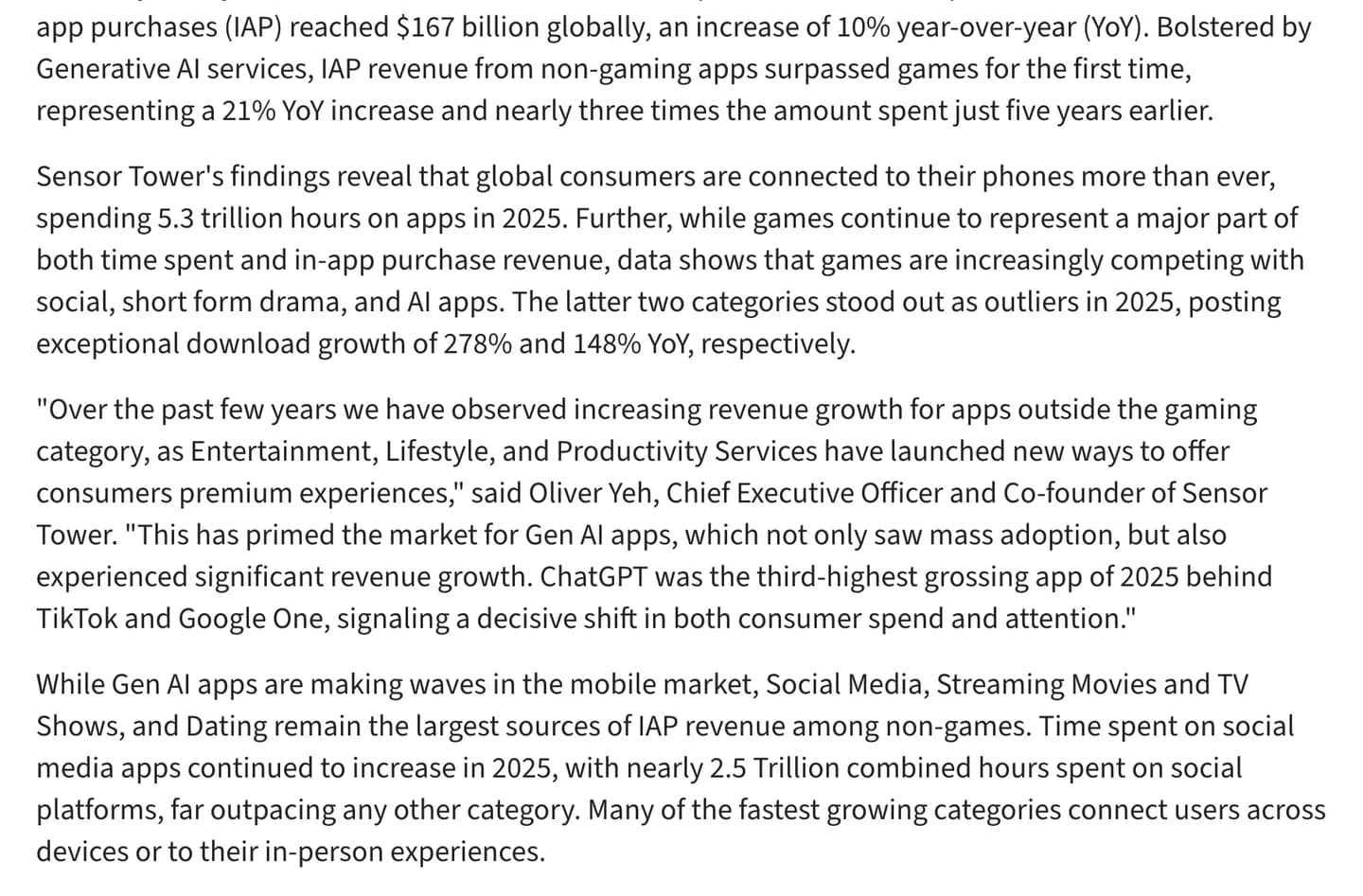
Sensor Tower's 2026 report: non-game apps out-earned games in 2025, and AI app downloads grew 148%. Source
The top three are a trap for a solo builder. Social and dating apps need millions of users before they are useful to anyone, and streaming needs a content budget. The more useful data is per category, for apps of any size. RevenueCat's State of Subscription Apps 2026, which covers more than 115,000 subscription apps, finds that Health & Fitness leads early monetization at a median $0.48 revenue per install by day 14, against $0.08 for games. Business and Education follow at about $0.30. Education has the highest median yearly price at $44.99, and $9.99 a month is the common anchor across education and health.
The same report says AI-powered apps earn 41% more revenue per payer but churn 30% faster. Read that as: an AI feature makes people willing to pay, and you still need a reason for them to come back next week.
You can see the pattern in the charts today. In the US App Store's top free Health & Fitness chart on October 3, 2026, two of the top ten apps are camera-first: Yuka, which scans food and cosmetics labels, and Cal AI, which logs calories from a photo of a meal.
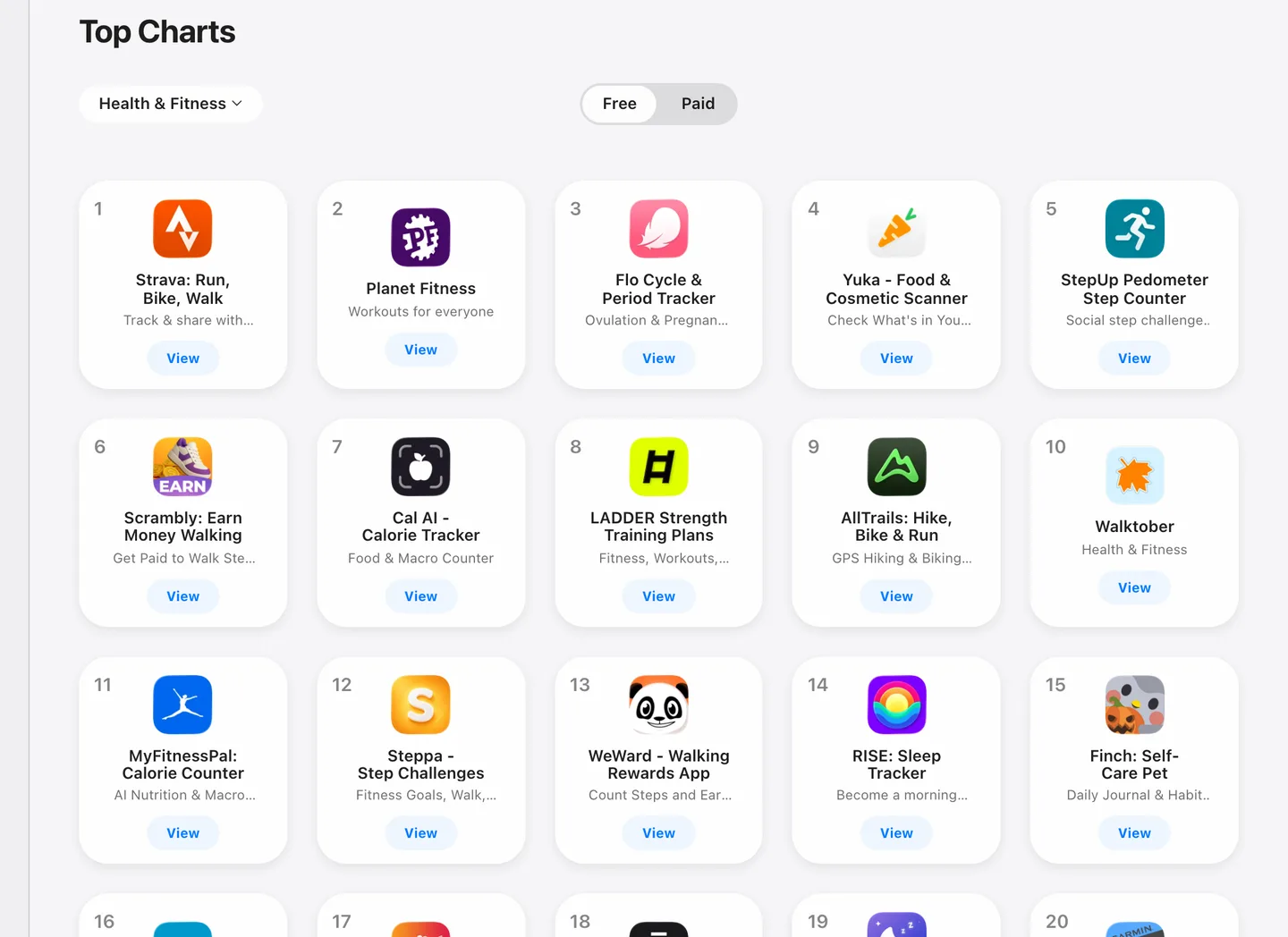
The App Store's top free Health & Fitness chart on October 3, 2026. Two of the top ten start from the camera. Source
So the evidence points the same way: health, learning and work tools for niche professionals, with an AI step and a subscription. That is where most of the ideas below sit.
26 good app ideas to make in 2026
Each idea fits a solo builder: no marketplace with two sides to fill, no network effect, no content library you have to film. "Hard part" is the thing that will take you longest or decide whether it works. For the models, see our guide on how to make money with an app.
Health and fitness
The best-monetizing category, and the camera does a lot of the work. One rule to respect: App Review guideline 1.4.1 reviews medical apps "with greater scrutiny" and rejects health measurements it cannot validate, so stay on the wellness side of the line unless you have clinical backing.
| Idea and core feature | Who pays, and why | Hard part | Model |
|---|---|---|---|
| 1. Photo carb counter for low-carb eaters: snap the plate, get net carbs | Keto and low-carb dieters who find general calorie apps noisy | Accuracy on mixed dishes; let users correct the estimate fast | Subscription, hard paywall after onboarding |
| 2. Progress photo tracker: a ghost overlay of last week's photo so every shot lines up | People lifting, losing weight or treating skin, who want proof it is working | Photos are sensitive; store them privately and say so | Subscription |
| 3. Home rehab reminders: enter the plan your physio gave you, get timed sets and nudges | People recovering from an injury who forget the boring exercises | Staying clear of medical advice; you track a plan, you do not write one | One-time unlock or low monthly |
| 4. Strength log that adjusts the next session from the last one | Gym-goers who want a coach without paying for one | A crowded field; the logging has to be faster than a notes app | Subscription, annual first |
| 5. Wind-down coach: evening routine, phone-down reminders, short audio | Light sleepers who already know they scroll too late | Retention; give a weekly summary they look forward to | Subscription |
Learning and skills
Learning apps keep users for weeks, which suits a subscription, and AI makes content that used to need a team. Two apps on NativeExpress live here: Polym turns technical subjects into audio courses, and Bearwith lets you rehearse awkward conversations out loud with an AI coach.
| Idea and core feature | Who pays, and why | Hard part | Model |
|---|---|---|---|
| 6. Audio revision for one professional exam (nursing, CPA, bar), generated from the syllabus | Students with a commute and a deadline | Getting content right; errors cost trust instantly | Subscription until exam day |
| 7. Spoken job interview practice in English for non-native speakers | Job seekers who freeze in interviews | Low-latency voice; a slow reply kills the role-play | Weekly or monthly subscription |
| 8. Driving theory test prep for one country, with spaced repetition | Learner drivers, often paid for by parents | Official question banks may be licensed; check before you copy anything | One-time purchase |
| 9. Instrument practice log with a tuner, a metronome and streaks | Adult beginners who want to see they practiced | Audio processing on device | Freemium |
| 10. "Explain this page": photograph a textbook page, get a spoken explanation and a quiz | High school and university students | Students share accounts; enforce limits on the server | Credits plus subscription |
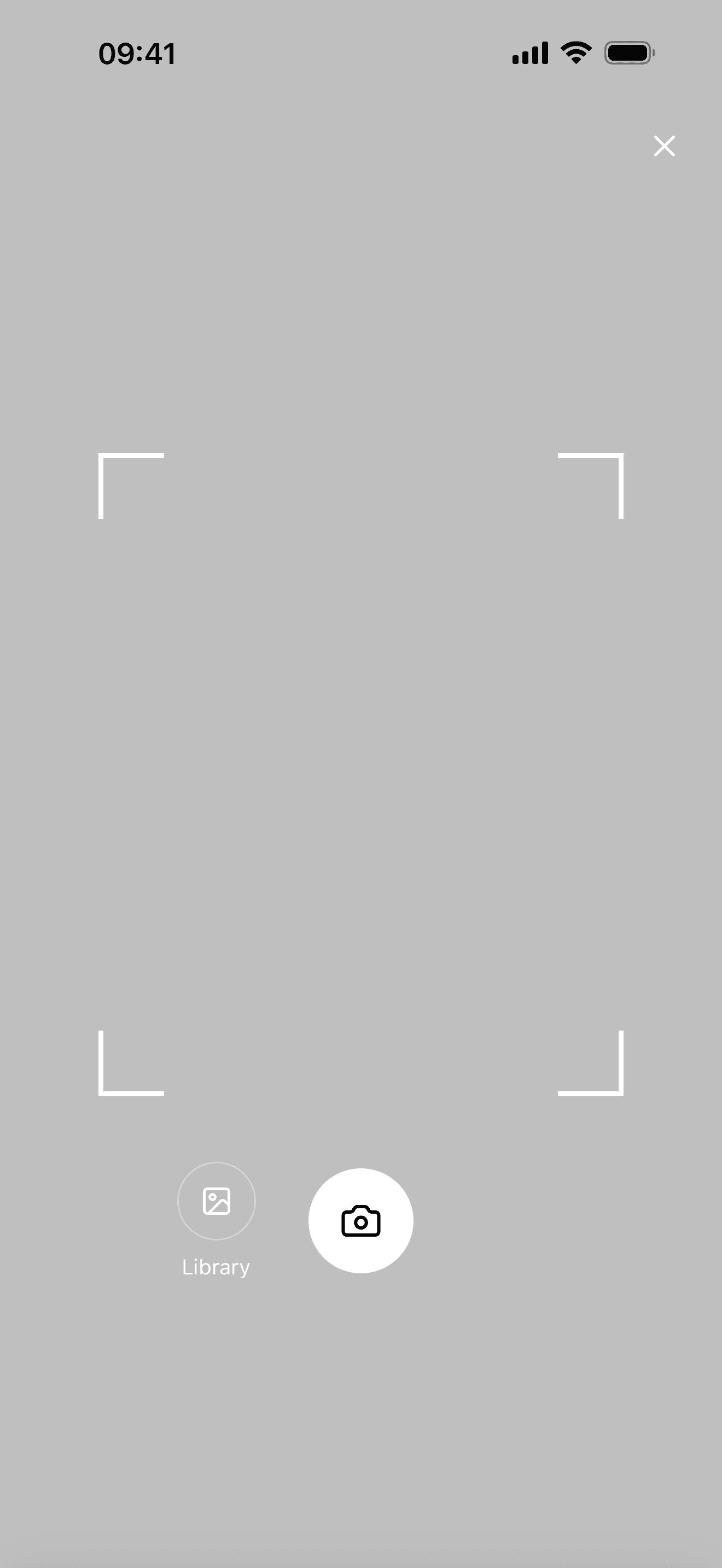
The AI scanner
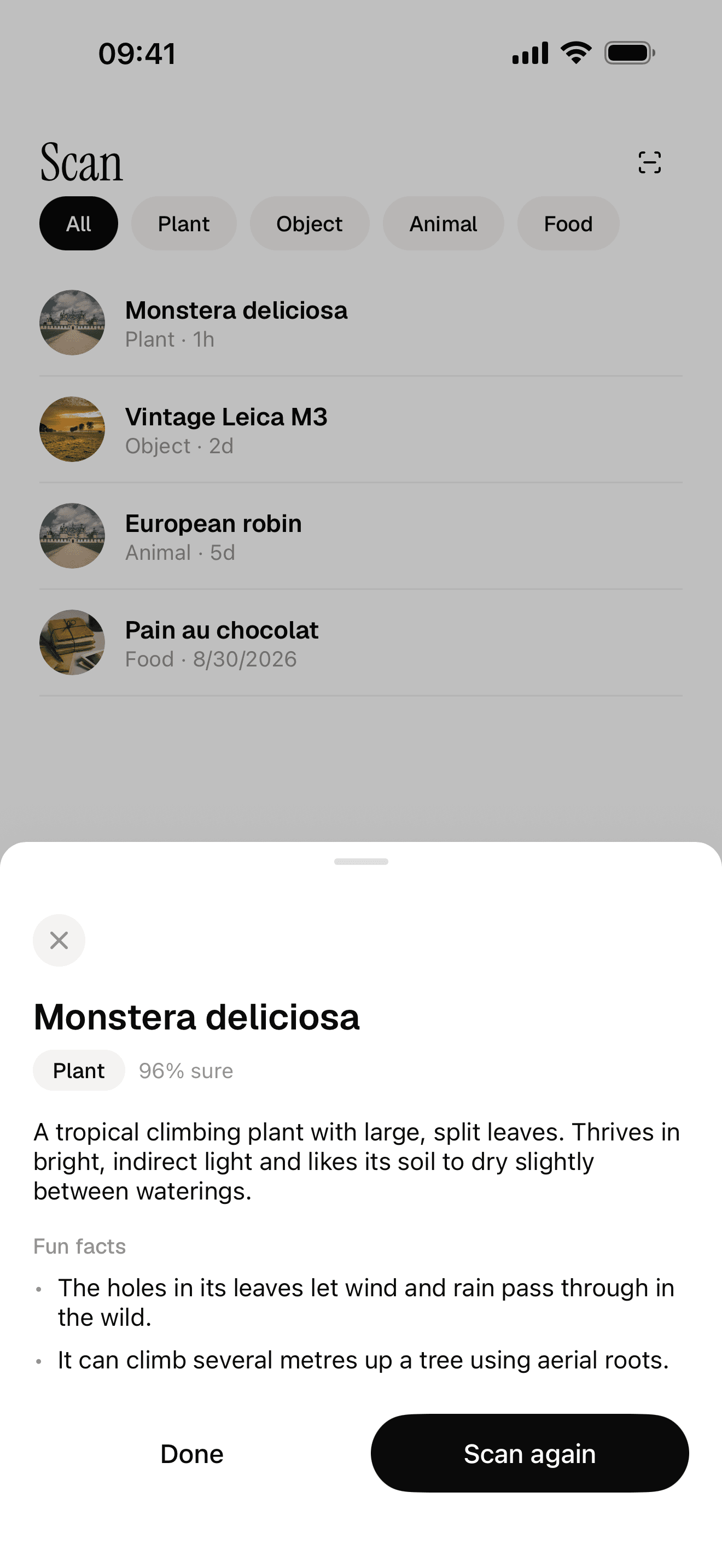
A scan result
Streaming AI chat
Food, drink and shopping
Scanners are the clearest case of a phone doing something a laptop cannot. Alc AI, built on NativeExpress, prices and profiles a bottle from a photo.
| Idea and core feature | Who pays, and why | Hard part | Model |
|---|---|---|---|
| 11. Allergy label scanner for one allergen family, with a "safe" list you build over time | Parents of kids with food allergies; they will pay for certainty | You must say clearly it is an aid and not a guarantee | Subscription |
| 12. Fridge photo to three dinners you can make tonight | Busy households tired of deciding | Making suggestions good enough to cook twice a week | Freemium with weekly limit |
| 13. Resale scanner: photograph an item, get a price range and a draft listing | Thrifters and people clearing out an apartment | Price data; prices from AI alone drift, so show ranges | Credits |
| 14. Receipt splitter: photograph a bill, tap who had what, send requests | Friends who eat out in groups | Only one person needs the app, so growth depends on the share link | One-time unlock |
| 15. Coffee or wine journal: photo of the label, tasting notes, what to buy next | Hobbyists who like keeping a collection | Making it feel personal rather than a database | Subscription, low price |
Work tools for niche professionals
Professionals pay more and churn less because the app saves billable time. In RevenueCat's data, Business has the highest download-to-trial rate of any category. These ideas are less glamorous, which is part of why they work.
| Idea and core feature | Who pays, and why | Hard part | Model |
|---|---|---|---|
| 16. Job report for tradespeople: site photos plus a voice note become a PDF for the client | Electricians, plumbers, cleaners; it ends evening paperwork | Working offline in basements, then syncing | Monthly subscription, higher price |
| 17. Mileage log for gig and sales drivers using background location | Anyone who claims mileage for tax | Battery use and background location review | Subscription |
| 18. Voice note to invoice for freelancers | Freelancers who invoice late because it is a chore | Taxes and formats differ by country; start with one | Subscription |
| 19. Offline inspection checklist with photos and signatures | Property managers, safety inspectors | Template editing has to be easy for non-technical users | Per-seat subscription |
| 20. Listing writer for real estate agents: photos in, description and social posts out | Agents with many listings and no time | Fair housing and advertising rules on wording | Credits plus subscription |
Hobbies, outdoors and local
Location, offline maps and notifications matter here. Communities around a hobby are also an easy first marketing channel: you are probably in one already.
| Idea and core feature | Who pays, and why | Hard part | Model |
|---|---|---|---|
| 21. Fishing log: catch photo, species guess, weather and spot saved privately | Anglers who guard their spots | Keeping spots private is a feature; never share location by default | Subscription |
| 22. Plant care: photo diagnosis plus watering reminders per plant | New plant owners who keep killing them | Strong free competitors; win on a niche (orchids, bonsai, succulents) | Freemium |
| 23. Climbing logbook for one gym chain or region | Boulderers who want to track grades | Route data changes weekly; let users add it | Subscription, low price |
| 24. Class timetable reader with reminders before each class you follow | Members of a gym or studio whose own app is bad | Parsing a schedule that the gym changes without warning | Free or one-time; the NativeExpress team built Spitfire Kursplan on this idea |
Personal life
Notifications are the feature here. These apps live or die on whether the reminder arrives at the right moment.
| Idea and core feature | Who pays, and why | Hard part | Model |
|---|---|---|---|
| 25. Shared baby log for both parents: feeds, sleep, diapers, synced in real time | Sleep-deprived new parents | Real-time sync between two phones with patchy signal | Subscription or one-time |
| 26. Document expiry tracker: scan passport, ID, insurance, get reminders months ahead | Families and frequent travelers | The data is sensitive; keep it on device or encrypt it | One-time unlock |
Proof that the pattern works
The apps below were built by NativeExpress customers. We do not know their revenue and will not guess. What they show is the pattern above in production: a narrow job, a phone feature, an AI step and in-app purchases.

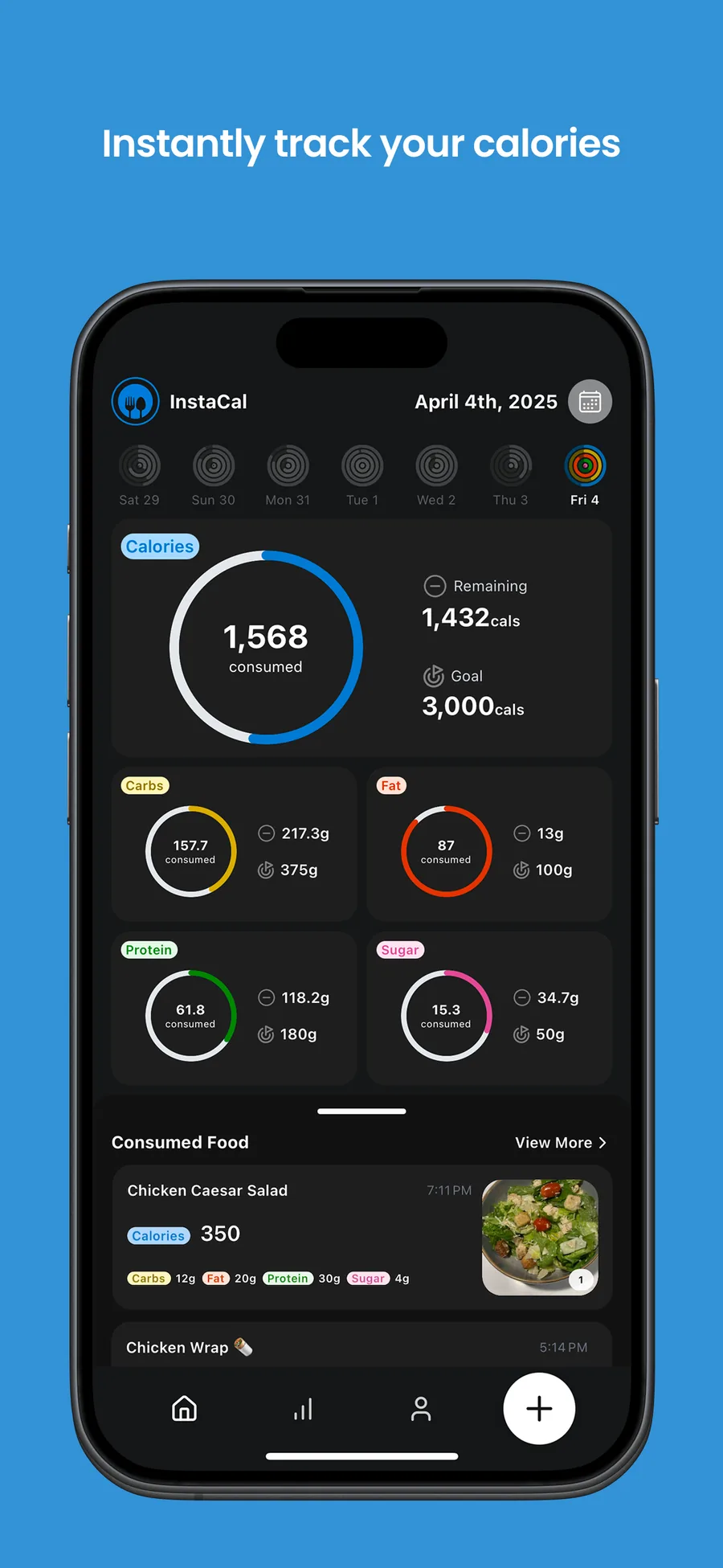
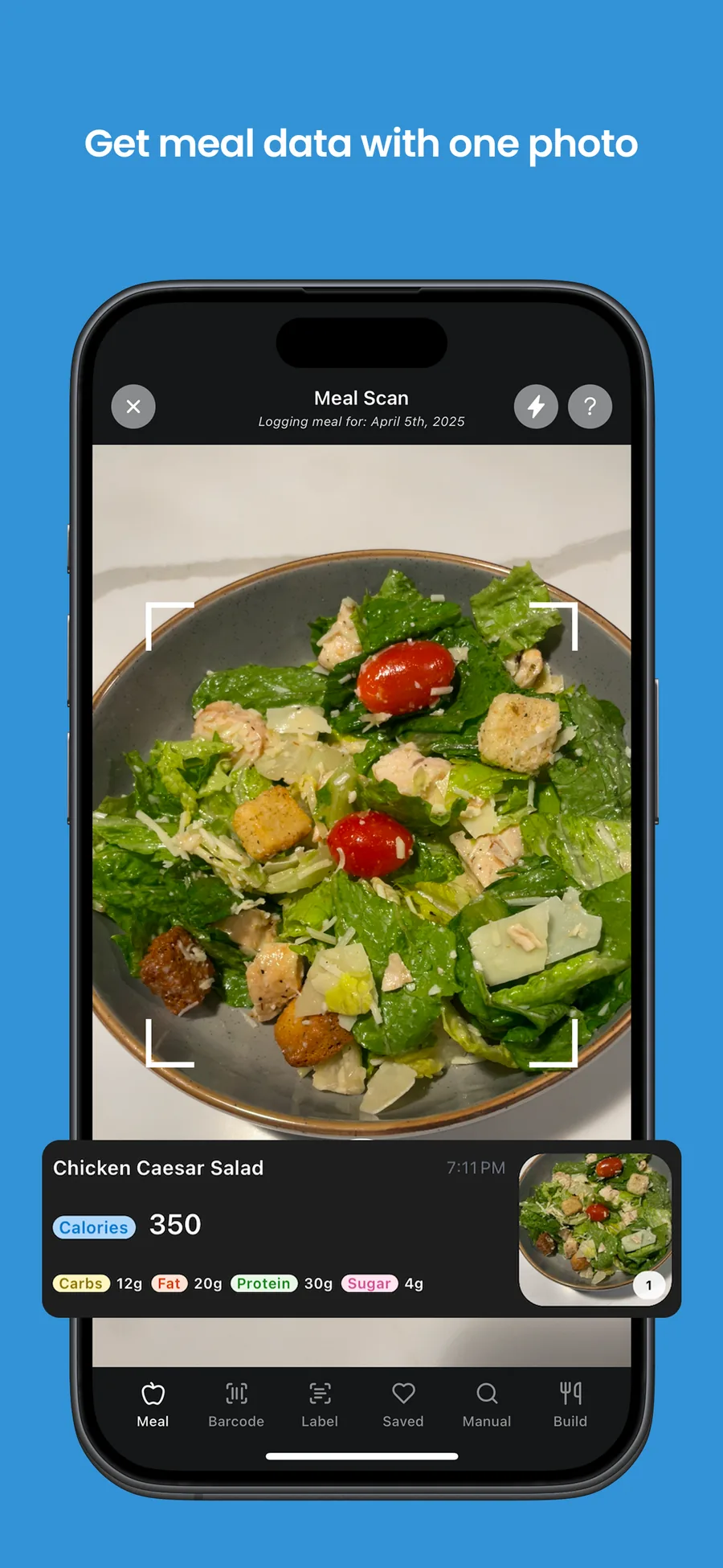
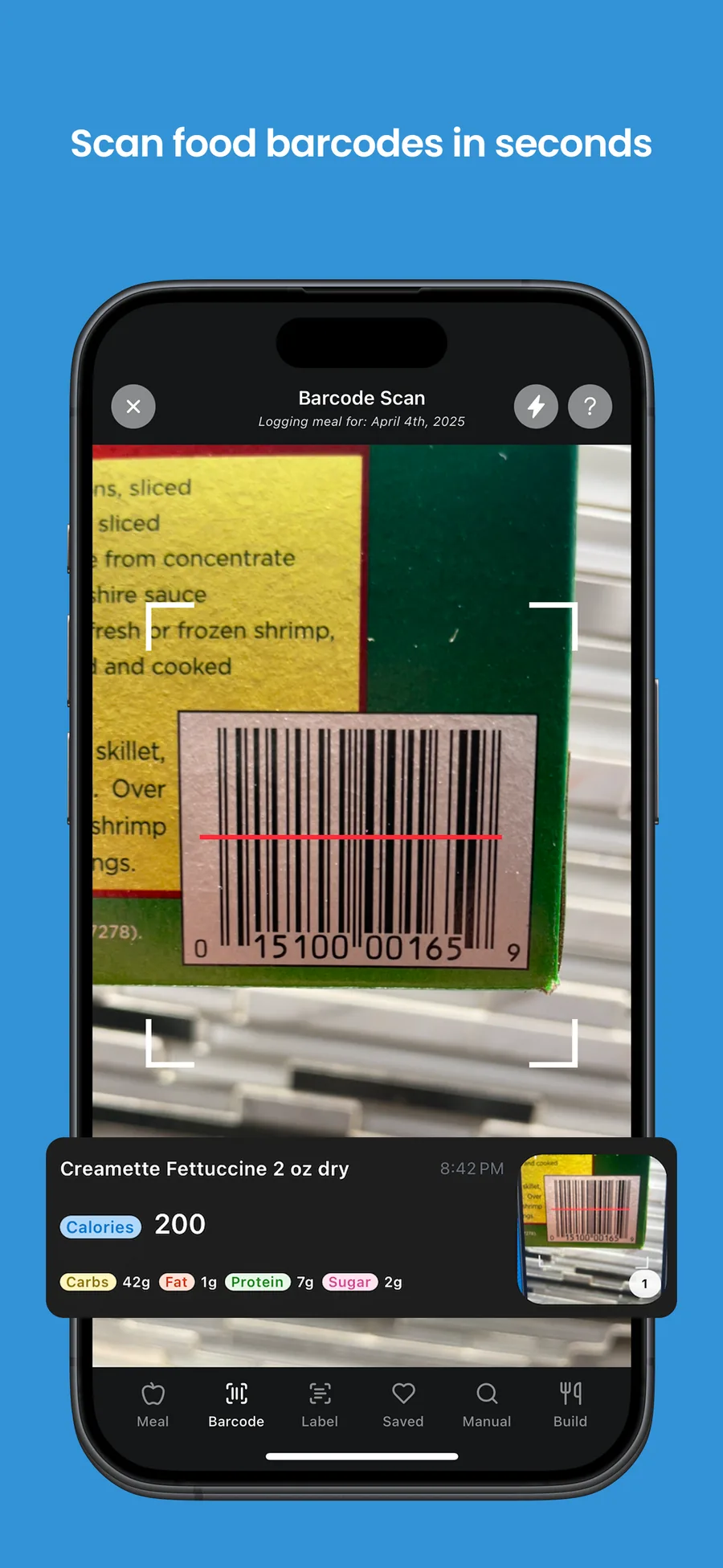
InstaCal starts calorie tracking from a photo of the plate, then adds friends and a feed. It sits in Health & Fitness, the category with the best early revenue per install in RevenueCat's data, and charges through in-app purchases.
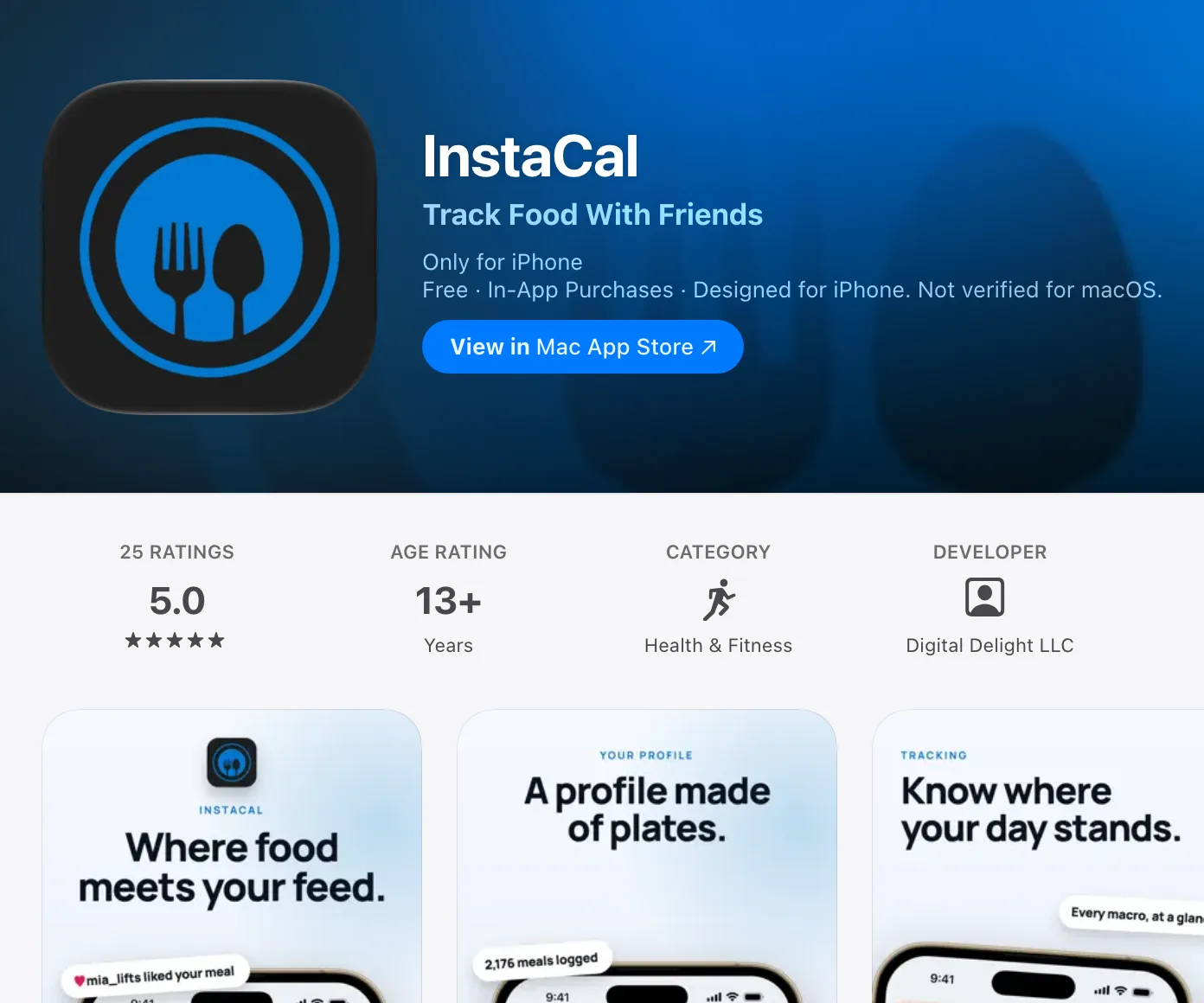
InstaCal's App Store listing, as of October 3, 2026. Source
Polym (audio courses on technical subjects) is a broader version of idea 6. Bearwith (an AI social skills coach) is idea 7 aimed at a different fear. Alc AI (a bottle scanner that returns price, strength and flavor profile) sits between ideas 13 and 15. You can see all of them on the apps page. Bearwith's maker had never shipped an app before:
For the first time, I felt like I was actually going to make it to the App Store with my idea.
 Ilya LibinShipped his first app
App ideas to avoid
Some ideas fail for reasons you can know before writing any code.
- Categories Apple already considers full. Guideline 4.3 names dating, flashlight, sound effects, wallpaper, simple timers and fortune telling as categories where Apple will not accept new apps "unless they offer a meaningfully different or improved experience". Drinking games and fart apps are called low-effort outright.
- Anything that needs both sides of a marketplace. "Uber for X" needs drivers before riders and riders before drivers. One person cannot fill both.
- Social networks. An empty feed is worthless, and you are competing for the same hours as TikTok.
- A website in an app wrapper. Guideline 4.2 rejects apps that are not more than a repackaged website. Use the camera, notifications or offline storage, or build a website instead.
- Ad-only apps. Ads pay per thousand impressions. At first-app scale, a handful of subscribers earn more.
I have an app idea: where do I start?
Validate it before you build it. A week is enough to learn whether people search for the problem, whether competitors earn money from it, and whether anyone will hand you an email address. This is the market research for an app idea that matters at this stage; you do not need a report.
Days 1 and 2: check search demand
Write down the five phrases a user would type to find your app ("carb counter keto", "physio exercise reminder"). Then check two sources:
- App Store search. In Apple Ads, the keyword tool shows a search popularity score from 1 to 5 for each term, based on App Store searches. You need an Apple Ads account but do not have to run an ad.
- Google. Keyword Planner gives monthly search estimates once you set up a Google Ads account with billing details. Google Trends is free and shows whether interest is rising or fading.
Low numbers on both is a warning. High numbers with huge competitors is a different warning, and the next step tells you which.
Days 3 and 4: read the competitors' reviews
Search the App Store for those phrases and open the top five apps. For each one, note the price, when the paywall appears, the rating and the last update date. Then read the 1, 2 and 3 star reviews. That is where users list what they would pay for: "the scanner gets my curry wrong", "no way to share with my partner", "lost my data". A complaint repeated across several apps is your feature.
Competitors with ratings, recent updates and a paywall are good news. They prove people pay. A category where every app is free, abandoned or ad-filled usually means nobody found a way to charge.
Days 5 to 7: put up a landing page
Make a one-page site that says who the app is for, the one problem it solves and the price you plan to charge, with an email signup. Post it where your users already are: the subreddit, the Discord, the Facebook group, the TikTok niche. If you cannot get a few dozen strangers to sign up in a few days, the idea or the pitch needs work, and you found out for the cost of a weekend.
Then build the smallest version that does the core job, with the paywall in from day one. Our guide on how to make an app covers the steps from repo to store, and how to make an iPhone app goes deeper on iOS.
Phone app ideas that only work on a phone
If you only take one filter from this article, use this one: would this be worse as a website? If not, build the website. The ideas above lean on:
- The camera: scanners, progress photos, receipts, labels.
- The microphone: voice notes that become documents, spoken practice.
- Notifications: reminders at the right moment, which is most of the value in ideas 3, 24 and 26.
- Location: mileage, fishing spots, local classes.
- Offline storage: job sites, inspections, the outdoors.
Each of those is a small engineering task with an AI coding agent in 2026, as long as the parts underneath (sign-in, purchases, a server that holds your AI key) are already done. That base is what NativeExpress is: a React Native and Expo starter with the scanner, chat, image generation, push and subscriptions wired, built to be finished by Claude Code, Codex or Cursor. Your agent writes most of the code; you make the product decisions and test on your phone.
FAQ
What apps don't exist yet?
Very few broad ideas are untaken, and that is fine. The gaps are narrow: a general calorie app exists, a carb counter for one diet that understands home cooking may not. Read the low-star reviews of the top apps in a category; the features users keep asking for are the apps that do not exist yet.
What would be a cool app to create?
One that you would use and that uses the phone: the camera, voice or timely notifications, plus an AI step that removes a chore. Learning, health and niche work tools are good places to look because people pay for them. Pick a problem you have, or one a group you belong to complains about.
What is the best app for ideas?
If you mean checking whether an idea is any good, the App Store itself is the best free tool: search your phrases, study the top competitors and read their reviews. Add Apple Ads' search popularity scores and Google Keyword Planner for demand, and a simple landing page for proof that people want it.
What are good app ideas for beginners?
Single-purpose apps with one main screen and one paid feature: a progress photo tracker, a document expiry reminder, a practice log. Avoid anything with real-time sync, two-sided marketplaces or user-generated feeds until you have shipped once.
How do I do market research for an app idea?
Check search demand (Apple Ads search popularity, Google Keyword Planner, Google Trends), then the top five App Store competitors: their prices, paywalls, update dates and low-star reviews. Finish with a landing page and an email signup posted where your users spend time. A week is enough.