
How to Vibe Code an App: A Workflow That Ships

To vibe code an app, write a one-page brief your coding agent reads, start from a codebase that already runs, give the agent project instructions (CLAUDE.md or AGENTS.md), build one small feature at a time, make the agent run type checks and tests, review each diff, commit often, test on a real phone, keep API keys on a server, then ship.
That list is the whole method. Most vibe coded apps that stall do so because one of those steps was skipped, usually the boring ones. This guide goes through each step with the prompts we actually use, then covers what to do when the agent gets stuck.
If you want the definition and history of the term first, read what is vibe coding. This post is the practical part.
What you need before you start
- A coding agent. Claude Code, Codex, Cursor or similar. If you have not picked one, we compare the two terminal agents in Codex vs Claude Code.
- Git and a GitHub account. Commits are how you undo the agent's mistakes. You will use them constantly.
- A phone. For a mobile app, you test on the device your users will hold.
- Node.js and a free Expo account if you are building a mobile app with React Native, which is what we recommend for a first app and what the examples below assume.
You do not need mobile experience. You do need to be willing to read error messages, make decisions and sign in to services when the agent asks.
How to vibe code an app, step by step
1. Write a short product brief the agent reads
Agents are good at code and bad at guessing what you want. A brief fixes that. Put a file in the repo root, one page at most, that says who the app is for, what it does, and what it does not do.
# PRODUCT.md

## Who it is for
People learning a second language who commute by train, 15 to 30 minutes a day.

## The one job
Give them a 10 minute listening lesson they can finish offline.

## Core screens
Onboarding (pick language and level), lesson list, lesson player, paywall, settings.

## Not in version 1
Social features, leaderboards, a web version, more than 3 languages.

## Tone
Calm, plain, no streak guilt.

## Money
Free: 3 lessons a week. Pro subscription: unlimited lessons and downloads.
The "not in version 1" section matters more than it looks. Agents will happily build a leaderboard if you mention one in passing. A written list of exclusions gives you something to point at.
NativeExpress ships this as PRODUCT.md, "the brief the skills read." Its setup skill writes the brief with you during the first run, and the design skill reads the brief's design inputs when it sets your theme, according to the skills catalogue.
2. Start from a codebase that already runs
An agent working in an empty folder makes every decision from scratch: router, state management, styling, folder layout, how auth works. It makes different decisions on Tuesday than on Monday, and by week two the codebase has three ways of doing the same thing.
An agent working in an existing codebase copies what is there. That is the single biggest lever you have. Anthropic's own best practices for Claude Code tell you to "reference existing patterns" and point the agent at a file that already does something similar. That advice only works if such a file exists.
So start from a project where the hard parts already run: sign-in, a database with sensible permissions, payments, a build setup for both stores. Then the agent spends its time on your idea instead of reinventing session handling. For a mobile app, a plain npx create-expo-app gives you a running app but none of that plumbing. A starter kit gives you the plumbing and the conventions.
This is the case we built NativeExpress for. You clone a React Native and Expo app with Supabase auth, RevenueCat subscriptions and three AI features already working, features isolated under src/features/, and agent skills for setup, design, conventions, store assets and submission. These screens are in the demo app on the first clone:
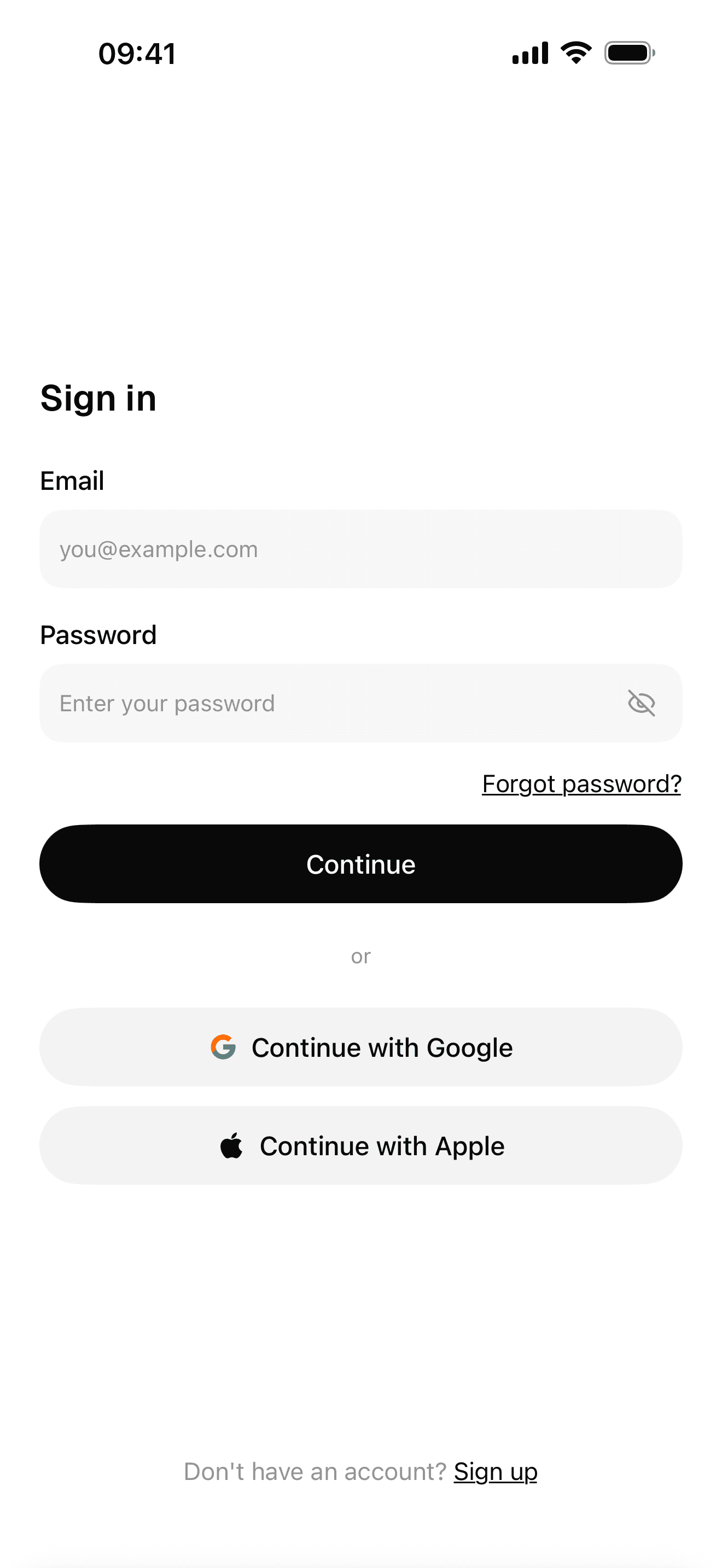
Sign-in with Google, Apple and email
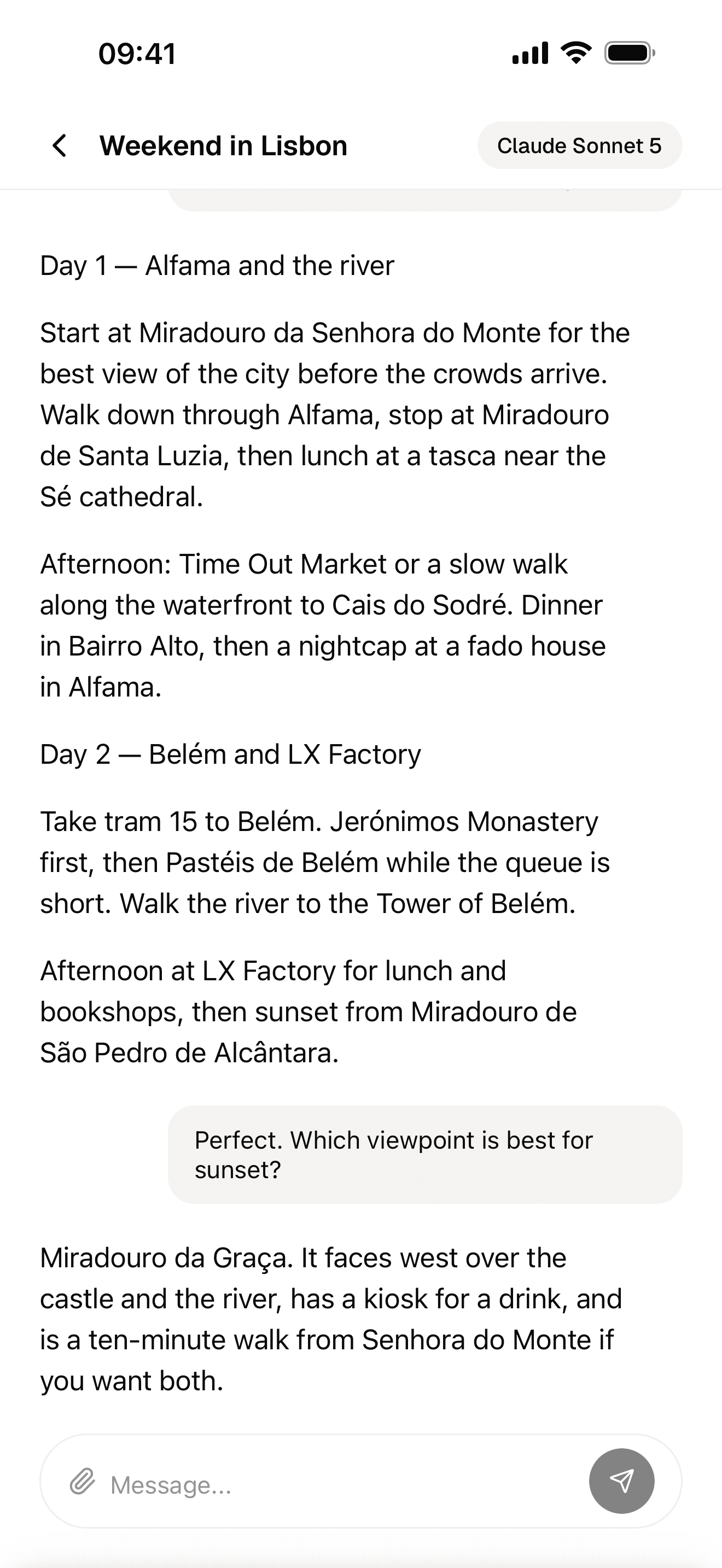
Streaming AI chat
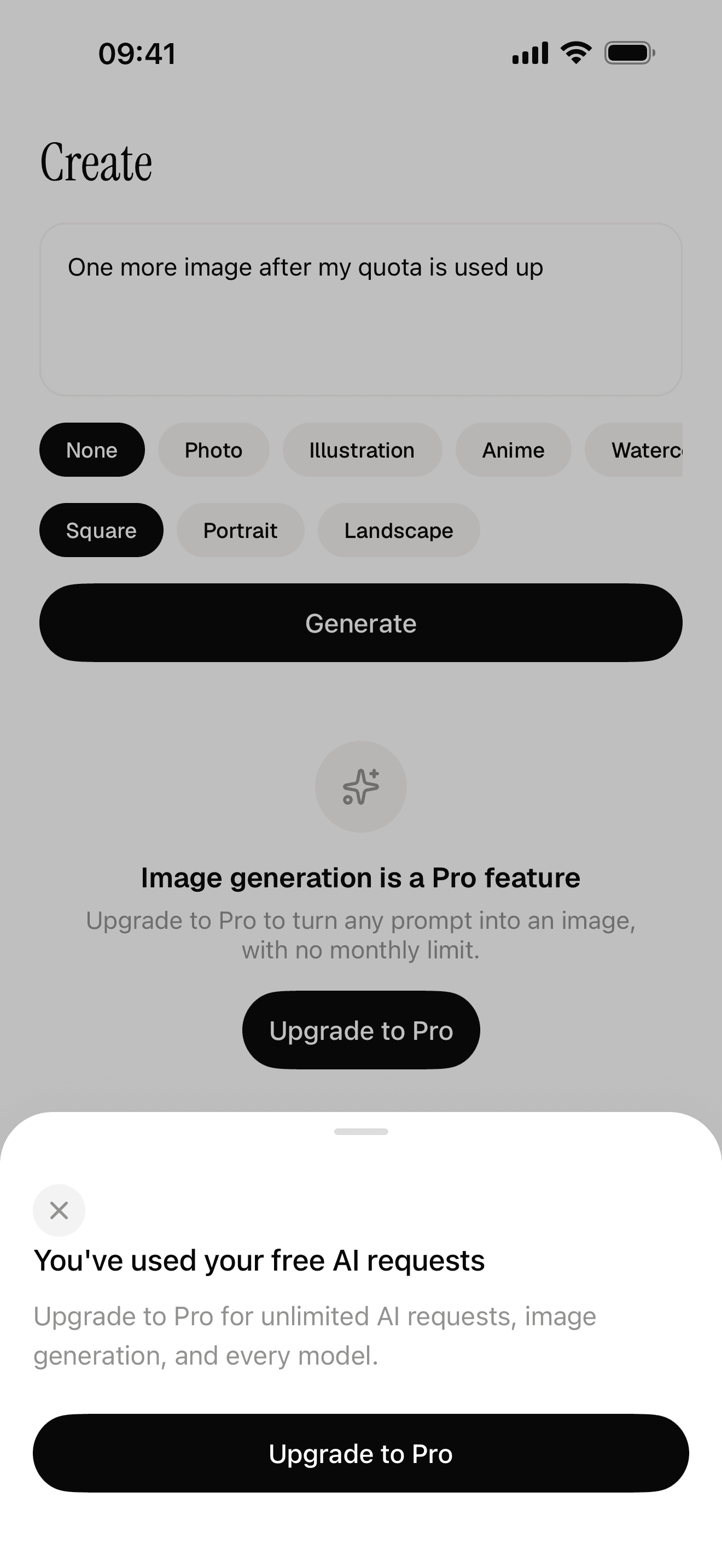
Free quota and a paywall the server decides
3. Set up project instructions (CLAUDE.md or AGENTS.md)
The brief says what to build. Project instructions say how to work in this repo: commands, conventions, rules the agent cannot infer from the code.
Claude Code reads CLAUDE.md. Anthropic describes it as "a special file that Claude reads at the start of every conversation" and suggests you run /init to generate a starter version. Its memory docs recommend you "target under 200 lines per CLAUDE.md file," because longer files reduce how well the agent follows them. Claude Code can also read an AGENTS.md if the repo has no CLAUDE.md.
Codex, Cursor, Gemini CLI and many other tools read AGENTS.md, which the AGENTS.md site calls "a simple, open format for guiding coding agents." OpenAI's Codex docs say Codex reads these files "before doing any work," walking from the project root down to your current folder.
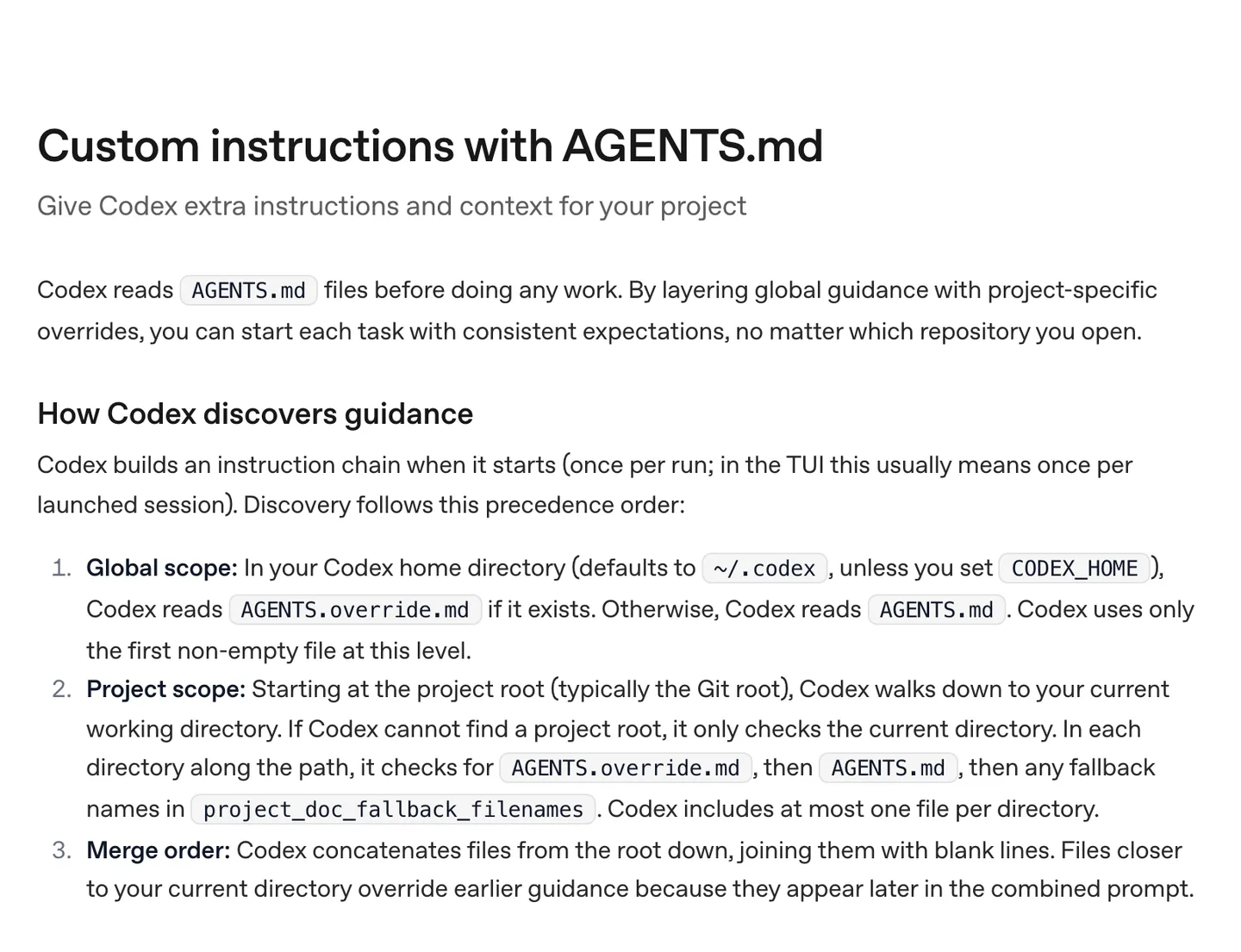
OpenAI's Codex docs: AGENTS.md files are read once per run, from your home directory down to the folder you are working in. Source
A useful instructions file is short and specific. Here is the shape we use:
# CLAUDE.md

## Commands
- yarn start: dev server
- yarn typecheck: run after every change
- yarn test <path>: run the tests for the files you touched

## Rules
- Read PRODUCT.md before planning a feature.
- New features go in src/features/<name>/. Copy the structure of src/features/chat/.
- Never put API keys or secrets in app code or EXPO_PUBLIC_ variables.
- Ask before adding a dependency with native code.
- Do not edit generated files (database types, ios/, android/).
Leave out anything the agent can work out by reading the code. Anthropic's test for each line is a good one: "Would removing this cause Claude to make mistakes?" If not, cut it.
4. Work in small vertical slices
A vertical slice is one feature, top to bottom: the database table, the server function, the screen, the test. Do one slice, check it on the phone, commit, then start the next one.
The opposite, "build the whole app," produces a lot of code fast and almost none of it works together. When it breaks, you cannot tell which of 40 changed files caused it.
For anything bigger than a small fix, ask for a plan first. In Claude Code, press Shift+Tab until plan mode is on, and the agent reads files and proposes changes without editing anything. A first prompt for a slice looks like this:
Read PRODUCT.md and src/features/chat/ to see how a feature is structured.
Plan the lesson list screen: lessons come from a Supabase table, free users
see 3 per week, Pro users see all. Tell me which files you will create or
change, the table schema, and how you will test it. Don't write code yet.
Read the plan. Fix it if it is wrong. Then:
Implement the plan. Write a test for the weekly limit (free user with 3
lessons this week cannot open a 4th). Run yarn typecheck and the tests,
fix any failures, and show me the output.
Ask for the data model before the screens. A wrong table is cheap to change on day one and expensive once five screens depend on it.
5. Make the agent run the checks itself
An agent with no way to check its work stops when the code looks done. Anthropic puts this at the top of its guidance: "Give Claude a check it can run: tests, a build, a screenshot to compare."
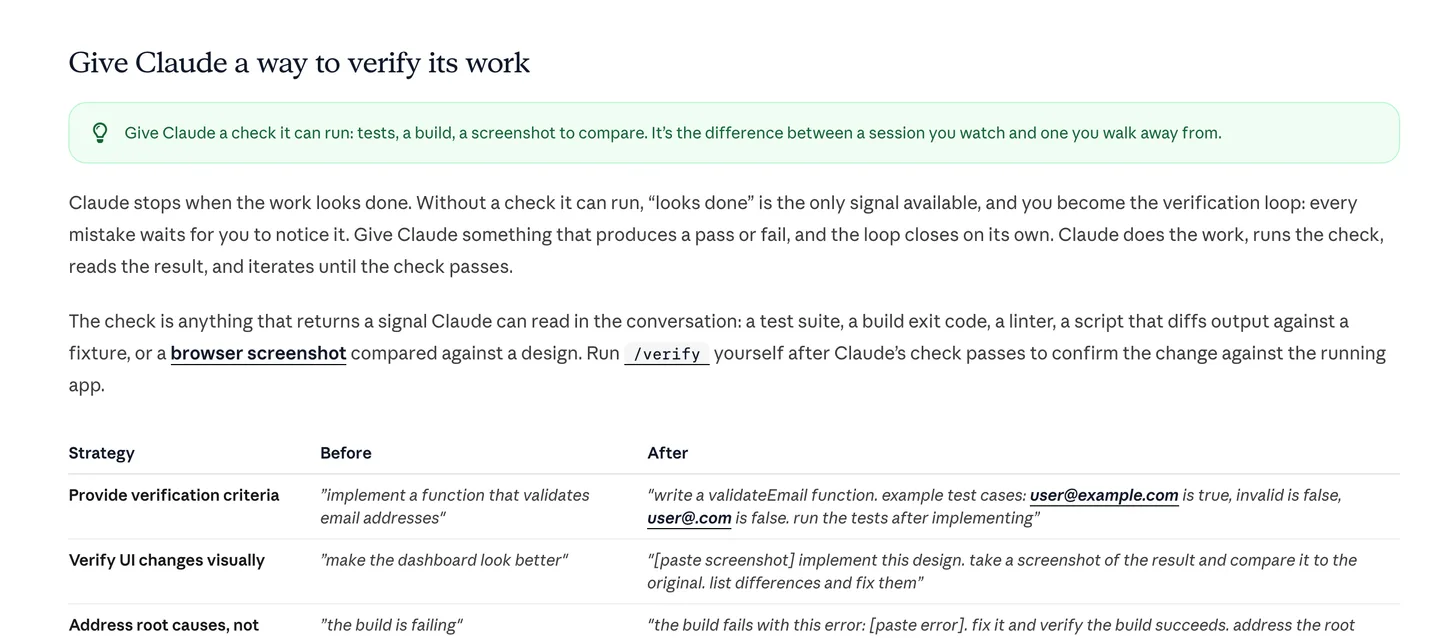
Anthropic's Claude Code best practices: give the agent a pass or fail signal, and it can iterate until the check passes. Source
In practice that means:
- Type checks after every change. TypeScript catches many agent mistakes (a renamed prop, a missing field) before you ever open the app.
- Tests for logic that decides things. Paywall limits, permissions, anything involving money.
- One command that runs everything. In NativeExpress that is
yarn ci, twelve checks in one command, so the agent has a single thing to run before it says it is finished. - Evidence over claims. Ask for the command output, not "all tests pass."
When something fails, paste the real error. "The build is broken" gets you a guess. The full stack trace gets you a fix.
6. Review the diff and commit often
You do not have to understand every line. You do have to look at what changed. Before each commit, run:
git status
git diff
Things to look for even if you cannot read TypeScript fluently: files changed that have nothing to do with the task, deleted tests, new dependencies in package.json, anything that looks like a key or a password, and // TODO comments where a feature should be.
Then commit with a message that says what works now:
git add -A
git commit -m "lesson list with weekly free limit"
A commit after every working slice means a bad change costs you one git revert instead of an afternoon. Claude Code also has checkpoints you can restore with Esc twice or /rewind, but they only track edits made through Claude's own file tools, and the docs say plainly: "This isn't a replacement for git."
7. Test on a real phone
The simulator lies a little. Keyboards cover inputs, safe areas clip headers, a list that scrolls fine on a laptop stutters on a three-year-old Android phone. Look at every slice on a real device.
With Expo you start with Expo Go, which loads your project on your phone by scanning a QR code. As soon as you add a library with native code that Expo Go does not include, you need a development build: your own app binary that still reloads when you save. For iOS that needs a paid Apple Developer account; we walk through the commands in how to make an iPhone app.
Give the agent what you see. A screenshot of the broken screen plus "the header is hidden under the notch on iPhone 15" is a prompt it can act on.
8. Keep secrets and auth off the phone
This is where vibe coded apps get into real trouble. Anything inside a mobile app can be extracted by someone who downloads it. Expo's own docs say it directly about public environment variables:
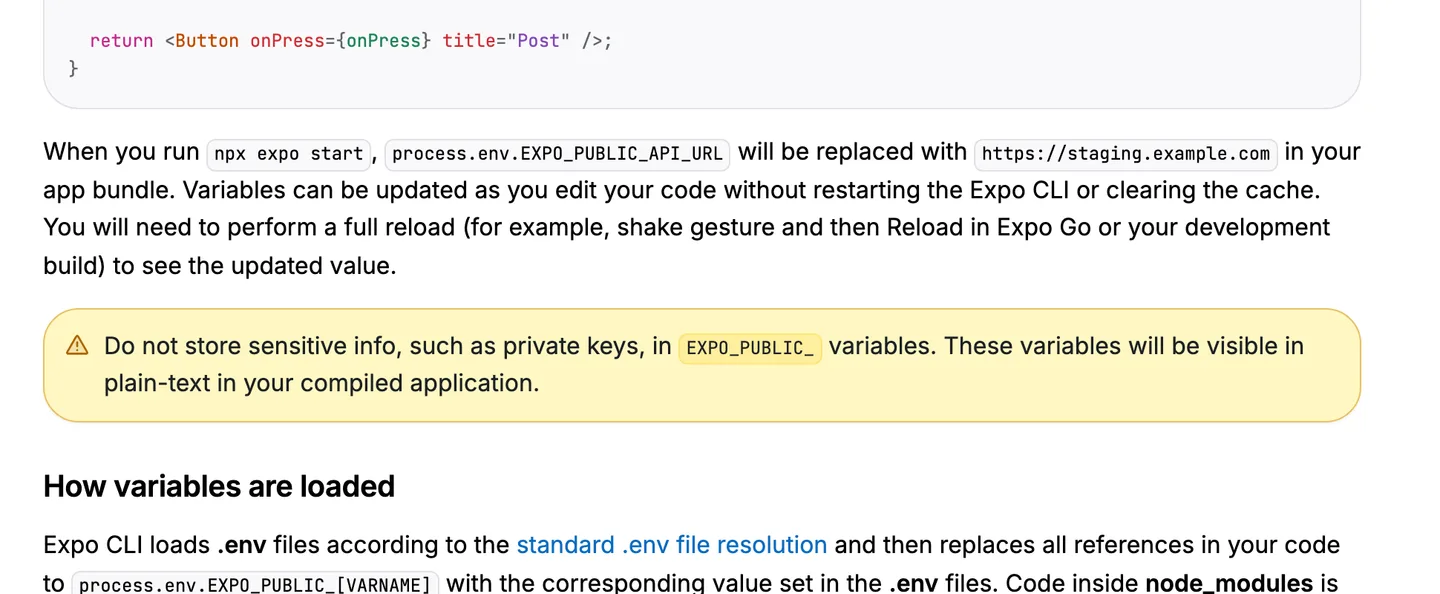
Expo's environment variables guide: EXPO_PUBLIC_ values end up in plain text in the compiled app. Source
So the rules are:
- AI provider keys live on a server. The app calls your server function, the server calls OpenAI or OpenRouter. If you put the key in the app, someone will find it and run up your bill.
- The server decides who paid. Never trust an
isPro: trueflag sent by the phone. - Database rows are protected per user. With Supabase, that means row-level security policies, so one user cannot read another's data even with the public key.
NativeExpress is built this way: the AI features run on Supabase Edge Functions with one OpenRouter key kept server side, the free quota is enforced on the server, and the subscription entitlement is checked on the server too. If you build from scratch, put this in your instructions file and ask the agent directly:
Audit the app for secrets. List every API key, token or URL with credentials
in the app code, app.json, and any EXPO_PUBLIC_ variable. For each one, tell
me whether it is safe to ship in the client and, if not, move the call
behind a server function.
9. Ship it
A vibe coded app goes through the same store process as any other: a production build, TestFlight or internal testing, a store listing, a privacy policy, and review. The agent can write your listing text and generate screenshots; it cannot sign in to App Store Connect for you or answer App Review. We go through the submission screen by screen in how to publish an app on the App Store.
Ship the smallest version that does the one job in your brief. You will learn more from 20 real users in a week than from another month of features.
Vibe coding a mobile app vs a web app
Most vibe coding app tutorials assume a web app, where you deploy and the change is live. Mobile adds three things to plan for:
| Web app | Mobile app (iOS and Android) | |
|---|---|---|
| Getting a change to users | Deploy, live in minutes | New build and store review for native changes; JavaScript-only fixes can go out as over-the-air updates |
| Where secrets can hide | Server routes | Nowhere in the app; everything shipped can be extracted |
| Testing | A browser | Real phones, both platforms |
| Gatekeeper | None | App Review and Google Play policy |
| Native configuration | None | Permissions, entitlements, icons, signing |
To vibe code an iOS app you do not need a Mac if you use React Native and Expo, because EAS builds the iOS binary in the cloud and EAS Submit uploads it from macOS, Linux or Windows. You do need the Apple Developer membership and an iPhone to test on.
The native configuration row is where agents struggle most. That is why we prefer giving the agent written skills for the mobile-specific parts; we cover the useful ones in Claude Code skills for mobile apps.
When vibe coding goes wrong, and how to recover
Every project hits these. Knowing the fix saves an evening.
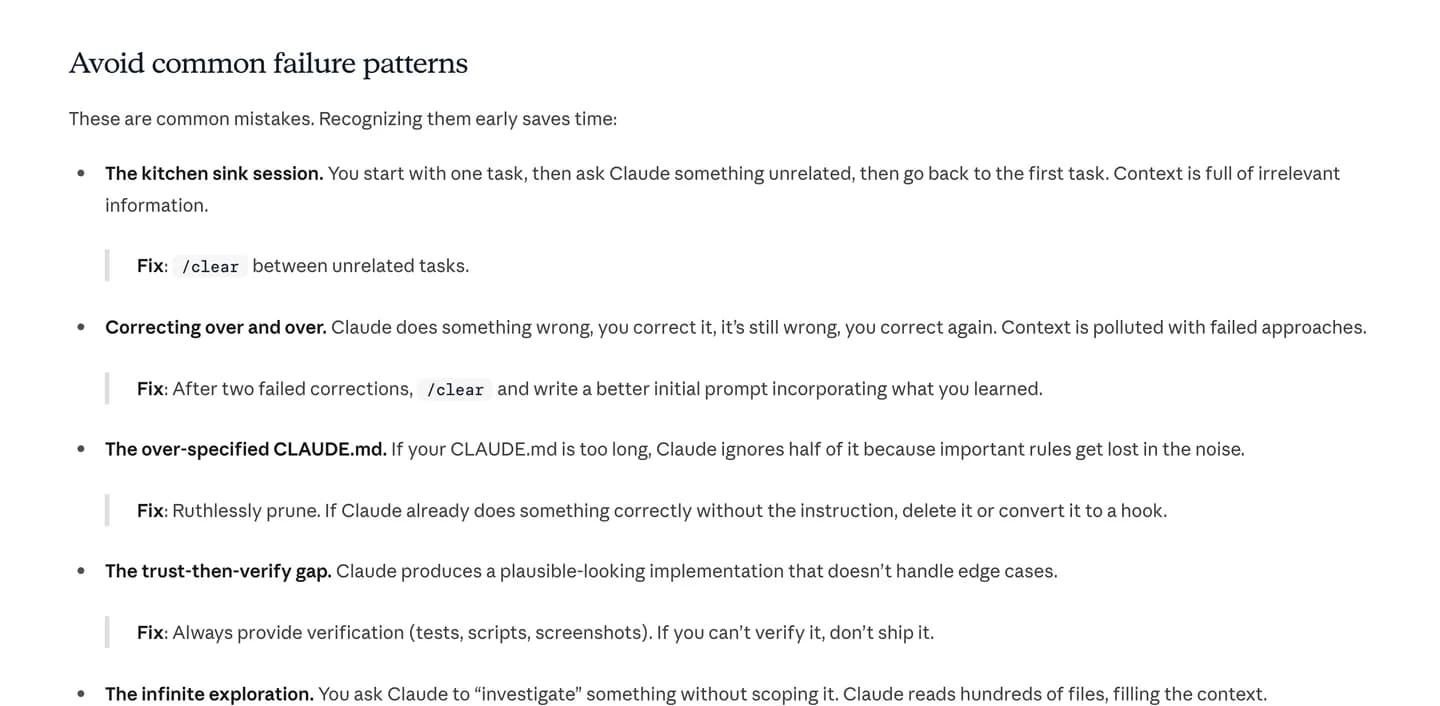
Anthropic's list of common failure patterns, each with a fix. Source
The agent loops on the same bug
You correct it, it tries again, same error, slightly different code. The conversation is now full of failed attempts and the agent keeps building on them. Anthropic's advice: "After two failed corrections, /clear and write a better initial prompt incorporating what you learned." Then git checkout . to throw away the half-fixes, and start the new session with the real error and what you already ruled out:
The lesson player crashes on Android when the app goes to background.
Error: [paste full error]. Already tried: wrapping the audio call in
try/catch (no change). Find the root cause before changing code, then
fix it and explain why it happened.
Broken native config
Symptoms: the app builds yesterday and not today, Expo Go shows a red screen about a missing native module, or an iOS build fails during prebuild. Usually the agent installed a library with npm install at a version that does not match your Expo SDK, or edited app.json incorrectly.
Recovery, in this order:
npx expo install --check
npx expo-doctor
npx expo install --check finds packages installed at the wrong version and --fix corrects them. Expo Doctor checks your config and dependencies for known problems. If a new native library is involved, you need a fresh development build, not just a reload. If none of that works, git log and revert to the last commit that built.
Lost context
Long sessions fill the agent's context window, and Anthropic notes that performance "degrades as it fills": the agent starts forgetting early instructions. Signs: it ignores a rule from your CLAUDE.md, re-creates a component that already exists, or asks something you answered an hour ago.
Fix it with /clear between unrelated tasks, one session per slice, and rules that matter in the instructions file instead of in chat history. If the agent keeps breaking a rule that is in the file, the file is probably too long.
The app works but you no longer understand it
This is the quiet failure. Ask the agent to explain, not just build: "Walk me through what happens from tapping Subscribe to the paywall closing, file by file." Ten minutes of that per feature keeps you able to make decisions about your own app.
For the first time, I felt like I was actually going to make it to the App Store with my idea.
 Ilya LibinShipped his first app
FAQ
Can you vibe code an entire app?
Yes, the agent can write nearly all of the code for a complete app, including auth, payments and store builds. You still make the product decisions, sign in to services like Apple, Google and Supabase, test on your phone and handle App Review. Starting from a codebase that already has the hard parts working makes a finished app much more likely than starting from an empty folder.
Is it possible to vibe code an Apple app?
Yes. With React Native and Expo, a coding agent writes the app in TypeScript and EAS builds the iOS binary in the cloud, so you do not need a Mac. You do need the paid Apple Developer membership to install development builds on an iPhone and to publish. The full route is in how to make an iPhone app.
How long does it take to vibe code an app?
A working prototype takes a day or a weekend. A focused app that is ready for the App Store usually takes one to three months for one person working part time, most of it spent on testing, edge cases and store setup rather than writing screens. Matthew L. launched Polym, an audio course app he called "a fairly complex mobile app," on NativeExpress in three months.
Can you sell vibe coded apps?
Yes. The App Store and Google Play judge the app, not how the code was written, and Apple's guidelines do not single out AI-written code. The same rules apply as for any app: guideline 4.2 rejects apps that are not "particularly useful, unique, or app-like," guideline 4.2.6 says apps from a commercialized template or app generation service must be submitted by the content provider themselves, and digital purchases must use in-app purchase. Make sure you own the code and that your agent did not paste in anything you lack the rights to use.