
Claude Code Skills for Mobile Apps: How They Work

Claude Code skills are folders of instructions that Claude loads only when a task needs them. Each one is a SKILL.md file with a name, a description and a body of Markdown. Claude reads every description at the start of a session, and pulls in the full instructions when your request matches one, or when you type /skill-name.
For a mobile app, the skills worth having fall into two groups: Expo's official skills, which teach the agent how Expo and EAS work, and skills written for your own project, which teach it how your code works. The second group does more for you than the first, and it is the one most "best skills" lists leave out.
This post covers how skills load, how to write one, and which ones to install for an Expo or React Native app. We build NativeExpress, a starter kit that ships its own skills, so we use it as the worked example and say where it is ours.
What Claude Code skills are
Anthropic's skills documentation describes it in one line: "Create a SKILL.md file with instructions, and Claude adds it to its toolkit. Claude uses skills when relevant, or you can invoke one directly with /skill-name."
The difference from CLAUDE.md is when the text reaches the model. CLAUDE.md loads into every session in full. A skill costs almost nothing until it is used: in a normal session only its description sits in context, and the body loads when the skill is invoked. Once loaded, the docs say, the content "enters the conversation as a single message and stays there across later turns."
That makes skills the right home for anything long and occasional. How to add a screen, how to ship a release, how the theme works. Facts that apply to every message ("we use TypeScript, run yarn test before you finish") still belong in CLAUDE.md or AGENTS.md.
Skills also replaced custom slash commands. A file at .claude/commands/deploy.md and a skill at .claude/skills/deploy/SKILL.md both create /deploy, and the old commands keep working. The skill version can carry supporting files and control who is allowed to trigger it.
Where skills live
Where you put the folder decides which sessions see it:
| Location | Path | Who gets it |
|---|---|---|
| Personal | ~/.claude/skills/<name>/SKILL.md | You, in every project on this machine |
| Project | .claude/skills/<name>/SKILL.md | Everyone who clones the repo |
| Plugin | <plugin>/skills/<name>/SKILL.md | Anyone with the plugin enabled, as /plugin:name |
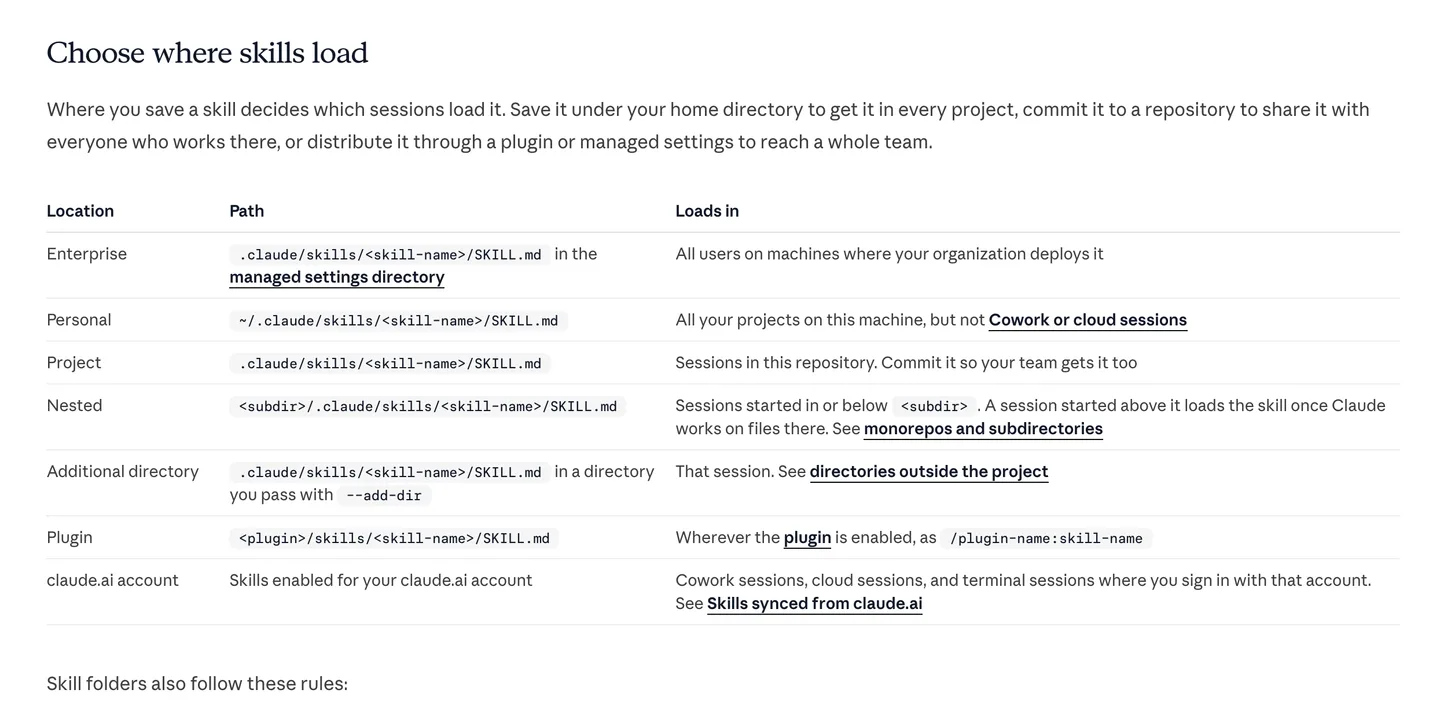
Claude Code's own table of skill locations. A project skill is the one your whole team, and every agent session, picks up from the repo. Source
For an app, the project location matters most. A skill committed to .claude/skills/ travels with the code, so it is there in a fresh clone, in a teammate's session and in cloud sessions, which load project skills from the cloned repository but not from your home folder.
Who triggers a skill
By default both you and Claude can invoke any skill. Two frontmatter fields change that. disable-model-invocation: true means only you can run it, which Anthropic recommends for anything with side effects: "You don't want Claude deciding to deploy because your code looks ready." user-invocable: false does the opposite and hides the skill from the / menu, for background knowledge Claude should use but you would never type.
For mobile work this split is useful. A skill that explains your navigation structure should load on its own whenever Claude touches a route. A skill that uploads a build to App Store Connect should wait until you ask.
Agent skills are an open format
Skills started at Anthropic and are now an open standard called Agent Skills. The site says the format "was originally developed by Anthropic, released as an open standard, and has been adopted by a growing number of agent products." Its client list includes Cursor, Codex, Gemini CLI, GitHub Copilot, VS Code, OpenCode and Goose, among dozens of others.
The standard fixes the parts every agent has to agree on. A skill is a folder with a SKILL.md; the frontmatter needs a name and a description; everything else is optional.
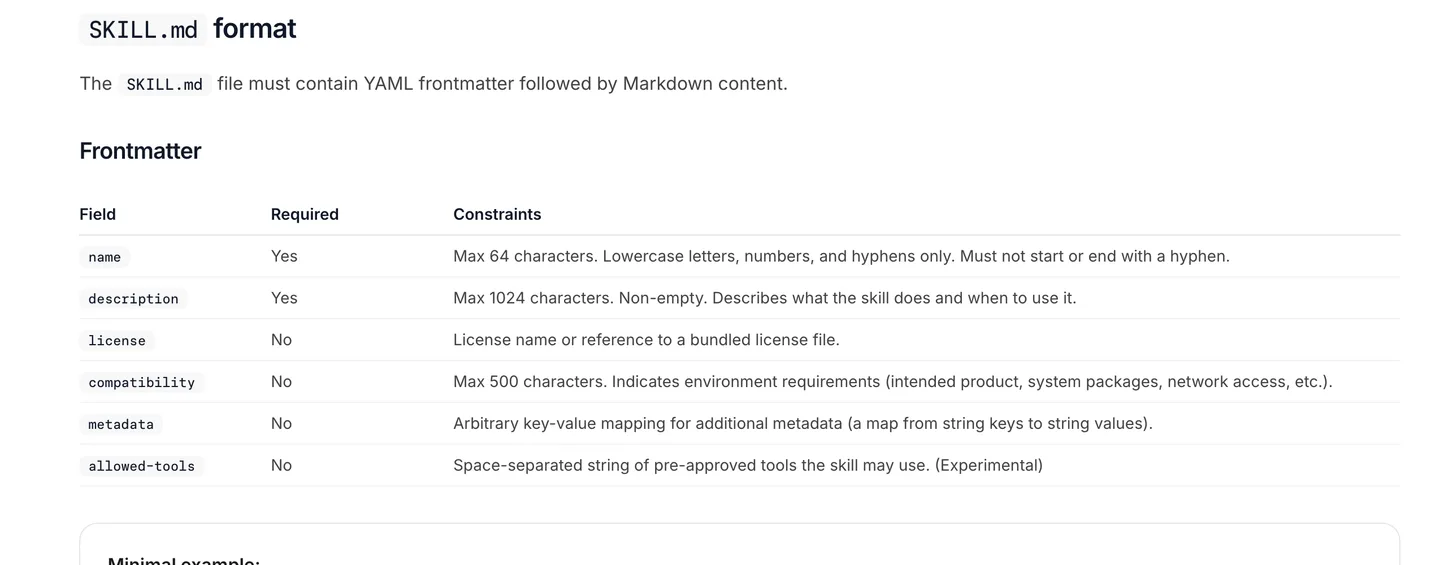
The Agent Skills specification: name is up to 64 lowercase characters and must match the folder, description up to 1,024 characters. Source
The catch is the folder each agent looks in:
- Claude Code reads
.claude/skills/(and~/.claude/skills/). Its docs do not list.agents/skills/. - Codex scans
.agents/skillsin the working directory, its parents, the repo root and your home folder. You invoke a skill explicitly with$and its name. - Cursor loads
.agents/skills/and.cursor/skills/, and reads.claude/skills/and.codex/skills/for compatibility.
So one SKILL.md can serve all three, as long as it sits where each agent looks. Claude Code's extra fields (disable-model-invocation, context, paths and a few more) are extensions; the docs list which fields are part of the standard and which only Claude Code understands. If you switch between agents, our Codex vs Claude Code comparison covers the rest of the differences.
How to write a Claude Code skill
The spec's advice for the description is the part people skip: it "should describe both what the skill does and when to use it" and "should include specific keywords that help agents identify relevant tasks." The description is the only thing Claude sees before deciding to load the skill. "Helps with screens" will rarely fire. "Use when the user asks for a new screen, page, tab or route" will.
Here is a complete skill for a hypothetical Expo Router app. The paths and class names are made up; the point is the shape, and that every line is specific to one codebase:
---
name: new-screen
description: Adds a screen to this Expo Router app the way this project does it. Use when the user asks for a new screen, page, tab, modal or route.
---

# Adding a screen

1. Route files live in `app/` and contain no logic. Each one imports a screen
   from `src/features/<feature>/screens/` and renders it.
2. Signed-in screens go under `app/(app)/`, signed-out ones under `app/(auth)/`.
3. Style with the theme classes (`bg-background`, `text-foreground`,
   `text-muted`). Never hard-code a hex color.
4. Every visible string goes through `t()`. Add the key to `src/i18n/en.json`.
5. Data comes from a React Query hook in `src/features/<feature>/api/`,
   never from a Supabase call inside the component.
6. Add `<ScreenName>.test.tsx` next to the screen.

Before you report back, run `yarn typecheck` and `yarn test` and fix what fails.

## Do not

- Add `StyleSheet.create` to new screens. This project uses one styling system.
- Import one feature from another. Shared code goes in `src/lib/`.
Save it as .claude/skills/new-screen/SKILL.md. The folder name and the name field must match, in lowercase with hyphens. Start Claude Code, ask for "a settings screen with a dark mode toggle", and it should load the skill on its own. If it does not, type /new-screen or make the description more literal.
A few things we have learned writing these:
- Write the rules your agent actually breaks. Watch where Claude goes wrong in your project, and put that in the skill. A generic "write clean code" line changes nothing.
- Keep the body short and link out. The spec recommends keeping
SKILL.mdunder 500 lines and moving reference material into separate files the agent reads when needed. - End with a check it can run. A command that fails when the work is wrong (type check, tests, a lint rule) does more than a paragraph of instructions.
- Mark anything irreversible as manual. Submitting a build, sending a push to real users and running a migration on production should carry
disable-model-invocation: true.
Which skills help you build a mobile app
Most of the top results for "claude code skills" are lists of thirty skills for every kind of work. For an app that has to reach the App Store and Google Play, two sources matter.
Expo's official skills
Expo maintains expo/skills, described as "Official AI agent skills from the Expo team for building, deploying, upgrading, and debugging Expo apps." The repo splits them into a starting skill (expo-overview), free framework skills and skills for its paid EAS services, and labels each one so you know which side of that line you are on.
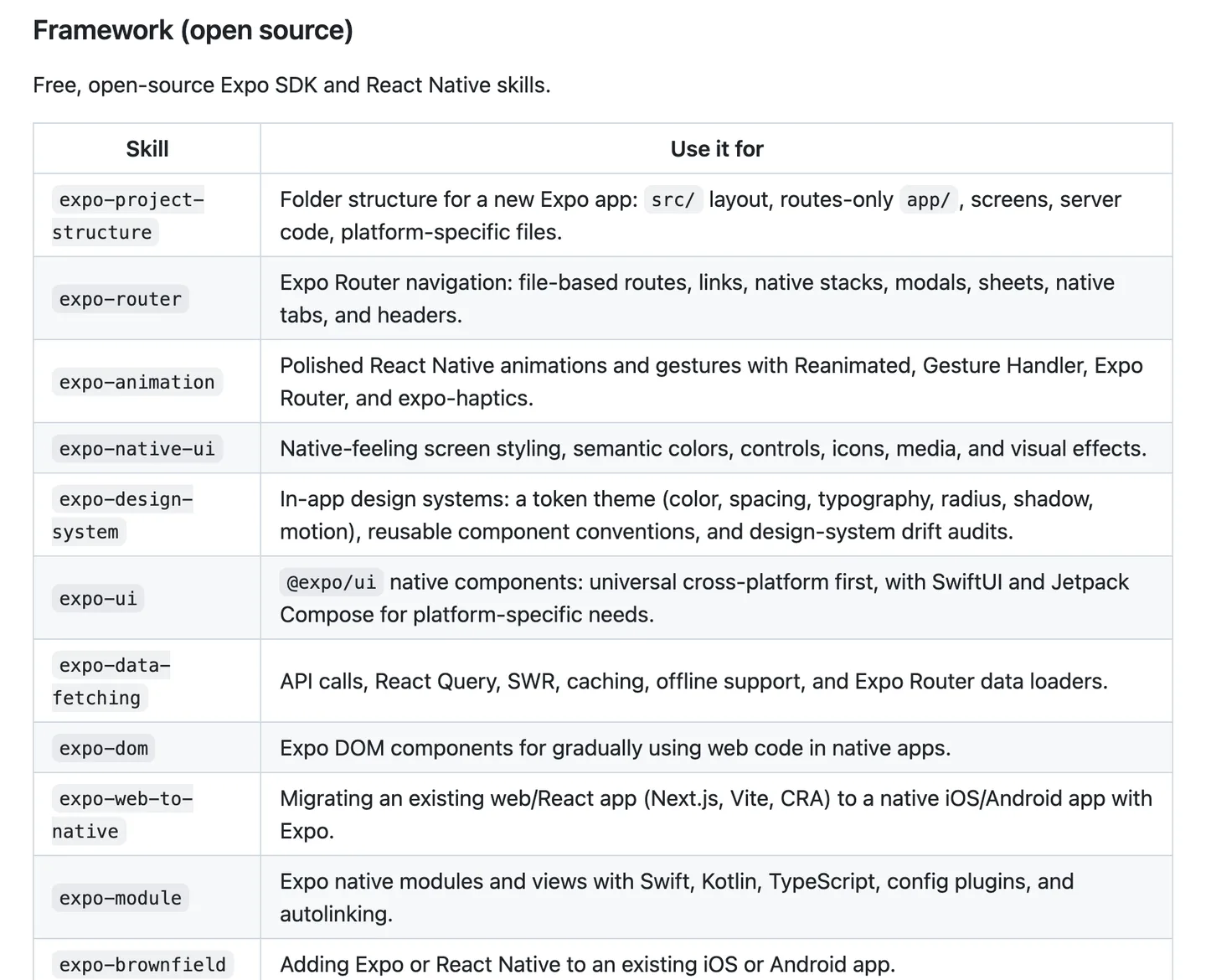
Expo's framework skills, as listed in the expo/skills README in October 2026. Source
The ones a first-time builder is most likely to use:
| Skill | What it teaches the agent |
|---|---|
expo-router | File-based routes, stacks, modals, sheets, tabs and headers |
expo-native-ui | Native-feeling styling, controls, icons and effects |
expo-data-fetching | API calls, React Query, caching and offline support |
expo-upgrade | SDK upgrades and dependency conflicts |
expo-web-to-native | Moving an existing Next.js or Vite app to Expo |
eas-app-stores | Building and submitting to the stores with EAS |
Installing them takes one command. In Claude Code:
claude plugin install expo@claude-plugins-officialIn Codex, codex plugin add expo@openai-curated. For Cursor and other agents, Expo points you to the skills CLI: npx skills@latest add expo/skills --skill '*'. The Claude Code and Codex plugins also wire up the Expo MCP server, which gives the agent live Expo docs and access to EAS builds. Expo's agents page covers both, plus the AGENTS.md file create-expo-app now writes.
These skills are good, and we would install them in any Expo project. What they cannot know is anything about your app.
Project-specific skills
Expo's expo-router skill knows how Expo Router works. It does not know that your signed-in screens live in app/(app)/, that your project bans StyleSheet.create, or that the paywall checks entitlements on the server. Those are the decisions that keep a codebase coherent after a hundred agent sessions, and an agent without them makes up its own each time.
That is where a generic skill and a project skill differ in practice. Ask an agent armed only with framework skills for a new screen and you get a screen that compiles: correct Expo Router, a fresh styling approach, a direct database call from the component, strings hard-coded in English. Every one of those is a reasonable default somewhere. Each is wrong for your project, and you pay for it later in review or in a bug.
A project skill fixes this because it describes the code that exists. It also goes stale when that code changes, which is the real cost. Somebody has to keep the skill and the codebase in step.
If you are vibe coding your app, writing three or four of these early (adding a screen, adding a data table, the release steps) is the cheapest quality control available to you.
A worked example: the skills in NativeExpress
We ship skills with NativeExpress because the starter is meant to be finished by a coding agent, and an agent that does not know the conventions rewrites them. The skills catalogue lists what comes in the clone:
| Skill | What it covers |
|---|---|
setup | Takes the app from scaffolded to running: an interview that writes the product brief, then Supabase, auth email, the database, AI functions and optional integrations, one tier at a time, each with a verification step |
design | Theme from your brand colors, the font pair, and the icon and splash from your logo |
conventions | File placement, imports, data fetching, i18n, theme tokens, tablet layouts, tests and TypeScript |
uniwind | Tailwind-style classes for React Native (Uniwind brings Tailwind CSS v4 to React Native) |
heroui-native | Using and theming HeroUI Native components |
store-assets | Capturing simulator screens, composing listing graphics and checking asset dimensions |
submit | The whole release: credentials, builds and uploads, listing metadata, privacy and rating declarations, test tracks and review submission |
Three details show how the format is meant to be used.
The skills read a brief. The setup skill starts with one interview and writes PRODUCT.md, which records what the app is, which features and integrations it keeps and what it should look like. The product brief docs put it this way: the file exists "so the bundled skills act on those decisions instead of asking you twice." The design skill reads the design inputs from it and only asks for what is missing.
The release skills are manual. store-assets and submit use Claude Code's disable-model-invocation setting, so they run only when you call them by name. submit runs both stores from the terminal and stops for a human wherever a store requires one. Your App Store and Google Play accounts, and App Review, stay yours.
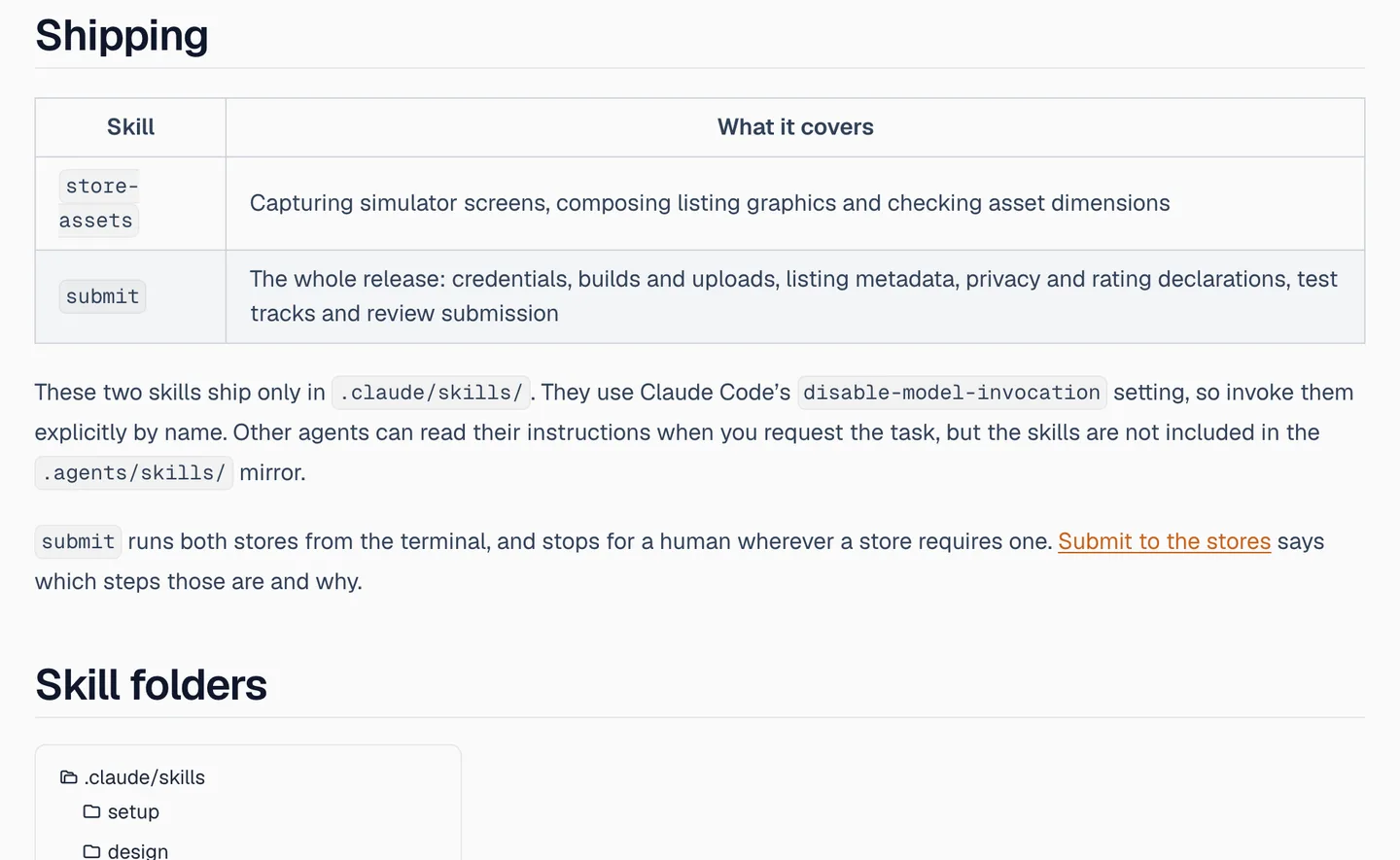
The NativeExpress skills catalogue: the two shipping skills are Claude Code only and must be invoked by name. Source
There is a mirror for other agents. The five skills that do not depend on Claude Code features (setup, design, conventions, uniwind, heroui-native) are copied into .agents/skills/, where Codex and Cursor look. yarn skills:install installs those copies for other supported agents through the skills CLI. The .claude/skills/ folder stays the source, and the docs give a sync script to bring the copies back in line after an edit.
The last piece is yarn skills:doctor. It checks the product brief, local tools, template values, integration variables, Supabase linking, the Expo project link and EAS profiles, and reports what is configured. It does not perform setup. The setup skill runs it first to see where you are, so it can resume halfway through instead of starting over.
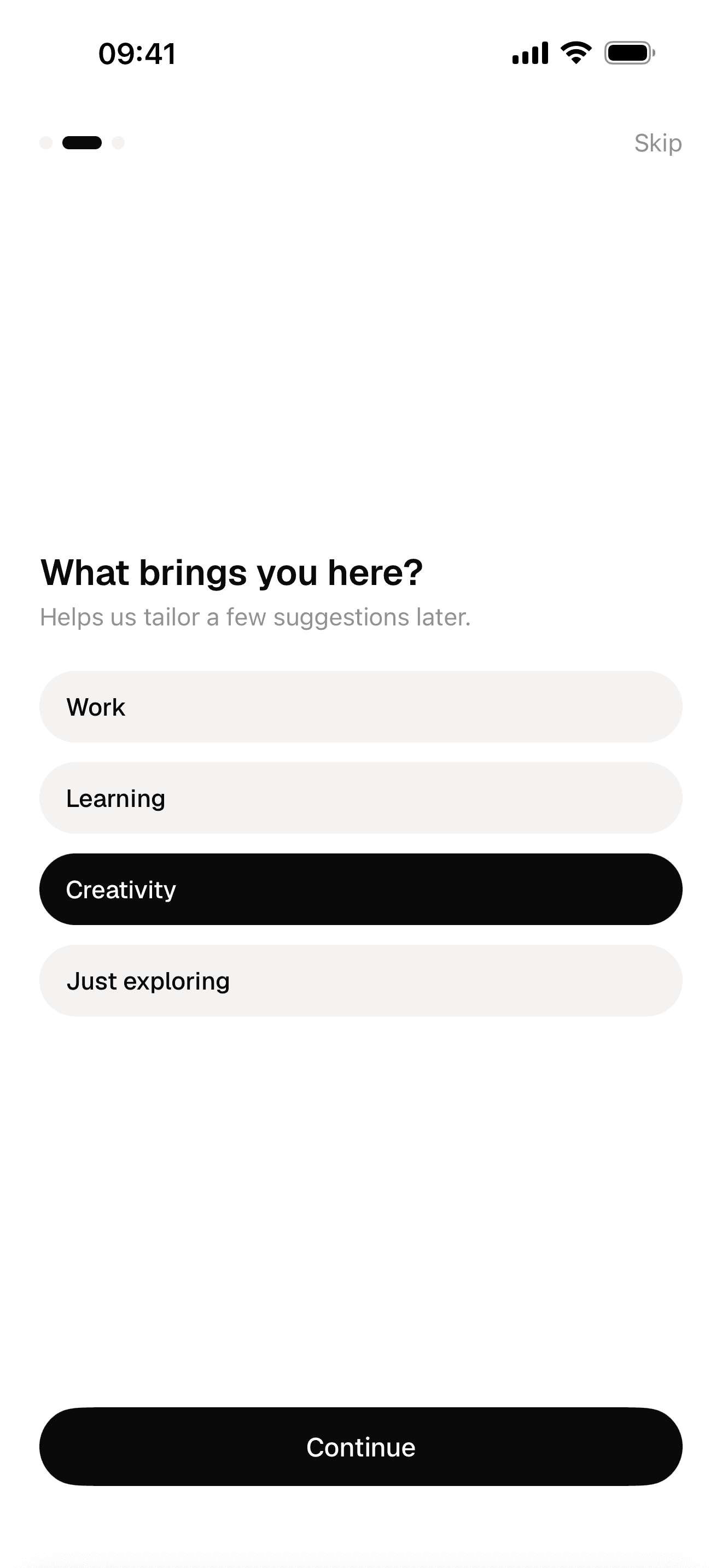
Onboarding
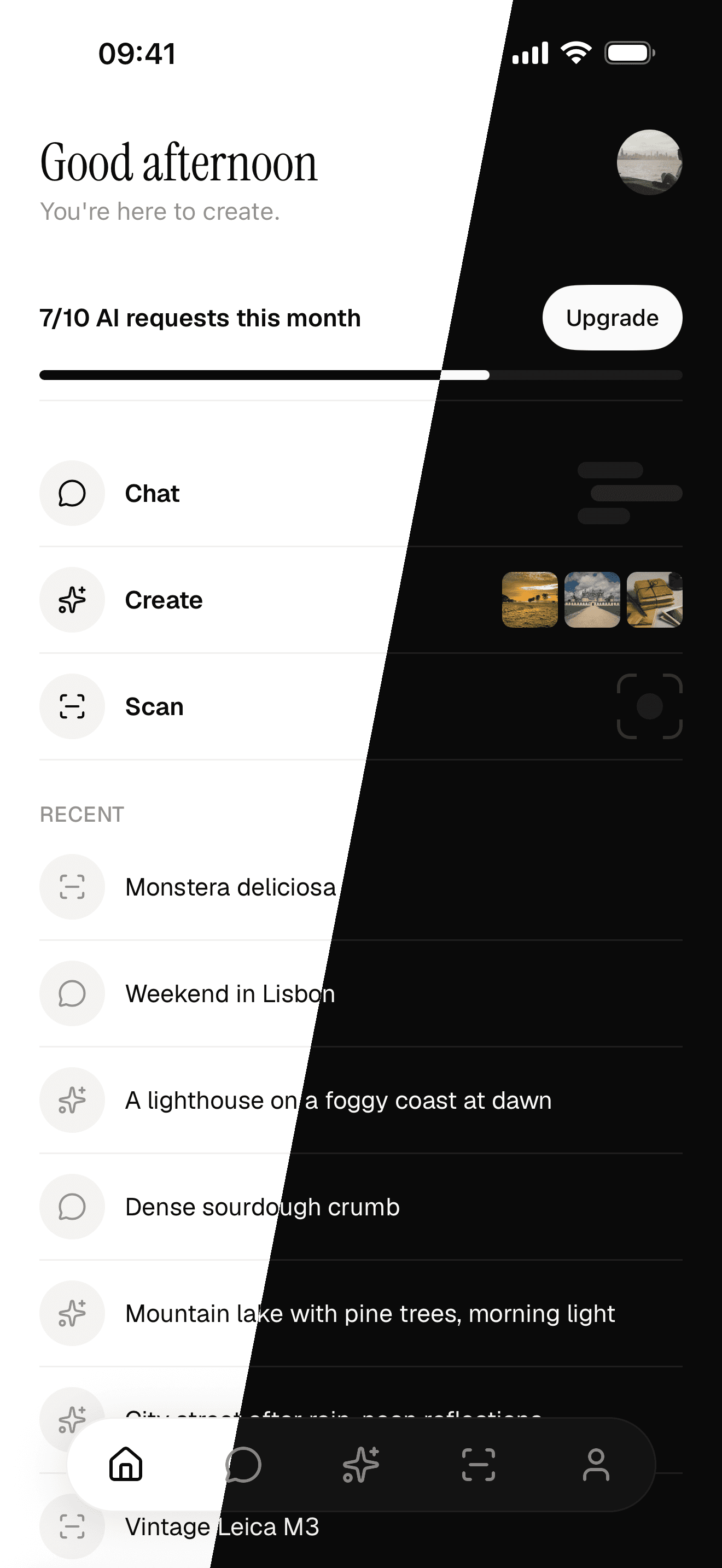
Light and dark from one seed colour
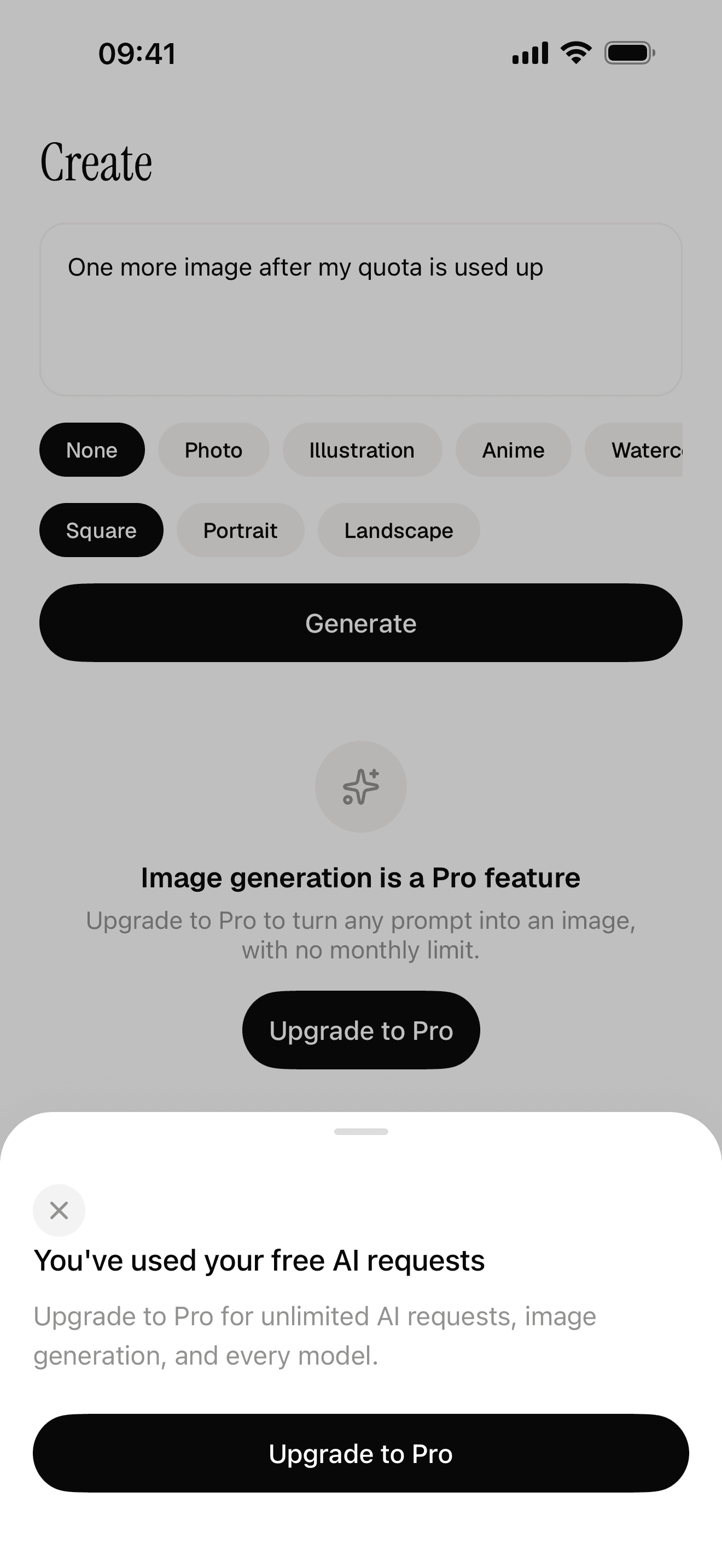
Free quota and a paywall the server decides
None of this replaces Expo's skills. In a NativeExpress project we would install both: Expo's for framework questions, the bundled ones for where things go in this codebase. The same split works for any project you start yourself, with skills you write.
How to set up skills for your own app
If you are starting from scratch, in this order:
- Install Expo's skills with the plugin command above. Ten seconds, and the agent stops guessing about Expo Router and EAS.
- Write an
AGENTS.mdorCLAUDE.mdwith the facts that apply to every task: package manager, test command, the one styling approach. - Write your first project skill after your first bad session. The mistake the agent just made is the content.
- Add a release skill before your first submission, marked manual. Our App Store publishing guide lists what that skill has to cover.
- Mirror your skills to
.agents/skills/if anyone on the project uses Codex or Cursor. A symlink or a copy with a sync check both work.
Skip the thirty-skill listicles. Every extra description sits in context on every turn, and Claude Code truncates the combined description text at 1,536 characters per skill in its listing. A handful of skills that fire at the right moment beats a large collection the agent has to choose between.
FAQ
What are Claude Code skills?
They are folders containing a SKILL.md file with a name, a description and instructions in Markdown. Claude Code keeps the descriptions in context and loads a skill's full instructions when your request matches it or when you type /skill-name. They follow the open Agent Skills format.
Where do I put a Claude Code skill?
Put it in .claude/skills/<skill-name>/SKILL.md in your repository to share it with everyone on the project, or in ~/.claude/skills/<skill-name>/SKILL.md to use it in all your own projects. Plugins can also ship skills, which then appear as /plugin-name:skill-name.
What is the difference between a skill and CLAUDE.md?
CLAUDE.md loads in full into every session, so it suits short facts that always apply. A skill's body loads only when it is used, which makes it the place for long or occasional procedures like a release checklist or how to add a screen.
Do Claude skills work in Cursor and Codex?
The format does. Cursor and Codex both read SKILL.md files with the same name and description fields, from .agents/skills/, and Cursor also reads .claude/skills/. Claude Code-only fields such as disable-model-invocation will not behave the same elsewhere, so keep those for skills only Claude Code runs.
Are there official Expo skills for React Native?
Yes. Expo publishes them at github.com/expo/skills, covering Expo Router, native UI, data fetching, upgrades, native modules and EAS build, submit and update. Install them in Claude Code with claude plugin install expo@claude-plugins-official, or with the skills CLI for other agents.
How many skills should I install?
Fewer than you think. Each description takes context in every session and gives the agent another option to weigh. Start with Expo's skills and a few written for your own project, and add more when you catch the agent repeating the same mistake.