
How to Build an App With Claude Code (iOS and Android)

To build a mobile app with Claude Code, install it, start from an Expo project that already runs, describe the project in a CLAUDE.md file, ask for a plan before each feature, let Claude run the checks, test every change on your own phone, and submit the build through EAS. Claude writes most of the code. You decide what gets built, sign in to services when asked, and test.
This guide is the Claude Code version of that path, for iPhone and Android, with the commands and prompts for each step. If you want the method without the tool, how to vibe code an app covers the same ground for any agent.
Can Claude actually build an app?
Yes, with one distinction that trips people up. Claude in a chat window writes code and explains it. It cannot run that code, install anything or see your files. Claude Code is the version that works inside a project on your computer: Anthropic's docs describe a tool that reads your codebase, edits files and runs commands.
That difference is why a chat alone does not get you an app. A mobile app has to be built, signed and submitted to Apple and Google, and all of that happens in a real project.
What Claude Code will not do for you is the part outside the code. It cannot sign in to App Store Connect, answer App Review, or decide what your app is for.
What it costs
| What | Price | Notes |
|---|---|---|
| Claude Code | $20 a month on Pro, $17 on annual billing | Included in every paid Claude plan. Not in the free plan. |
| Expo | Free plan | Cloud builds are limited on the free plan. |
| Supabase | Free plan | Enough for development and a small launch. |
| Apple Developer Program | $99 a year | Needed to publish on the App Store. |
| Google Play | $25 once | Needed to publish on Google Play. |
Anthropic does not publish a message count for Pro. Its pricing page says usage resets on a rolling five-hour window with weekly limits on paid plans, and that Claude Code and chat draw from one allowance. For a first app, start on Pro and upgrade only if you keep hitting the limit.
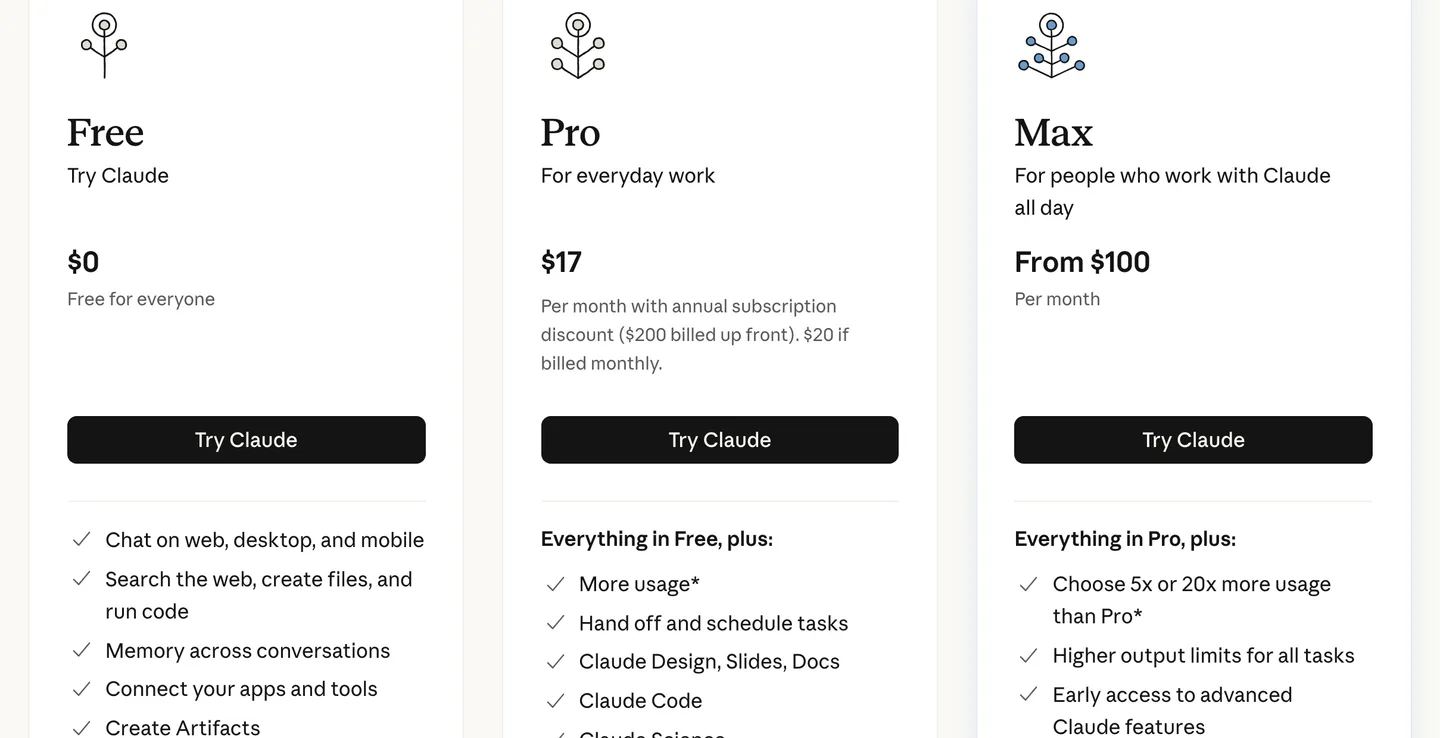
Claude's plans as of October 2026. Claude Code is listed under Pro, not Free. Source
What you need before you start
- A Claude subscription. Pro is enough to begin.
- A computer with a terminal. macOS, Linux or Windows all work.
- Node.js and a free Expo account, because the examples here use React Native with Expo. That gives you one codebase for iPhone and Android. If you are still choosing, see Expo or bare React Native.
- Your own phone. You test on the device your users will hold.
- Git and a GitHub account. Commits are how you undo Claude's mistakes.
You do not need mobile experience. You do need to read error messages and make decisions.
How to build an app with Claude Code, step by step
1. Install Claude Code
Open a terminal and run the installer for your system. These are the commands from Anthropic's quickstart:
# macOS, Linux or WSL
curl -fsSL https://claude.ai/install.sh | bash

# Windows PowerShell
irm https://claude.ai/install.ps1 | iex

# check that it worked
claude --version
The first time you run claude, your browser opens and you sign in with your Claude account.
2. Start from a project that runs
Claude copies what it finds. In an empty folder it has nothing to copy, so it makes every decision itself: navigation, styling, folder layout, how sign-in works. It makes them a little differently each session.
So give it a running project before you ask for anything. The plain option is Expo's own template:
npx create-expo-app@latest my-app
cd my-app
claude
That gets you a running app and none of the plumbing: no sign-in, no database, no payments, no store build setup.
A step up, and still free, is our Mobile App Code Template: an MIT-licensed Expo app with email sign-in, account deletion, a Supabase database with row-level security, and the CLAUDE.md already written. It leaves out payments, Google and Apple sign-in and push. A starter kit gives you those already working, which is the case we built NativeExpress for. More on that below.
3. Run it on your phone first
Before Claude changes anything, make sure you can see the app. Start the dev server and scan the QR code with Expo Go:
npx expo startExpo Go is the quickest way to load a project. Once you add a library with native code that Expo Go does not include, you need a development build, which is your own app binary that still reloads when you save. Subscriptions and push notifications both need one.
4. Write CLAUDE.md
CLAUDE.md is a file Claude reads at the start of every session. Run /init inside Claude Code to generate a first version, then cut it down. Anthropic's memory docs suggest staying under 200 lines, because longer files get followed less well.
A useful one for a mobile app looks like this:
# CLAUDE.md

## Commands
- npx expo start: dev server
- npx tsc --noEmit: run after every change
- npx expo install <package>: always use this instead of npm install

## Rules
- New screens go in app/. Copy the structure of an existing screen.
- Never put API keys in app code or EXPO_PUBLIC_ variables.
- Ask before adding a library with native code.
- Do not edit ios/ or android/ by hand.
The npx expo install rule earns its place. It picks the version of a library that matches your Expo SDK, and a mismatched version is a common reason a mobile build breaks after an agent session.
5. Ask for a plan before code
Press Shift+Tab to switch modes until plan mode is on. In plan mode Claude reads files and proposes changes without editing anything.
Plan a screen that lists the user's saved recipes. Recipes come from a
Supabase table. Free users see 5, Pro users see all. Tell me which files you
will create or change, the table columns, and how you will test the limit.
Don't write code yet.
Read the plan and correct it. Then let Claude build one feature, top to bottom, and nothing else. "Build the whole app" produces a lot of code quickly and very little of it works together.
6. Make Claude check its own work
Anthropic puts this first in its best practices for Claude Code: give Claude a check it can run. For a mobile app that means:
- A type check after every change. TypeScript catches renamed props and missing fields before you open the app.
- Tests for anything that decides something. Paywall limits, permissions, anything about money.
- A screenshot from your phone. Claude cannot see your device. A screenshot plus "the title is hidden under the notch on my iPhone" is something it can act on.
Ask for the command output, not for "all tests pass".
7. Commit after every feature that works
git add -A
git commit -m "recipe list with free limit"
Claude Code has checkpoints you can restore with /rewind, but they only track edits made through Claude's own file tools, and Anthropic's docs say they are not a replacement for git. A commit after each working feature means a bad change costs you one revert.
8. Keep keys off the phone
Anything inside a mobile app can be extracted by someone who downloads it. Expo's docs say that EXPO_PUBLIC_ variables end up in plain text in the compiled app.
So AI provider keys live on a server, the server decides who has paid, and database rows are protected per user. Ask Claude to audit this directly:
List every API key, token or URL with credentials in the app code, app.json
and any EXPO_PUBLIC_ variable. For each one, tell me whether it is safe to
ship in the app. If not, move the call behind a server function.
9. Build and submit
With Expo, EAS builds the app in the cloud and uploads it. These are the commands from Expo's docs:
npm install --global eas-cli && eas login

eas build --platform ios --profile production
eas submit --platform ios

eas build --platform android --profile production
eas submit --platform android
Claude can write your store description and help with the forms. The accounts, the listing and the review are yours. Google also makes new personal accounts run a closed test with 12 testers for 14 days before they can publish, so line those people up early. The full checklist is in how to publish an app on the App Store.
Where Claude Code goes wrong, and what to do
Anthropic keeps its own list of common failure patterns. These are the ones we run into most.
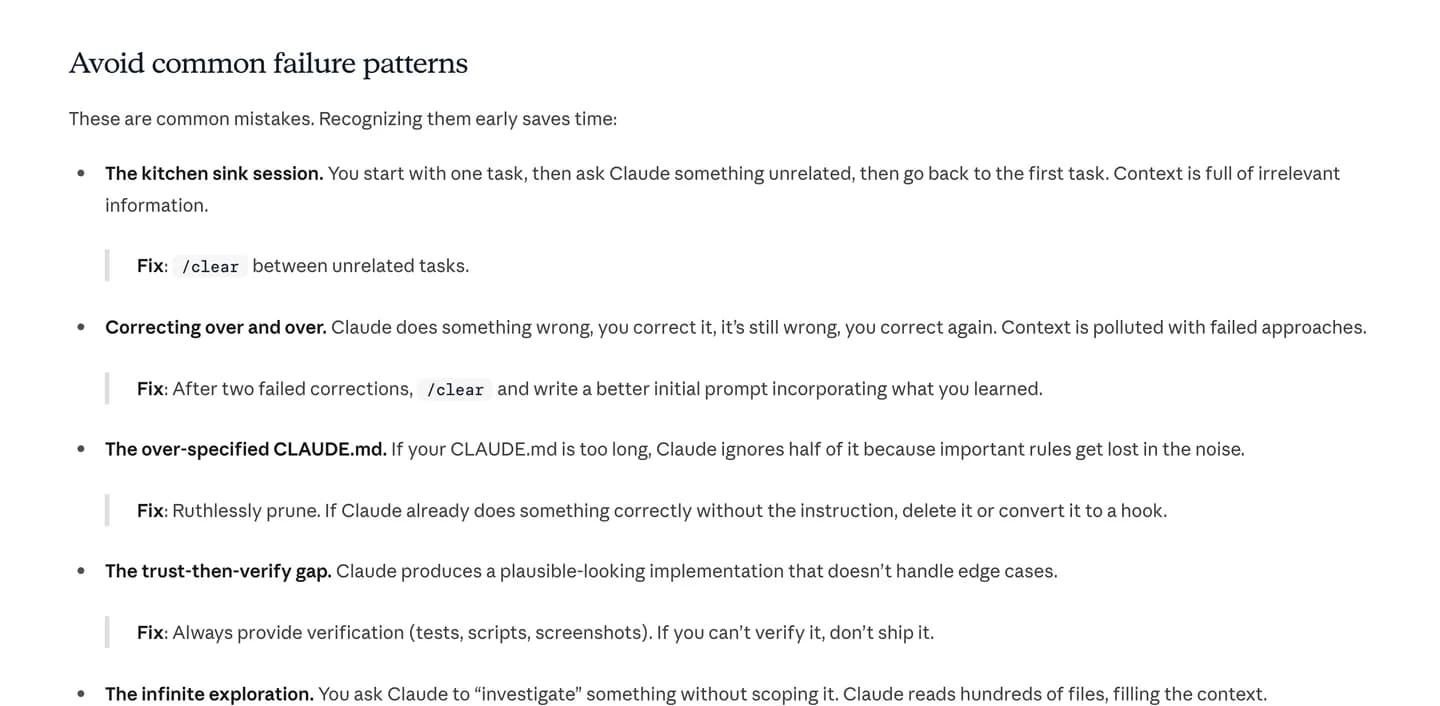
Anthropic's own list of failure patterns, with the fix for each. Source
- One long session for everything. The context fills with unrelated work. Run
/clearbetween tasks. - Correcting the same thing three times. After two failed corrections, run
/clearand write a better first prompt with what you learned. - Trusting output that looks right. If you cannot verify it, do not ship it.
Mobile adds one of its own: broken native config. The app built yesterday and not today, or Expo Go shows a red screen about a missing native module. Usually Claude installed a library with npm install at a version that does not match your Expo SDK. Run these, then paste the output back:
npx expo install --check
npx expo-doctor
Using Claude Code from your phone
Some people searching for a "Claude Code mobile app" mean something else: running Claude Code from a phone. That exists too. Claude Code runs on the web at claude.ai/code, where it works on repositories you do not have locally, and those web sessions are available in the Claude app for iOS and Android.
It is useful for starting a task while you are away from your desk. For building a mobile app you still want the terminal version next to a phone you can test on.
Start from an app that already runs
Step 2 is the one that decides how the rest goes. The parts of a mobile app that are hard to get right are the ones that only fail in production: sign-in that survives a cancelled Apple prompt, a paywall the server decides, purchases that restore on a new phone, database rows one user cannot read from another.
NativeExpress is our React Native and Expo starter with those parts finished. Your Claude Code session starts in an app that already has Google, Apple and email sign-in, RevenueCat subscriptions and three AI features working.
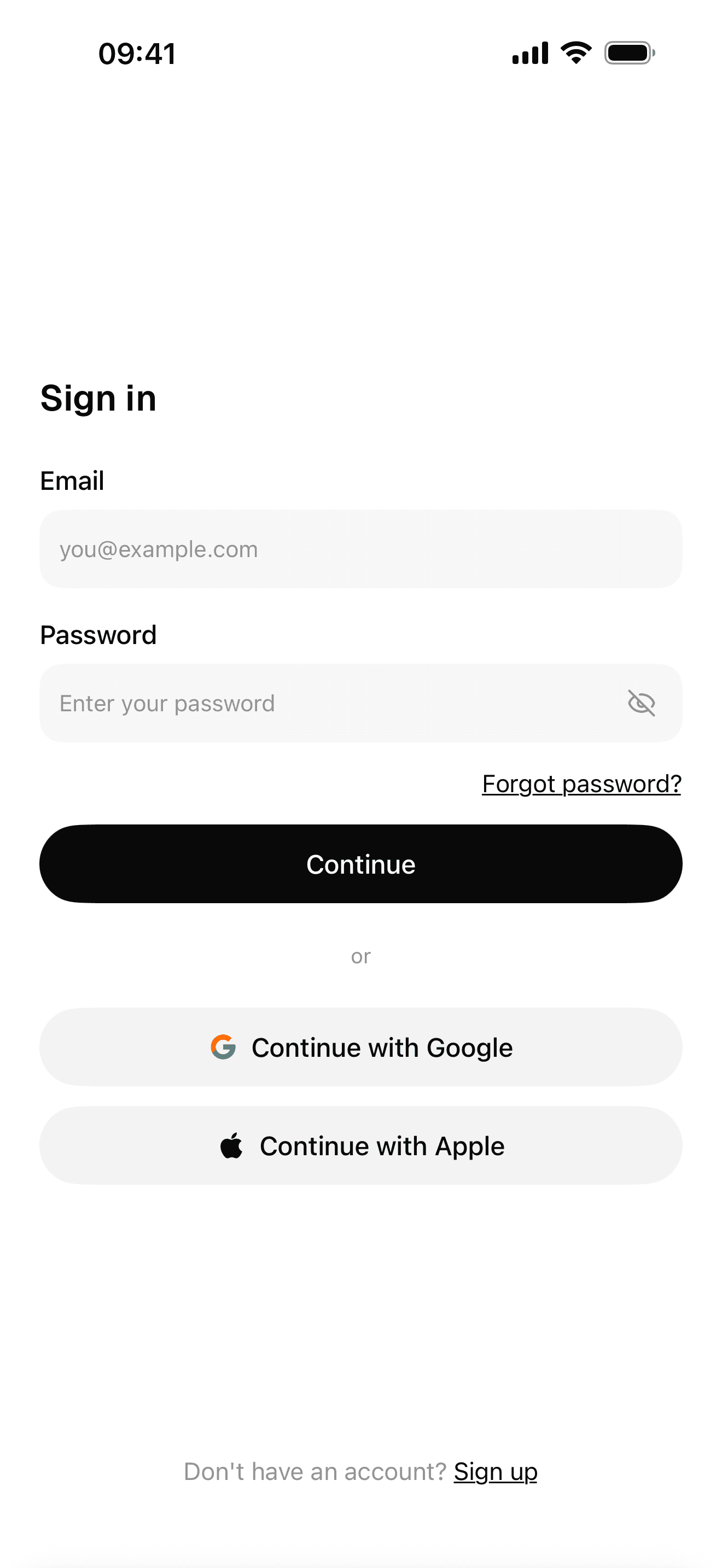
Sign-in with Google, Apple and email
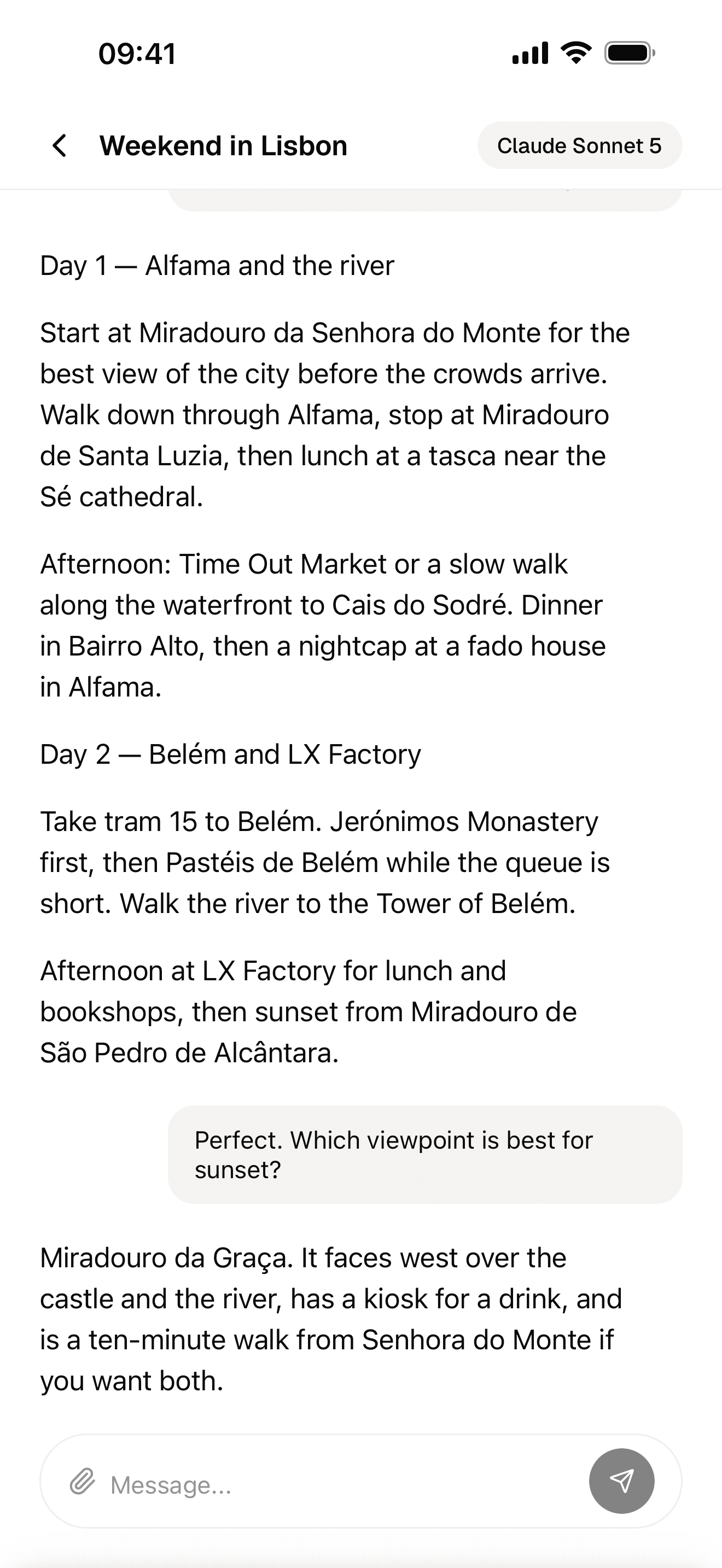
Streaming AI chat
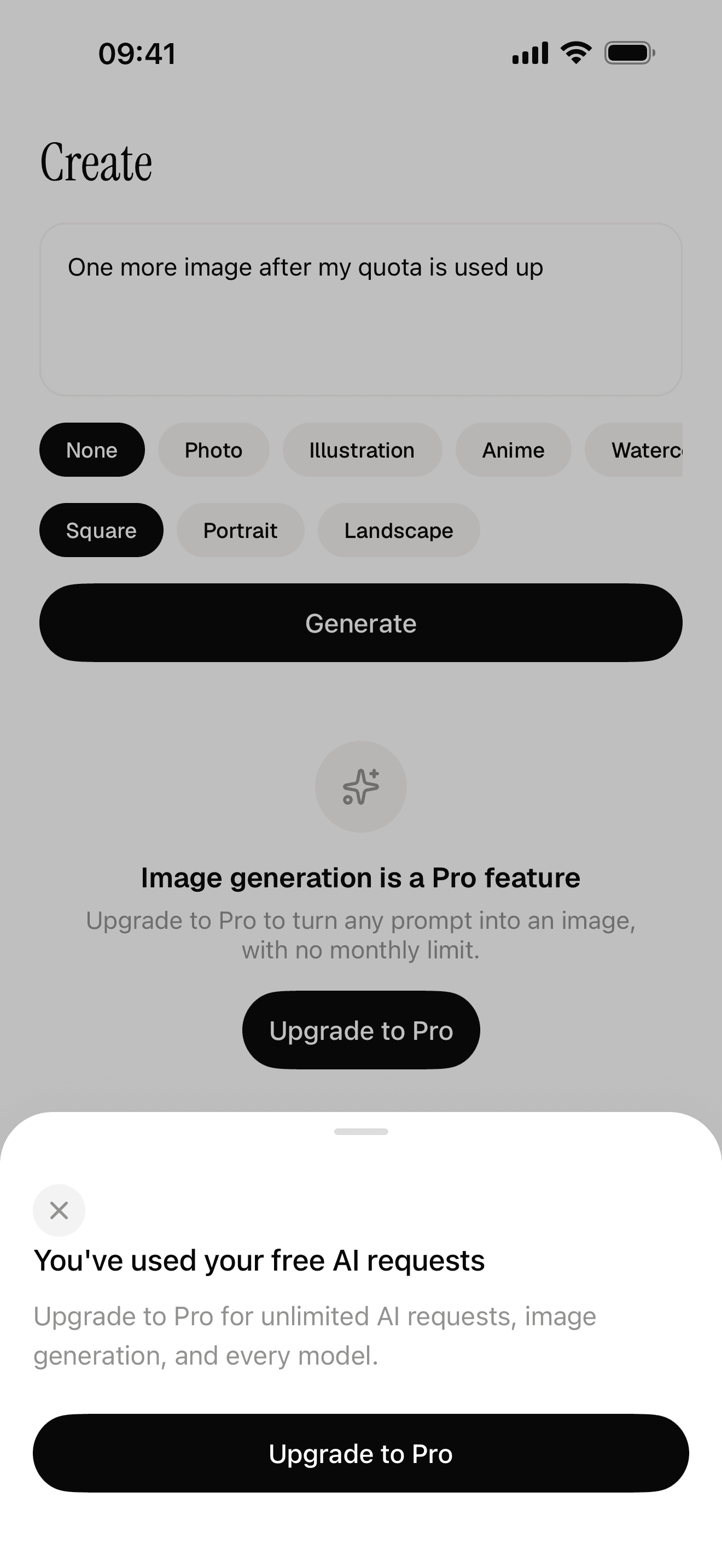
Free quota and a paywall the server decides
It also ships skills for Claude Code in .claude/skills/: one that sets up every service with you and verifies each step, and others for design, conventions, store screenshots and submission. We go through them in Claude Code skills for mobile apps.
FAQ
Can Claude build an app for the App Store?
Yes. Claude Code works in a real project, so the result is an ordinary React Native or Swift app that goes through the same review as any other. You still need an Apple Developer account at $99 a year, and you submit and answer the review yourself.
How much does Claude cost to build an app?
Claude Code is included in Claude Pro at $20 a month, or $17 a month on annual billing. There is no per-app charge. Heavy use can hit Pro's limits, and Max starts at $100 a month. Publishing adds $99 a year for Apple and $25 once for Google.
Can I build an app with Claude for free?
Not with Claude Code, which is not part of the free plan. You can ask free Claude to write code in a chat and paste it into a project yourself, but you lose what makes the agent useful: it reading your files, running commands and fixing its own errors.
Do I need to know how to code?
No, but you need to be comfortable in a terminal and willing to read error messages. NativeExpress customers who came from web development or backend work, with no mobile experience, have built apps this way. If you have never opened a terminal, set aside an evening for the tooling first.
What is the difference between Claude and Claude Code?
Claude is the chat assistant. Claude Code is the coding agent that works inside a project folder: it reads your files, edits them and runs commands. Both come with the same subscription and share one usage allowance.
Is Claude Code better than Codex for building an app?
They are close. On the Terminal-Bench leaderboard in September 2026 their best runs finished one task apart. Pick the one whose subscription you already pay for, and see Codex vs Claude Code for the differences in limits and instruction files.