
Mobile App Development Tools in 2026: The Stack by Job

The mobile app development tools you need fall into eight jobs: a framework (React Native with Expo, Flutter, SwiftUI or Kotlin), an editor with an AI coding agent, a backend, a payments layer, a build and delivery service, testing, analytics with crash reporting, and design. For a first app in 2026 a sensible default is Expo, Cursor or Claude Code, Supabase, RevenueCat, EAS, Maestro, PostHog with Sentry, and Figma.
Most lists ranking for this search mix those jobs together. They put Flutter next to a no-code builder next to a crash reporter, as if you pick one. You pick one tool per job, and the tools have to work with each other. This guide goes job by job, says what each tool does, what it costs, and when it is the right choice.
If you were looking for drag-and-drop or prompt-to-app builders, that is a different list: see the best mobile app builders and the best AI app builders. This one is about the toolchain behind an app whose code you own.
The whole stack on one page (as of October 2026)
Prices below come from each tool's own pricing page in October 2026. They change, so follow the links before you pay.
| Job | Default pick | Main alternatives | Cost to start |
|---|---|---|---|
| Framework | React Native + Expo | Flutter, SwiftUI, Kotlin + Compose | Free |
| Editor and AI agent | Cursor or Claude Code | Codex, Xcode, Android Studio | Free to $20/mo |
| Backend | Supabase | Firebase | Free tier |
| Payments | RevenueCat | StoreKit and Play Billing directly | Free up to $2,500/mo revenue |
| Builds and delivery | EAS Build, Submit, Update | Xcode Cloud, Fastlane | Free tier |
| Testing | Maestro, TestFlight, Play internal testing | Detox | Free |
| Analytics and crashes | PostHog + Sentry | Firebase Crashlytics | Free tier |
| Design | Figma | Pen and paper, honestly | Free tier |
The only bills you cannot avoid are the store accounts: Apple's Developer Program at $99 a year and Google Play's one-time $25 fee. For the full first-year budget, see how much it costs to make an app.
1. Framework: the tool for developing mobile applications
This is the one decision that is expensive to reverse. Everything else on this list can be swapped in a week.
React Native with Expo
React Native lets you write one TypeScript codebase that renders real native views on iOS and Android. Expo is the framework on top: file-based routing, a standard library of native modules, development builds and a cloud build service. The React Native docs now recommend starting new apps with a framework, and Expo is the one they describe.
Choose it when you want both stores from one codebase, you know some React or web development, or you plan to have an AI agent write most of the code. Agents have seen far more TypeScript and React than Dart or Swift, and it shows in the output. We wrote up the Expo versus bare React Native decision separately.
Flutter
Flutter is Google's open-source framework for building apps for mobile, web and desktop from one codebase, written in Dart. It draws its own widgets instead of using the platform's, which gives you pixel-level control and very consistent rendering across devices.
It fits when you or your team already know Dart, or you want a heavily custom visual design that looks identical on both platforms. Our Flutter vs React Native comparison goes through the tradeoffs in detail.
Swift and SwiftUI
Apple's own language and UI framework, written in Xcode. You get every new iOS API on day one and the closest fit to how Apple designs its apps.
Pick it if you only care about iPhone (and maybe Watch or Vision Pro) and you have a Mac. You will need a second codebase if Android ever matters. Our guide on how to make an iPhone app compares this route with Expo.
Kotlin with Jetpack Compose
The Android equivalent: Kotlin plus Compose for UI, in Android Studio. With Kotlin Multiplatform you can share logic with iOS, and JetBrains states that Compose Multiplatform is stable for Android, iOS and desktop.
It makes sense when Android is your main market, or you already write Kotlin. For a first app aimed at both stores it is a harder start than Expo, mostly because the iOS side is younger and has fewer examples for your agent to lean on. See how to make an Android app for the Android-first route.
2. Editor and AI coding agent
In 2026 the editor and the agent are close to one decision. The agent writes most of the code; you read it, run it on your phone and decide what to keep.
Cursor
A VS Code fork with an agent built in. It is the easiest jump for anyone who has used VS Code, and it lets you switch between models from several providers. Cursor's Hobby plan is free with limited agent requests, and paid individual plans start at $20 a month.
Cursor suits you if you want to see and edit files in a familiar editor while the agent works.
Claude Code
Anthropic's agent runs in your terminal (and in editor extensions), reads the whole repository, runs commands and edits many files at once. It is included in Claude Pro at $20 a month ($17 billed annually) and Max from $100 a month; the free plan does not include it.
Choose it when you want the agent to carry a task across many files, run your tests and fix what fails. It also supports skills, which are instructions bundled with a project. We cover the ones worth having in Claude Code skills for mobile apps.
Codex
OpenAI's coding agent, available in the web app, a CLI and an IDE extension. According to OpenAI, every ChatGPT plan includes Codex, from the free plan through Plus at $20 a month and Pro from $100.
It is the obvious pick if you already pay for ChatGPT, or you like handing off tasks to run in the cloud while you do something else. For a direct comparison, read Codex vs Claude Code.
Xcode and Android Studio
You will install both even if you never write Swift or Kotlin, because they ship the iOS Simulator and the Android Emulator. Xcode runs only on a Mac; the current version, Xcode 27, can run coding agents with models from Anthropic or OpenAI. Android Studio is free on Windows, macOS, Linux and ChromeOS, and includes Gemini as an assistant.
Choose them as your main editor when you write native Swift or Kotlin. With Expo you can build iOS apps in the cloud without a Mac, but a Mac still makes simulator testing much easier.
3. Backend: Supabase or Firebase
Almost every app needs sign-in, a database and file storage. Two services cover that for most first apps.
Supabase is hosted Postgres with auth, storage and edge functions. The free plan includes a 500 MB database, 50,000 monthly active users and 1 GB of file storage, but free projects pause after a week of inactivity. Pro starts at $25 a month. Choose it when you want a real SQL database you can query, migrate and move elsewhere later, with row-level security deciding who reads which rows.
Firebase is Google's suite: Firestore (a document database), Auth, Cloud Functions, Crashlytics and more. The no-cost Spark plan includes Firestore with 1 GiB stored and 50,000 reads a day, and Authentication free up to 50,000 monthly active users. The Blaze plan is pay as you go. Choose it when you are already in Google Cloud, or your data really is a loose tree of documents and you want offline sync handled for you.
Our opinion: for an app that will charge money, a relational database is easier to reason about when you need to answer "who paid, and what can they see?". That is why we use Supabase.
4. Payments: RevenueCat or the store SDKs directly
If your app sells subscriptions or unlocks, Apple and Google require their own in-app purchase systems for digital goods. On iOS that is StoreKit; on Android, Google Play Billing. Both stores take a commission, typically 15% for small developers (the App Store Small Business Program and Google's service fees explain the details).
Using StoreKit and Play Billing directly costs nothing extra. They also mean two different APIs, receipt validation on your own server, and handling renewals, refunds, grace periods and restores on both platforms yourself. Choose them when you ship one platform and want zero third-party dependencies.
RevenueCat wraps both stores in one SDK, validates purchases server side and tells your app what the user is entitled to. It is free until you track $2,500 in monthly revenue, then 1% of tracked revenue. Choose it for any cross-platform app with subscriptions. The time it saves on edge cases alone is worth more than 1% for a small app. For pricing models and paywall placement, see how to make money with an app.
5. Builds and delivery
A mobile app has to be compiled, signed with certificates and uploaded to two stores. These tools do that for you.
EAS Build, Submit and Update
Expo Application Services builds your iOS and Android binaries in the cloud (no Mac required for iOS), submits them to App Store Connect and Google Play, and sends over-the-air updates. EAS Update changes the non-native parts of an app, such as JavaScript, styling and images; a change to native code still needs a new build. Expo's free plan includes 15 Android and 15 iOS builds a month and updates for 1,000 monthly active users; Starter is $19 a month and adds $45 of build credit and a priority queue.
If you use Expo, use EAS. There is little reason not to.
Xcode Cloud
Apple's CI service, built into Xcode and App Store Connect. It builds, tests and ships to TestFlight automatically.
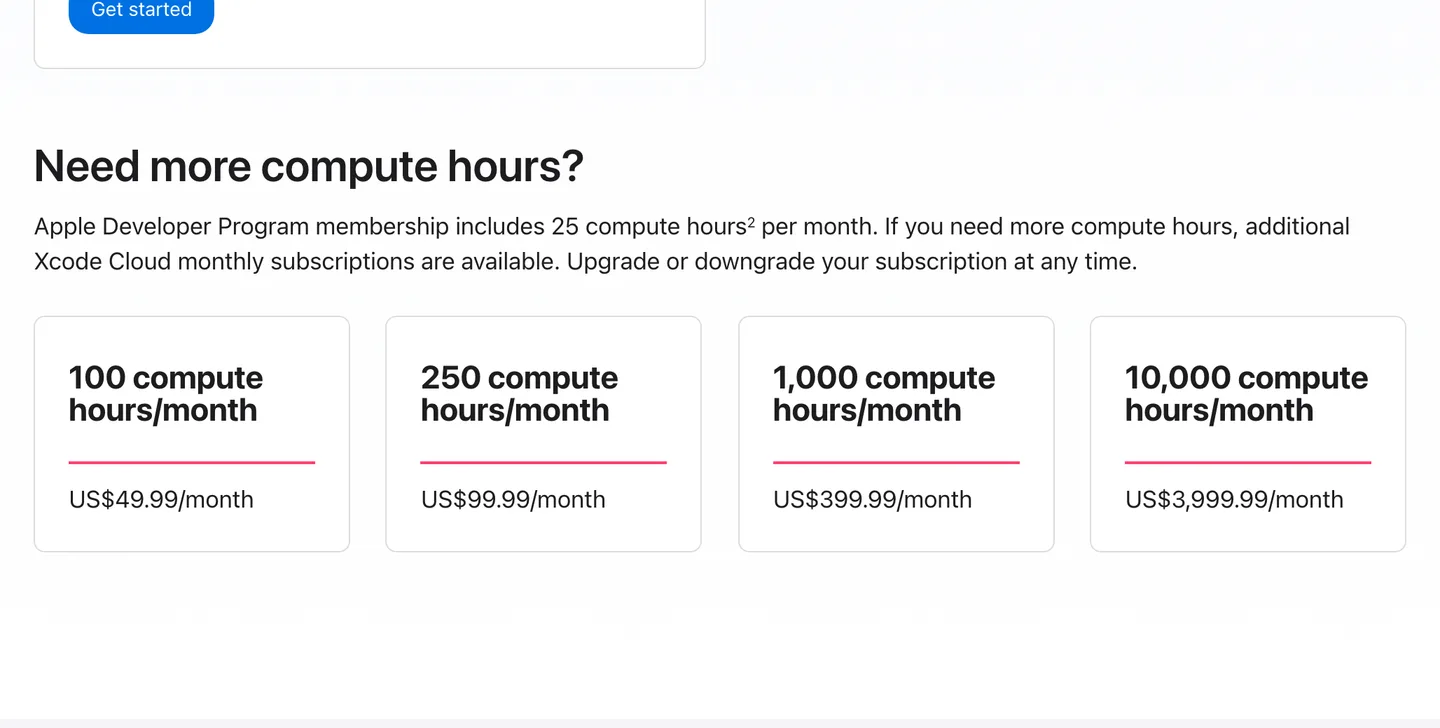
Xcode Cloud comes with 25 free compute hours a month on any Apple Developer Program membership, as of October 2026. Source
It is a good fit for native Swift projects. It does not build Android apps.
Fastlane
Open-source automation for builds, code signing, screenshots and store uploads on iOS and Android, configured in a Fastfile. It is free under the MIT license.
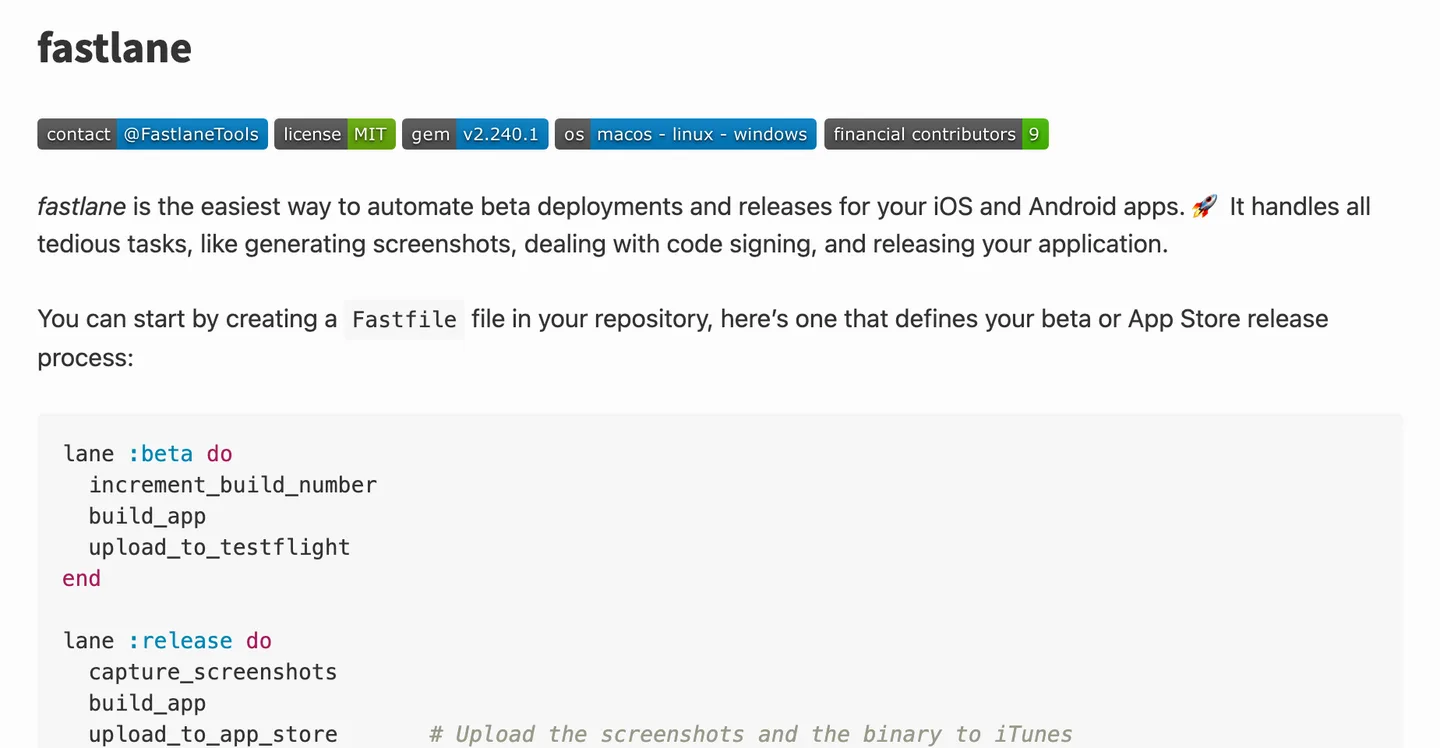
A Fastfile describes each release as a lane: bump the build number, build, upload. Source
Use it if you run your own CI (GitHub Actions, for example), have a bare React Native or native project, or want full control over every release step. It takes longer to set up than EAS and you maintain it yourself.
6. Testing
Maestro
Maestro runs end-to-end tests from short YAML flows: tap this, type that, expect this text. It works with React Native, Flutter and native apps, and it is the easiest end-to-end tool for a beginner to read. The local CLI and Maestro Studio are open source and free.
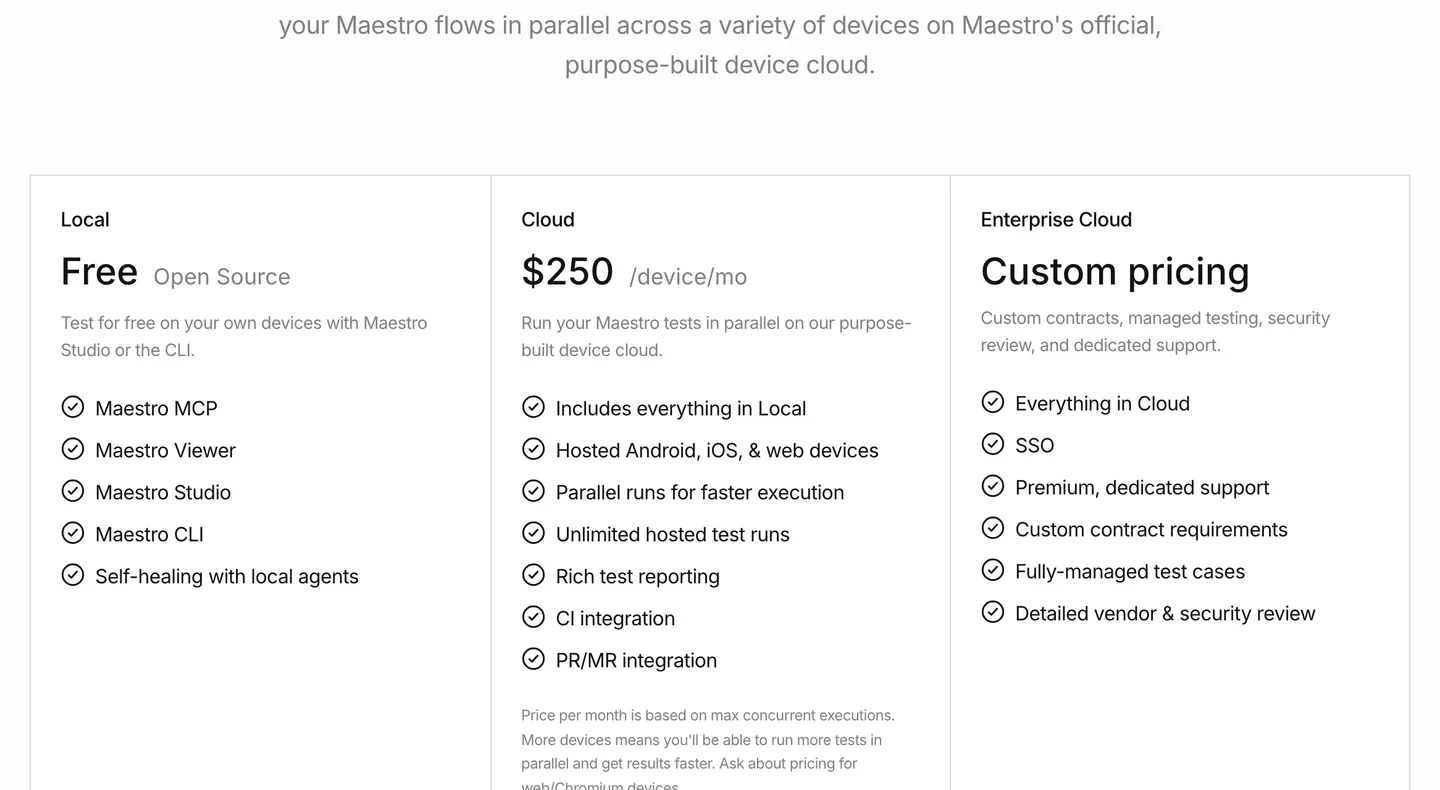
Maestro is free on your own devices; the hosted device cloud is $250 per device a month, as of October 2026. Source
Start with it if you want a handful of flows (sign up, buy, core feature) to run before every release. A side benefit: the same flows can drive the app to generate store screenshots.
Detox
Detox is Wix's open-source gray box end-to-end framework for React Native. Tests are written in JavaScript, and Detox waits for the app to go idle before acting, which cuts flaky tests. Choose it when your team prefers tests in JavaScript next to your Jest suite and does not mind a heavier setup than Maestro.
TestFlight and Google Play internal testing
These are how real people install your beta. TestFlight allows up to 100 internal testers from your team and up to 10,000 external testers by email or public link. Google Play's internal testing track distributes to up to 100 testers. Both are free with your store accounts.
7. Analytics and crash reporting
You need two answers after launch: what people do in the app, and where it breaks.
PostHog does product analytics, session replay, feature flags and error tracking. Its free allowance resets monthly and includes 1 million analytics events, 5,000 session recordings and 100,000 exceptions, with no card required. Choose it to see where people drop off between onboarding and purchase.
Sentry is crash and error monitoring with readable stack traces from your source maps. The free Developer plan covers one user and 5,000 errors; Team is $26 a month.
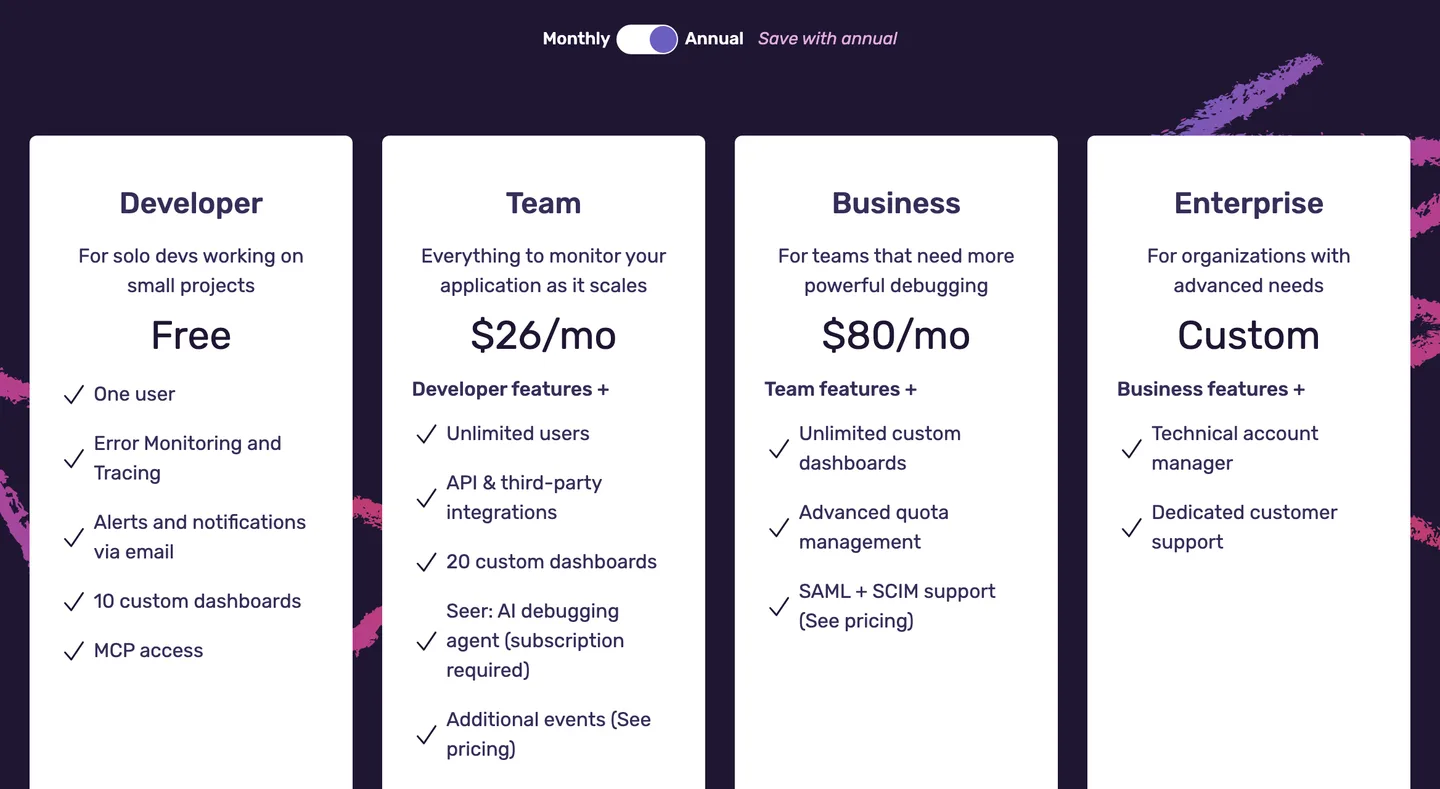
Sentry's plans as of October 2026, shown with annual billing. A solo developer can start on Developer for free. Source
Firebase Crashlytics is free at any volume on both Firebase plans. Choose it if you already use Firebase, or if price matters more than Sentry's richer JavaScript error context.
8. Design: Figma
Figma is where most app screens are drawn before they are built. The Starter plan is free with unlimited drafts; Professional costs $16 a month for a full seat on monthly billing, or $12 for a Dev seat.
For a first app you may not need it at all. Sketch the three main screens on paper, start from an existing component library, and let your agent build them; open Figma when you have a designer or a brand to match.
What it costs to run this stack at launch
| Tool | What you pay at launch |
|---|---|
| Expo, React Native, Maestro, Fastlane, Detox | $0 (open source or free tier) |
| Cursor or Claude Code | $20/mo for a paid plan |
| Supabase, Firebase, PostHog, Sentry | $0 on free tiers until you grow |
| RevenueCat | $0 until $2,500 monthly revenue |
| EAS | $0, or $19/mo for Starter |
| Apple Developer Program | $99/year |
| Google Play | $25 once |
Roughly $20 a month plus store fees gets a first app into both stores. Your first paid upgrade after that is usually a sign the app is working.
A stack that has already chosen
Picking tools takes an afternoon. Wiring them to each other is where the weeks go: auth tokens that RevenueCat can trust, a server that checks entitlements, analytics events typed end to end, build profiles for development, preview and production, and crash reports that point at your source.
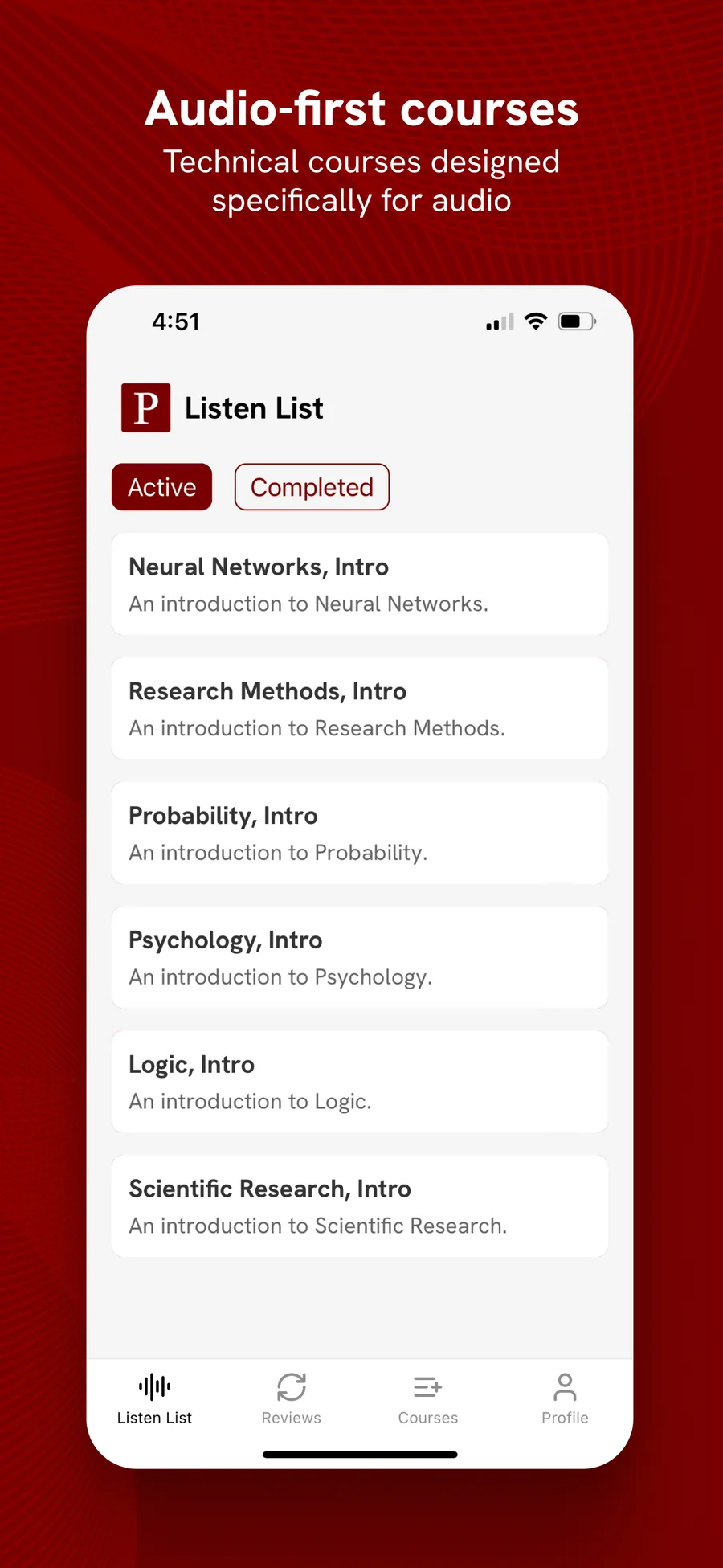
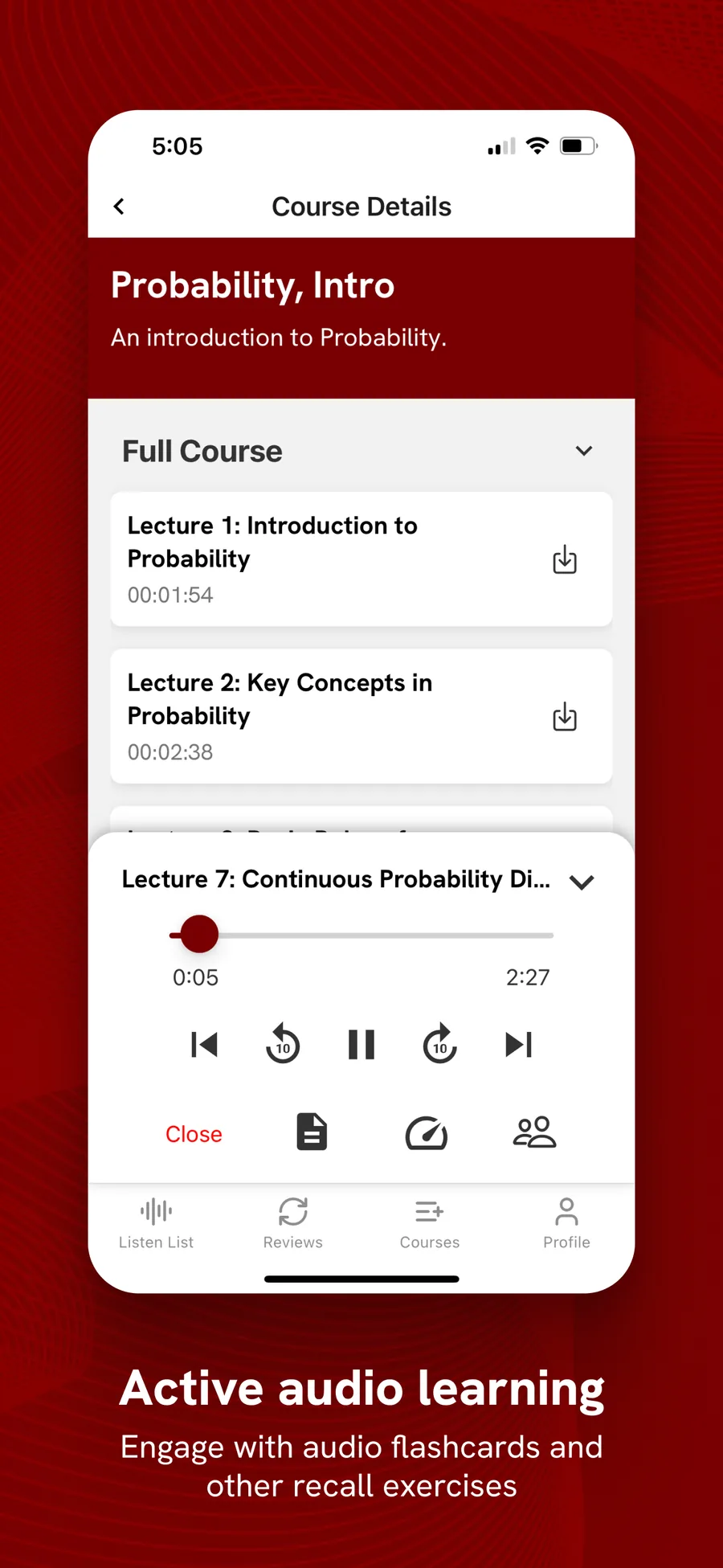
NativeExpress is our React Native and Expo starter kit, and it is our answer to most of the table above. It runs on Expo SDK 57, React Native 0.86 and React 19.2 with Expo Router. Supabase handles auth (Google, Apple and email), Postgres with row-level security, storage and edge functions. RevenueCat runs purchases and restore, with entitlement checked on the server. PostHog analytics and OneSignal push each sit behind one file you can swap, and Sentry monitoring is behind a port you can remove. EAS has development, preview and production profiles, and Maestro flows generate store screenshots. Jest and a yarn ci command run twelve checks.
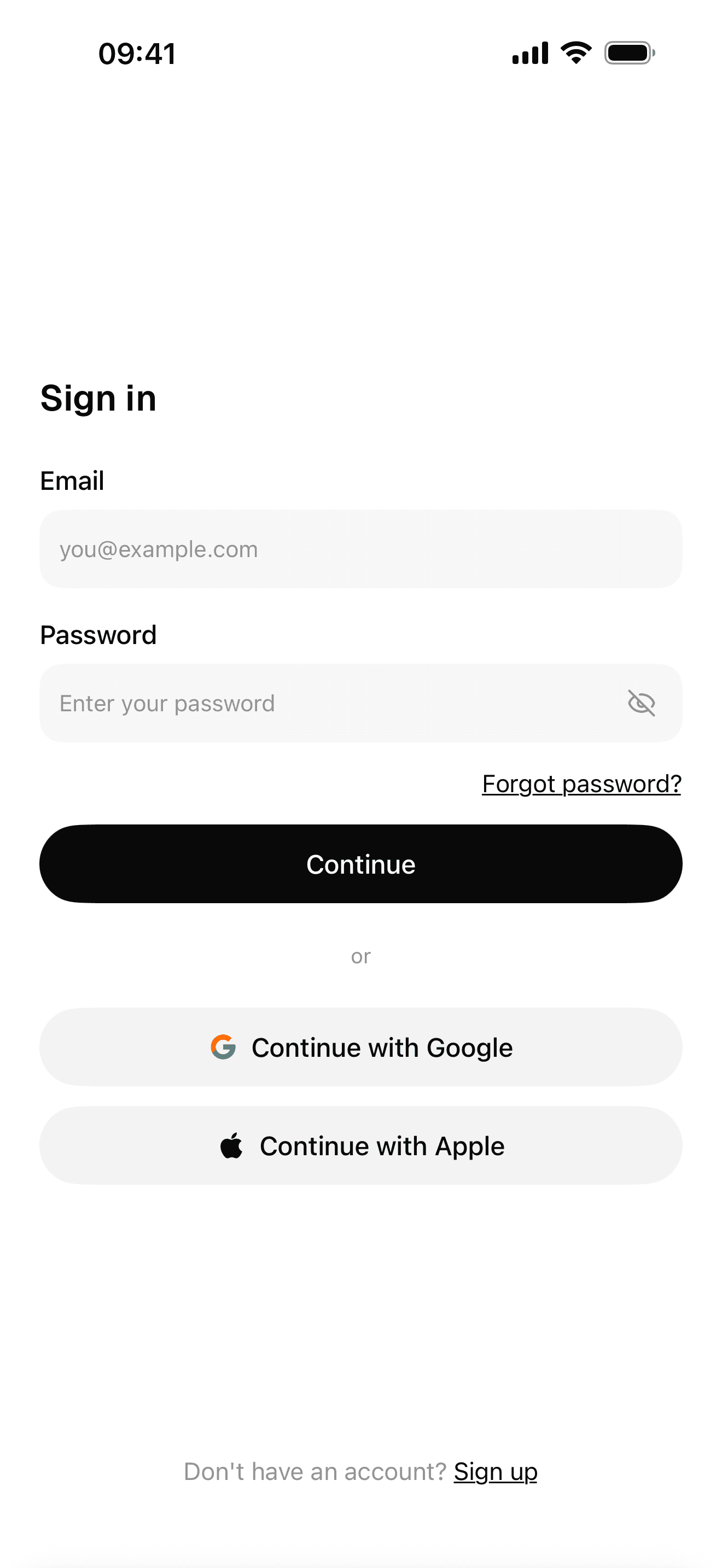
Sign-in with Google, Apple and email
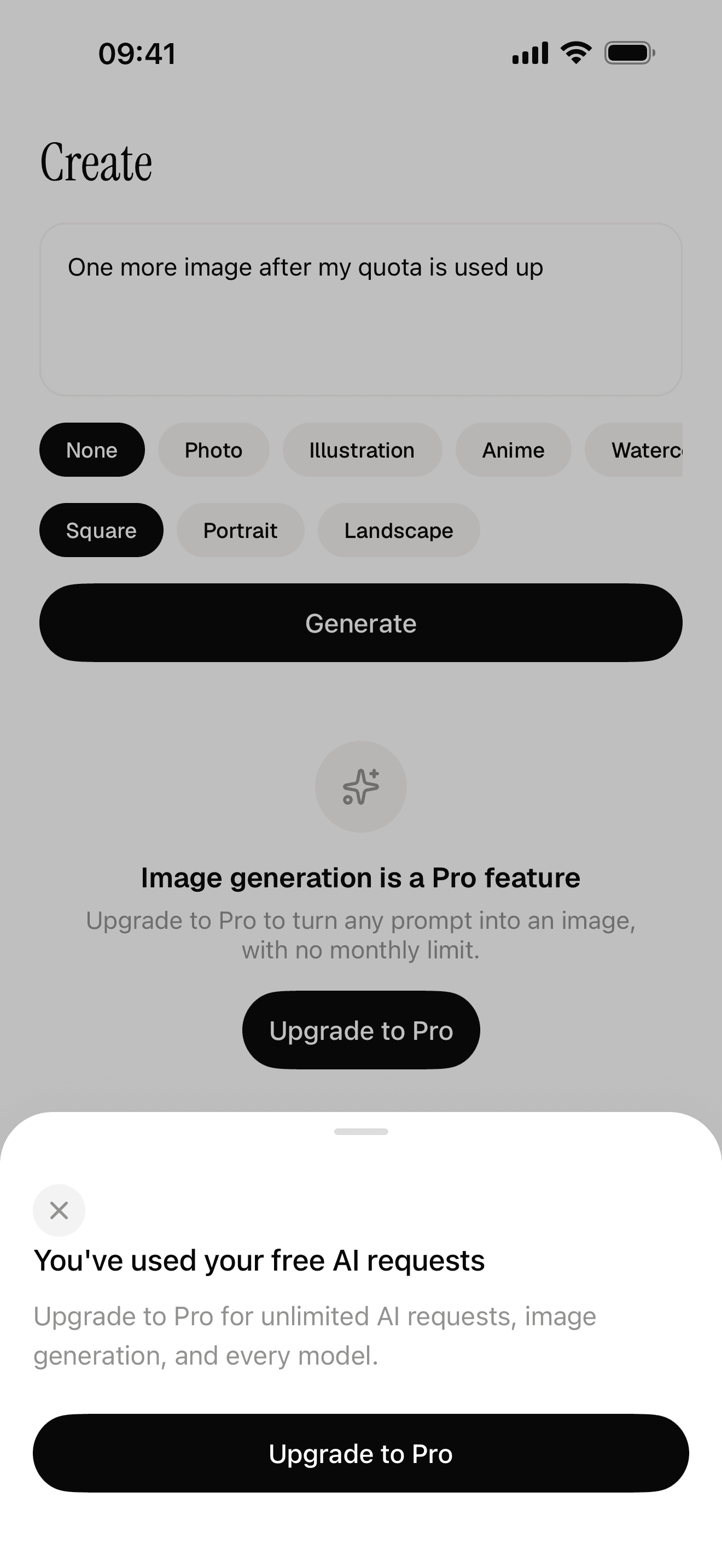
Free quota and a paywall the server decides
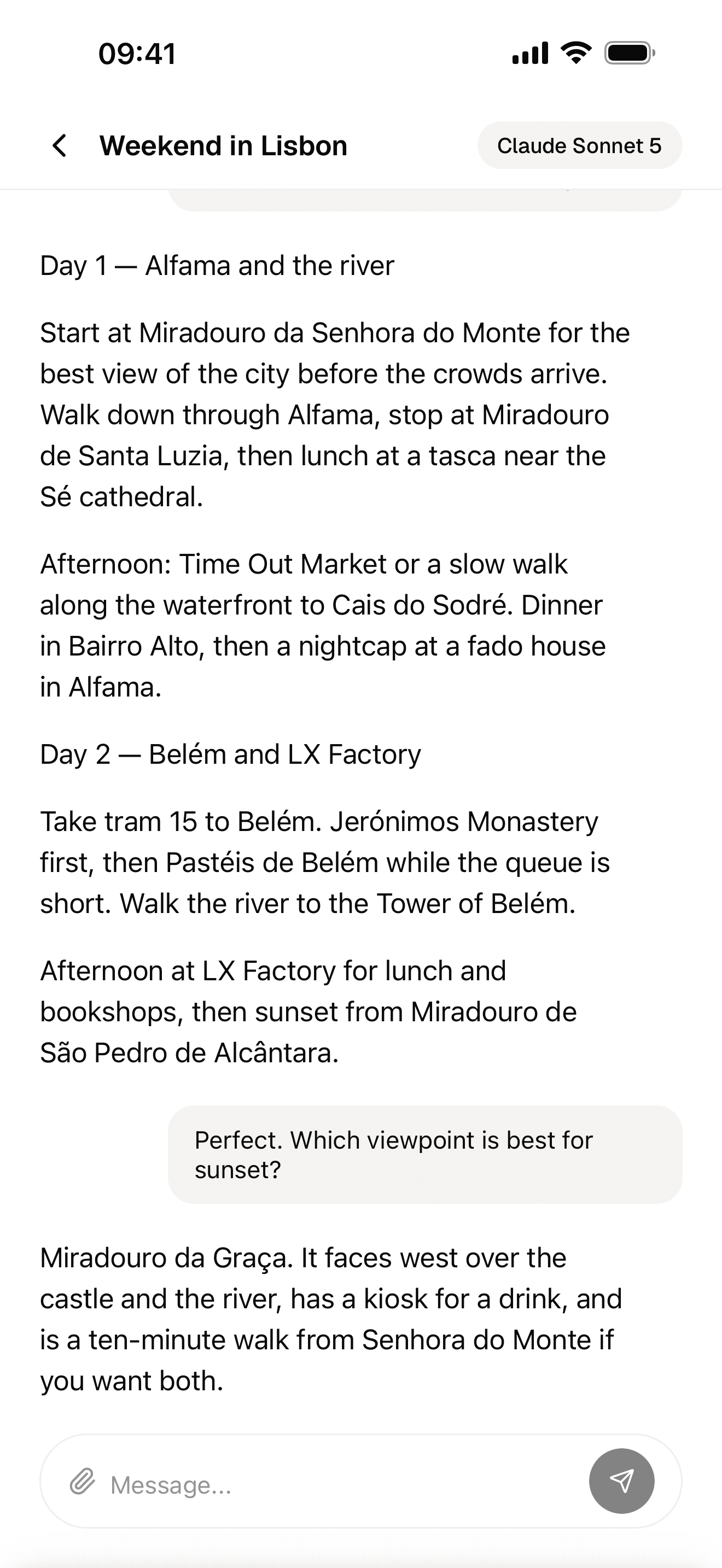
Streaming AI chat
It also ships agent skills that describe the code in that release: setup, design and conventions in the open skills format for Claude Code, Cursor, Codex and others, plus store-assets and submit skills for Claude Code. Your agent reads where things go before it writes a line. You still sign in to each service, decide what the app does and test it on your phone; the setup skill asks you when it needs a key. Store accounts and App Review stay yours. The docs list every integration.
NativeExpress was exactly what I needed, allowed me to launch a fairly complex mobile app in 3 months.
 Matthew L.Founder of PolyM
FAQ
What are the top 10 mobile app development tools?
By job, the ten we would install for a new app in 2026 are: React Native with Expo (framework), Cursor or Claude Code (AI coding agent), Xcode and Android Studio (simulators), Supabase (backend), RevenueCat (payments), EAS (builds and store submission), Maestro (testing), TestFlight (beta distribution), PostHog (analytics) and Sentry (crash reporting). Swap Expo for Flutter, SwiftUI or Kotlin if your team already knows one of them, and Supabase for Firebase if you live in Google Cloud.
Can ChatGPT build me an app?
ChatGPT can write much of the code, and every ChatGPT plan now includes Codex, which works inside a real project instead of a chat window. It still cannot create your store accounts, pass App Review or decide what your app should do. You need a framework project, a build service like EAS and an Apple and Google developer account, and you need to test on a real phone. Starting from a project that already runs makes any agent far more reliable.
What tools do I need to develop a mobile app?
At minimum: a framework, an editor with an AI agent, the iOS Simulator or Android Emulator, a backend if users sign in, and the store developer accounts. Add a payments SDK if you charge, a build service to sign and upload binaries, and crash reporting before launch. Everything except the store accounts has a free tier.