
Best AI App Builders in 2026: 10 Tools Compared

The best AI app builder for most people in October 2026 is Lovable for web apps, Replit Agent if you want web and mobile in one place, and Rork or Vibecode if the app has to be in the App Store. Base44 is the quickest way to an internal tool with a database. All of them get you to a working prototype in an afternoon. They differ in what they produce, how they charge, and whether you can leave.
Every AI app maker looks the same in the demo. Six months in, what matters is whether the output is a web app or a real mobile app, whether the backend runs somewhere you control, and what each bug fix costs in credits.
We opened the pricing page and documentation of every tool below. Prices are as of October 2026. They change often, so check the linked page before you pay.
What an AI app builder actually gives you
An AI app builder (also sold as an "AI app generator" or "AI app maker") is a hosted workspace where an AI agent writes the code from your chat messages, runs it in a preview, and usually hosts the result. The useful way to sort them is by what comes out the other end:
- A web app. Lovable, Base44, v0 and most Bolt projects. It runs in a browser. It can look fine on a phone, but it is not an App Store app.
- An Expo (React Native) app. Replit Agent, Bolt (when you ask for mobile), Anything, Vibecode and a0.dev. These are real iOS and Android apps built with JavaScript.
- Fully native code. Rork Pro generates SwiftUI and Kotlin, and Google AI Studio can generate Android apps in Kotlin.
If your goal is a store listing, a web-app builder puts you on a detour. We cover the mobile-first tools in depth in best mobile app builders; this article is about the wider group.
Best AI app builders compared (as of October 2026)
| Builder | What it outputs | Cheapest paid plan | Usage model | Code export | Backend included |
|---|---|---|---|---|---|
| Lovable | Web app | $25/mo, 100 credits | Credits, shared with hosting and backend | GitHub sync on every plan | Lovable Cloud or Supabase |
| Base44 | Web app, packaged for stores from Builder | $16/mo billed yearly, 100 message credits | Message and integration credits | GitHub sync from Builder ($40/mo yearly) | Yes, runs on Base44 |
| Replit Agent | Web app or Expo app | $20/mo ($18 yearly), $20 of credits | Free Mode, then effort-based per checkpoint | Yes | Databases and hosting, billed from credits |
| Bolt | Web app or Expo app | $25/mo, 10M tokens | Tokens, unused roll over | GitHub sync | Bolt Cloud or Supabase |
| v0 | Next.js web app | $30/user/mo, $30 of credits | Tokens, priced per model | GitHub sync | Via integrations, deploys to Vercel |
| Anything | Web app and Expo app | $24/mo ($19 yearly), 20K credits | Credits, expire each cycle | ZIP download | Yes |
| Google AI Studio | React web app or Android (Kotlin) | Free to start | Gemini API usage, Cloud Run if deployed | GitHub sync or ZIP | Firebase, provisioned for you |
| Rork | SwiftUI and Kotlin | $20/mo, 100 credits | Credits | GitHub sync | See mobile guide |
| Vibecode | Expo app | $20/mo, $20 of AI usage | Usage at cost, rolls over | Download, SSH | Database and auth per project |
| a0.dev | Expo app | $20/mo, 100 credits | Credits | Export on Pro | Convex or Supabase |
None of these pay your store fees. Publishing anywhere needs an Apple Developer account at $99 a year and a Google Play account at $25 once.
The best AI app builders, one by one
Lovable: the best AI app builder for web apps
Lovable produces the cleanest web apps in this group, and it is the one we would hand to a designer or founder who has never seen code. New projects use TanStack Start; older ones are React and Vite, with the backend on Lovable Cloud or Supabase, according to its FAQ.
Pricing is simple at the bottom: Free with 5 daily credits (capped at 30 a month), and Pro at $25 a month for 100 credits. Pro credits roll over for one month. One detail to plan for: Lovable's FAQ says Cloud usage comes out of the same credit balance as building, so hosting and backend operations compete with your prompts.
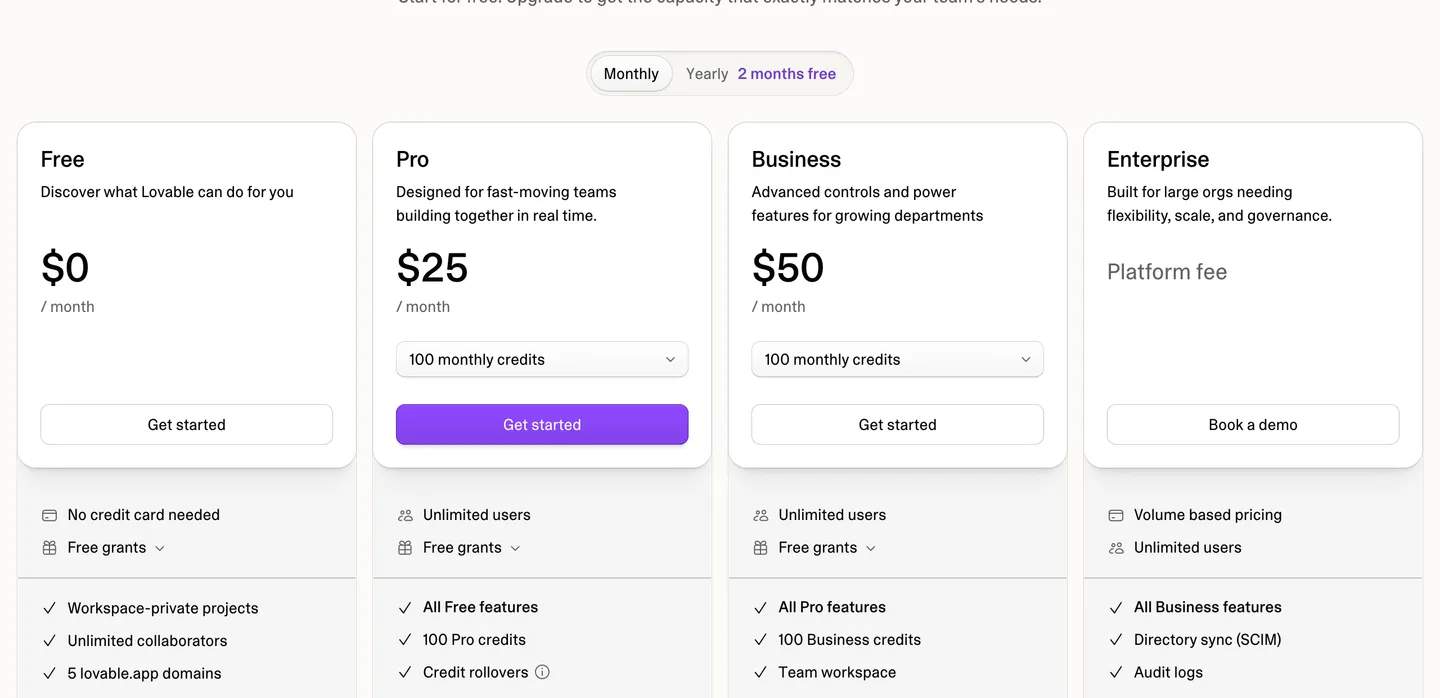
Lovable's plans as of October 2026. Pro and Business both start at 100 monthly credits. Source
Code ownership is good. Lovable says the code is yours, GitHub sync works on any plan, and paid plans can download a ZIP. Where it falls short is mobile: the same FAQ says Lovable "does not generate React Native projects". We wrote a whole piece on whether Lovable can make mobile apps and the routes around that.
Pick Lovable if your product is a web app and you want the most polished result per prompt.
Base44: fastest to a working tool with a database
Base44 builds the whole stack from one prompt: frontend, database, user accounts and hosting, all included on every plan. For internal tools, client portals and dashboards it is the shortest path we found from idea to something your team can log in to.
The pricing page lists Free with 25 message credits a month and up to 5 apps, Starter at $16 a month billed yearly with 100 message credits, and Builder at $40 billed yearly with 250. Integration credits (for things like sending email or calling an AI model from your app) are counted separately.
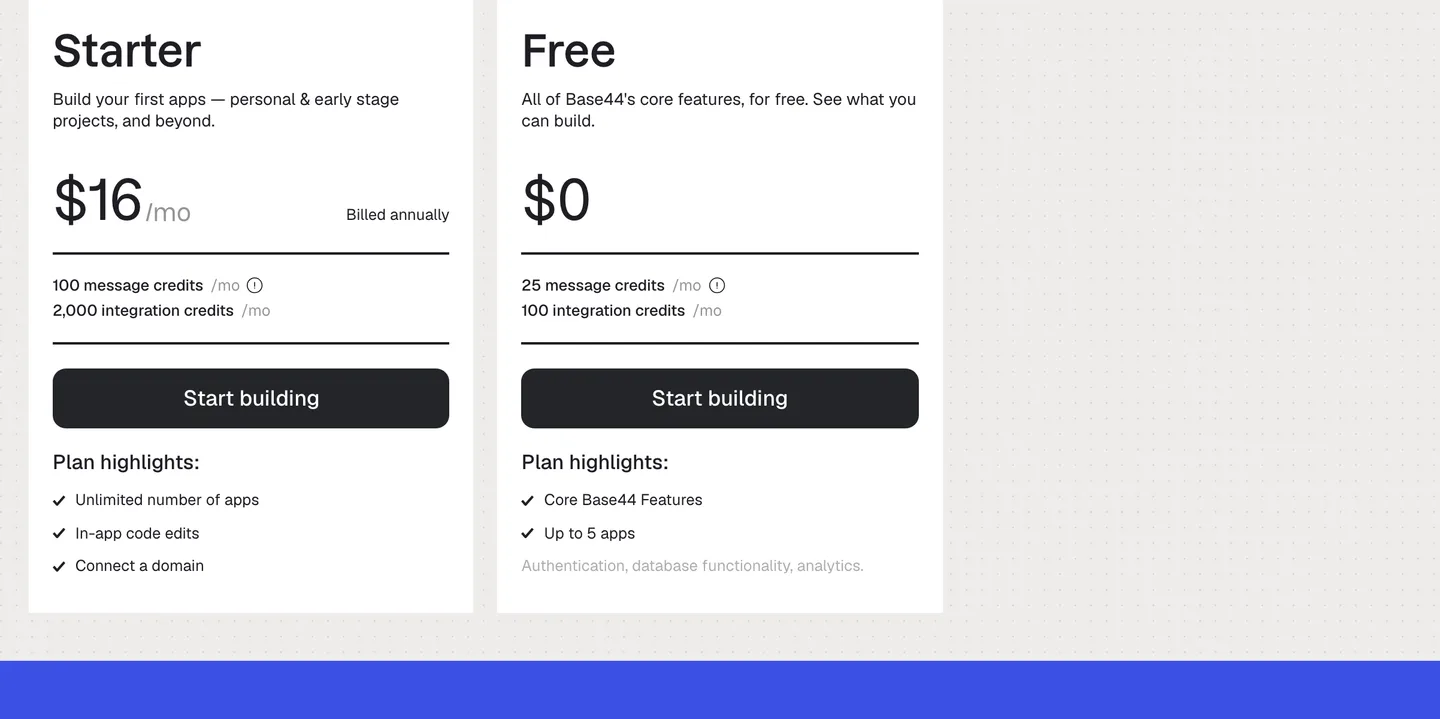
Base44's two entry plans as of October 2026. The paid prices shown are for yearly billing. Source
The fine print is about the backend. Base44's pricing FAQ promises two-way GitHub sync of "the full source code", and that is true for the code. But the generated app talks to Base44 through its SDK, and even the CLI's eject command "creates a new backend on Base44". Your data and your server logic stay on their platform unless you rebuild that part yourself. For mobile, Base44 can generate IPA and AAB files from the Builder plan, and its own docs also point to wrapper tools like Capacitor.
Pick Base44 if you want a working app with logins and data today, and running on Base44 long term is acceptable.
Replit Agent: web and mobile from the same project
Replit is the most complete environment here. The agent builds web apps and mobile apps with Expo, several outputs can share one backend, and its docs walk through building and submitting to TestFlight with Apple certificates handled for you.
Core costs $20 a month, or $18 billed yearly, and includes $20 towards the stronger models. Billing has two layers: a Free Mode allowance for everyday work, then effort-based pricing where each completed request becomes a checkpoint priced by complexity. Replit asks before a paid action starts, which helps. The same credits also pay for published apps, storage and databases.
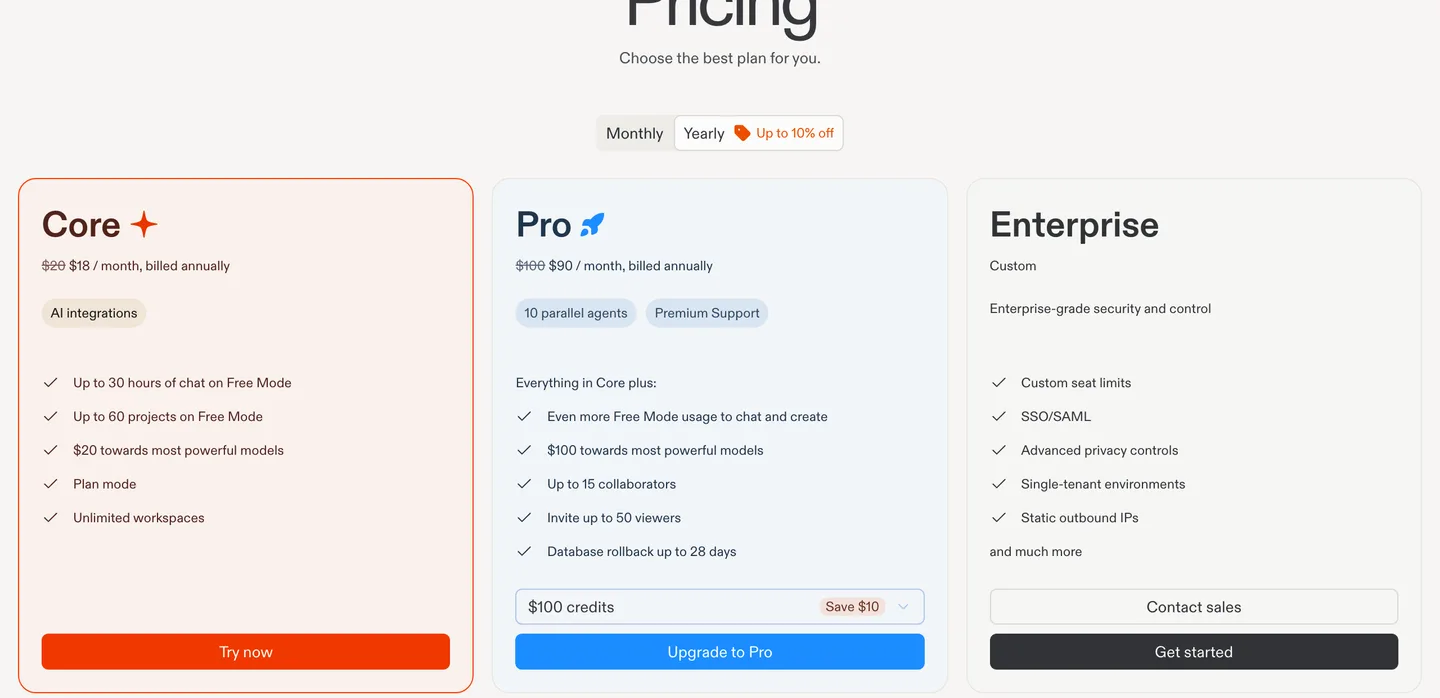
Replit's plans as of October 2026, shown with yearly billing ($20 and $100 billed monthly). Source
The free Starter plan is a trial more than a home: Lite build only, and one published app that goes down after 30 days.
Pick Replit if you want one tool for a web app and its mobile companion, and you are fine with usage-based bills.
Bolt: a general builder that switches to Expo for mobile
Bolt builds JavaScript web apps with a Node backend, and when you ask for a mobile app it uses Expo. Databases come from Bolt Cloud or Supabase. GitHub sync commits your work automatically.
The free plan gives 1M tokens a month with a 300K daily limit, and Pro is $25 a month starting at 10M tokens, with unused tokens rolling over. We showed Bolt's pricing page and its Expo workflow in the mobile builders comparison, so we will not repeat them. The short version: publishing a Bolt mobile app to the stores is a job you do yourself on your own machine.
Pick Bolt if you build a mix of web projects and want to start an Expo app in the same tool.
v0: best for Next.js and the Vercel stack
v0 is Vercel's builder, and its output is exactly what a React developer would write: Next.js, React, TypeScript, Tailwind CSS and shadcn/ui. It deploys to Vercel in two clicks and syncs both ways with GitHub. If you or someone on your team will take the code over later, v0's code is the easiest to inherit.
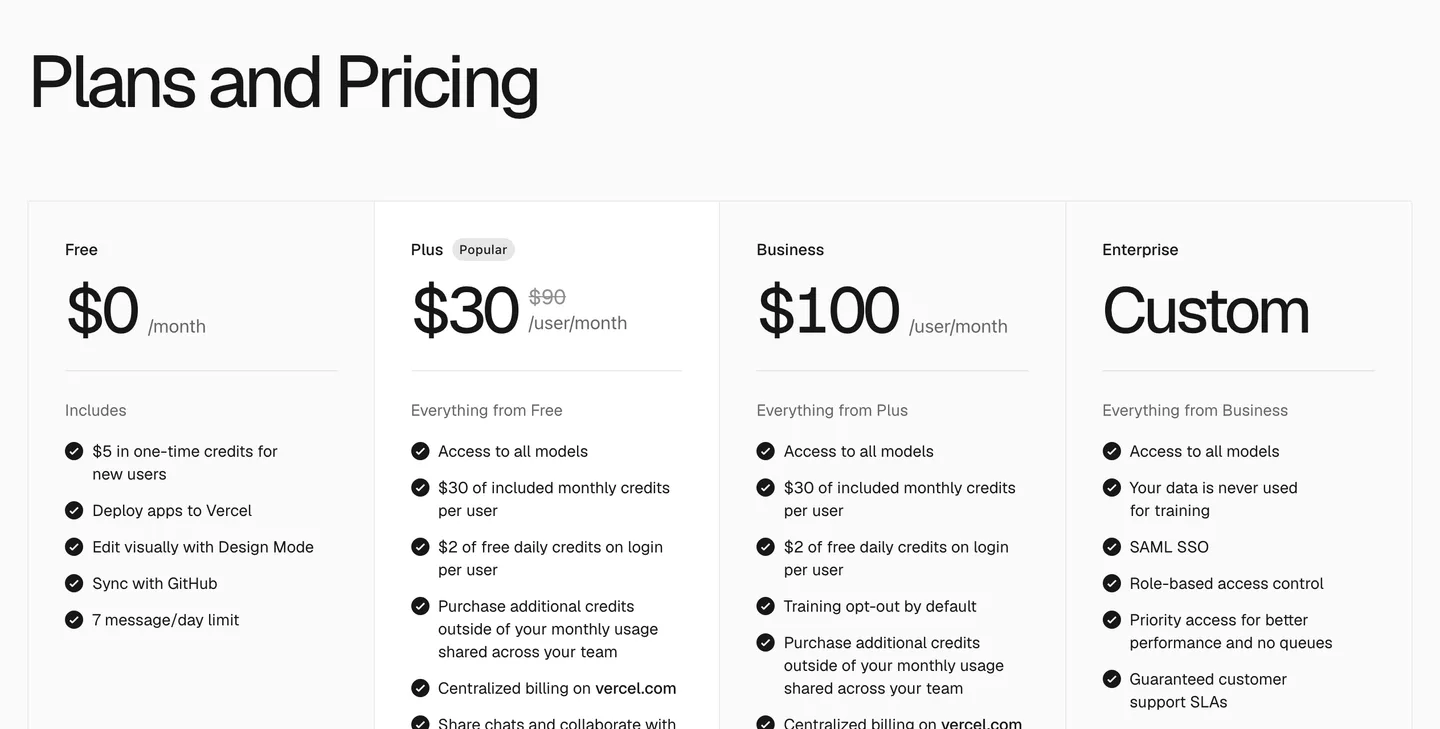
v0's plans as of October 2026. Plus includes $30 of monthly credits and $2 of daily credits on login. Source
Usage is billed in tokens, with rates per model running from $1.20 to $50 per million output tokens on the same page, so the model you pick moves your bill more than anything else. It builds web apps only; the v0 iOS app is for prompting from your phone, not for making native apps.
Pick v0 if you want production-grade Next.js code and already like Vercel.
Anything: web and mobile, with store submission
Anything builds a web app and a mobile app on the same database. Under the hood the mobile side is Expo (React Native). It runs an App Store review check before you submit through TestFlight; Google Play publishing is in beta and uploads to the internal testing track as a draft.
Pro is $24 a month, or $19 billed yearly, for 20K credits. Two catches from its credits docs: unused monthly credits expire at the end of each cycle, and your published app's AI integrations spend credits too. Code comes out as a ZIP download; GitHub sync is listed as coming soon.
Pick Anything if you want one prompt-driven tool for a web app plus an iPhone app.
Google AI Studio build mode: the free option
Yes, it exists, and it has grown up. Build mode generates React web apps with a Node.js server, or native Android apps in Kotlin and Jetpack Compose. It can provision Firebase (Firestore and Authentication) for you, syncs with GitHub or exports a ZIP, and deploys to Cloud Run.
It is free to start: the Gemini API's free tier includes AI Studio access, with the trade-off that content on the free tier is used to improve Google's products. Costs appear when you use paid models or deploy to Cloud Run. There is no iOS output.
Pick AI Studio if you want to experiment for free, or you are building for Android.
Rork, Vibecode and a0.dev: when the App Store is the point
These three are mobile-first, and all start at $20 a month. Rork Pro writes SwiftUI for iPhone and Kotlin for Android. Vibecode bills AI usage at cost and lets you download the Expo project or connect from Cursor. a0.dev builds Expo apps and handles App Store upload. Our mobile app builder guide compares them on publishing, credits and lock-in in detail.
Is there a free AI app builder?
Free tiers are good for testing an idea. None will carry a real app.
- Google AI Studio is the most generous: free to build, with costs only for paid models and hosting.
- Lovable gives 5 credits a day, up to 30 a month.
- Bolt gives 1M tokens a month.
- Base44 gives 25 message credits a month and up to 5 apps.
- v0 gives $5 of one-time credits and 7 messages a day.
- Replit Starter allows one published app that goes down after 30 days.
- Anything has no free building: its docs say building an app requires a paid plan.
A small app takes more than 30 prompts once you count the fixes, so plan on a paid month as soon as you are serious.
Where every AI app maker falls short
You pay for mistakes. Every plan is metered in credits, tokens or checkpoints. When the agent breaks something and needs four attempts to fix it, you pay for all four. Rollover rules differ a lot: Vibecode and Bolt roll unused usage over, Lovable for a month, Anything not at all.
The backend is often theirs. Exporting frontend code is easy almost everywhere. Moving the database, auth and server logic is the hard part, and with Base44 it is not really an option.
Most of them make web apps. Lovable, Base44 and v0 are web-first. A web app in a native wrapper has to clear Apple's minimum functionality guideline, which asks for more than a repackaged website.
Payments are thin. Charging for an app means in-app subscriptions, restore purchases and a server that decides who has paid. A few mobile builders advertise RevenueCat or Stripe; most leave it to you. If you plan to make money with the app, check this before you build.
When to graduate to code you own
A builder is a good first stage: you learn what your app is by building it. These are the signs you have outgrown one:
- You spend more credits fixing than building.
- You need a native feature the builder does not support (background tasks, widgets, health data, a specific SDK).
- You want subscriptions and the builder has no real answer for them.
- Your monthly bill is growing with your users instead of your features.
- A developer or an agent like Claude Code would need the backend, and it lives on someone else's platform.
Graduating does not mean giving up AI. It means moving the same way of working into a real repository on your computer, where a coding agent edits the code directly. Claude Pro includes Claude Code for $20 a month, and ChatGPT Plus includes Codex at the same price. We compare the agents in Codex vs Claude Code, and how to vibe code an app covers the workflow.
The catch with an empty folder is that your agent spends its first weeks on plumbing every app needs: sign-in, subscriptions, push notifications, store builds. A starter kit skips that.
NativeExpress is one option for mobile. It is a React Native and Expo starter you buy once, delivered as a private GitHub repository. Sign-in with Google, Apple and email is finished, RevenueCat subscriptions are checked on the server, and three AI features (chat, image generation and a scanner) already run on Supabase Edge Functions. It ships with agent skills for setup, conventions, store assets and submission, so Claude Code, Cursor or Codex know where code goes before they write any. Your users and data sit in your own Supabase project.
You still do real work. The agent writes most of the code; you make decisions, sign in to services when asked and test on your phone. No mobile experience is needed, but budget an evening for setup if you have never used a terminal. Publishing stays yours, with build profiles, checklists and submission guides included.

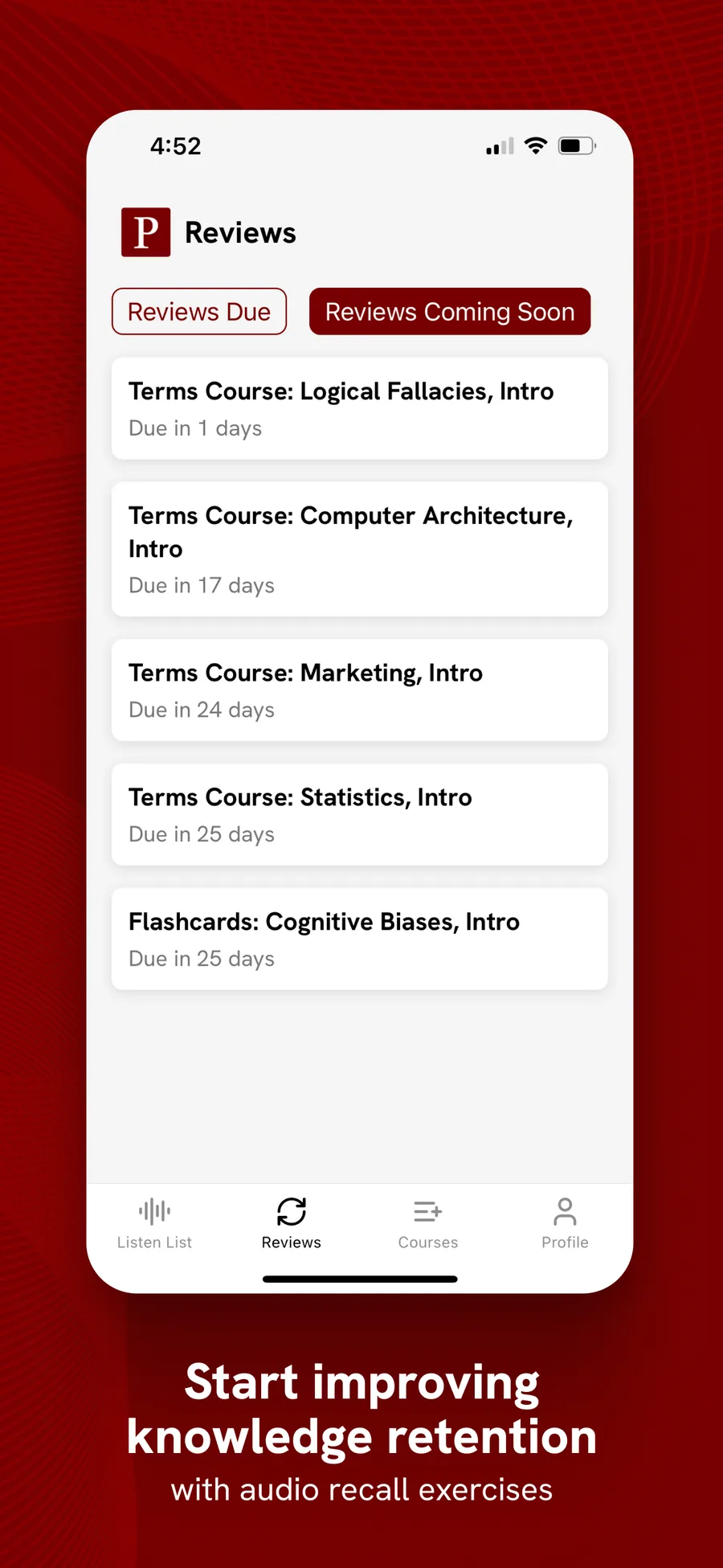
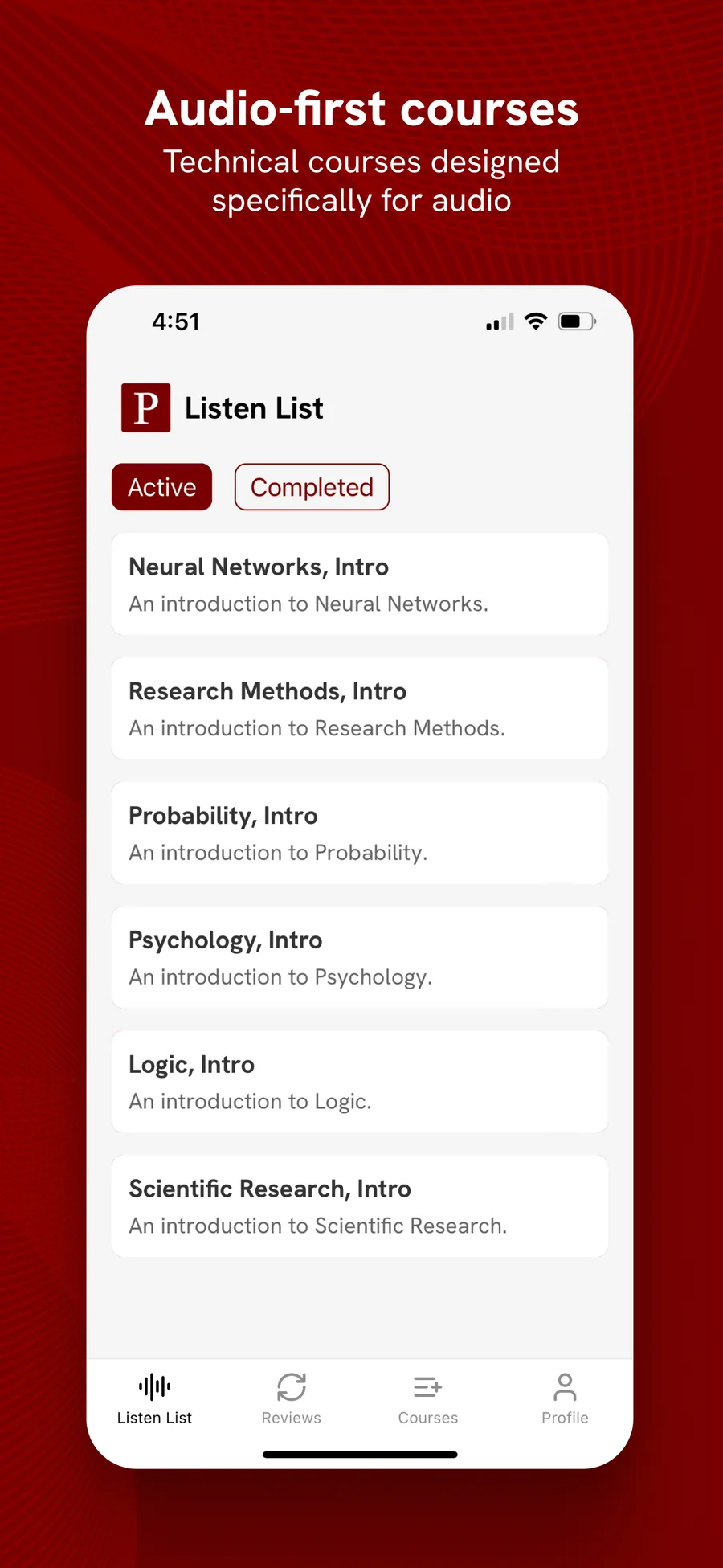
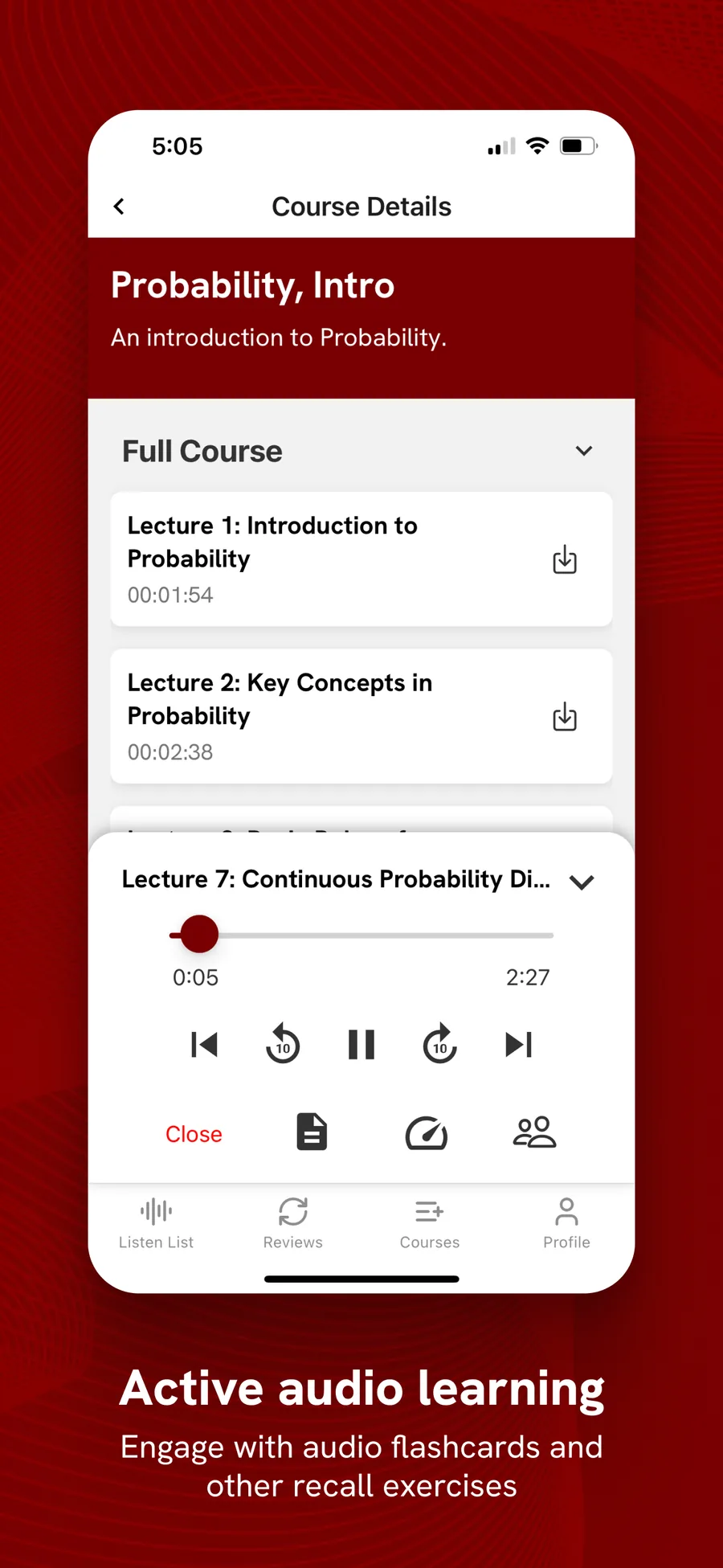
PolyM, an audio course app, is one of the apps shipped on NativeExpress. Its founder put it like this:
NativeExpress was exactly what I needed, allowed me to launch a fairly complex mobile app in 3 months.
 Matthew L.Founder of PolyM
Which is the best AI app builder for you?
- A web app or SaaS: Lovable, or v0 if you want Next.js code a developer can take over.
- An internal tool with logins and data: Base44.
- Web and mobile from one project: Replit Agent or Anything.
- An iPhone app first: Rork, Vibecode or a0.dev, covered in our mobile builders guide.
- Free experiments or Android: Google AI Studio.
- An app you will charge for and keep for years: start in a builder if it helps you think, then move to code you own with a coding agent.
If you are still deciding what to build, how to make an app walks through the whole path, and what it costs to make an app puts the builder subscriptions next to the alternatives.
FAQ
Can I really build an app with AI?
Yes. Every tool in this list can produce a working app from plain-language prompts, and Replit, Anything, Rork and a0.dev can take a mobile app as far as TestFlight or the App Store. What AI does not remove is the decision-making, the testing on a real phone, and the store accounts, which stay in your name.
Which is the best AI app builder?
For web apps, Lovable produces the most polished results, and v0 the most maintainable code. For web plus mobile in one place, Replit Agent. For App Store apps, Rork or Vibecode. If you plan to charge for the app long term, the best choice is a builder that lets you export everything, or code you own from the start.
Can ChatGPT build me an app?
The chat window can write code, but on its own it does not run, build or publish an app. Codex, which is included in ChatGPT plans from Free upward with limits that vary by plan, is the better tool: it works inside a real project, edits files and runs commands. You still need a project to work in, a build service and store accounts.
Is there a free AI app builder?
Google AI Studio's build mode is free to start, with costs only for paid models and Cloud Run hosting. Lovable, Bolt, Base44, v0 and Replit have free tiers that are fine for testing an idea but run out quickly on a real app. Anything requires a paid plan to build at all.