
How to Make an Android App in 2026: A Step-by-Step Guide

To make an Android app in 2026, choose a route (Kotlin in Android Studio, React Native with Expo, or Flutter), create a project and run it on your phone, build the features, then upload an Android App Bundle to the Google Play Console. Publishing costs a one-time US$25 registration fee. New personal accounts must also run a closed test with 12 testers for 14 days before going live.
Android is the friendlier platform to start on. Any computer can build for it, test builds install on your phone without a paid account, and the store fee is paid once. The hard parts sit at the end: the testing requirement, the policy forms and a target API level that moves every year. This guide covers all of it.
Four ways to build an Android app
| Kotlin and Jetpack Compose | React Native with Expo | Flutter | App builders | |
|---|---|---|---|---|
| Language | Kotlin | TypeScript (React) | Dart | Prompts, visual editors |
| Platforms | Android | Android and iOS | Android, iOS, web, desktop | Varies by tool |
| Editor | Android Studio | Any editor | Any editor, Android Studio plugin | The builder's site |
| Who owns the code | You | You | You | Varies, often the platform |
| Best for | Android-only apps, learning Android properly | First apps, web developers, coding agents | Teams already set on Dart, custom-drawn UI | Prototypes and demand tests |
Kotlin and Jetpack Compose in Android Studio
This is Google's own route. Android development has been "increasingly Kotlin-first" since 2019, and Google's docs point new apps to Jetpack Compose for the UI. Android Studio is free and runs on Windows, Mac, Linux and ChromeOS. The official Create your first Android app codelab starts from the Empty Activity template and walks you through a small greeting card app.
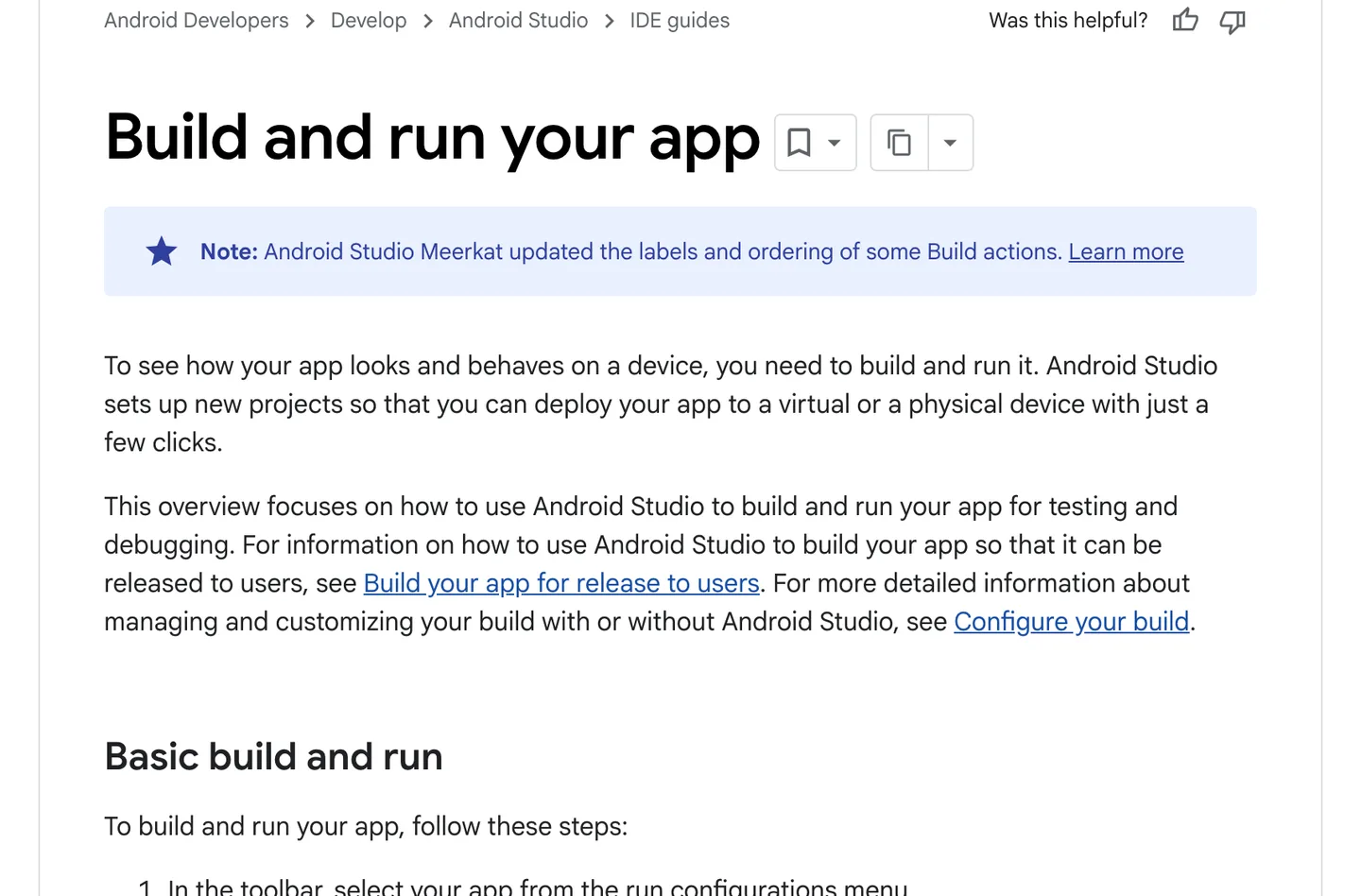
Android Studio runs a new project on the emulator or a plugged-in phone in a few clicks. Source
You get every new Android API on day one and nothing between you and the platform. The catch: it produces an Android app only, so an iPhone version means a second codebase in Swift. Pick it if you want to become an Android developer, or the app lives on Android-specific features such as home screen widgets, Wear OS or deep background work.
React Native with Expo
You write TypeScript and React, and React Native renders real native Android views. Expo adds the libraries, a dev server that reloads on save, and EAS, a cloud service that builds and submits your app. The same project builds for iOS, which matters more than it sounds: half of most audiences are on the other platform. If you are weighing it against plain React Native, read Expo or bare React Native.
Flutter
Flutter is Google's open-source framework for multi-platform apps from one Dart codebase. It draws its own widgets instead of using the platform's, which makes pixel-identical UI across platforms easy. It is a good, mature choice. The trade-off for a first-time builder is Dart: fewer developers know it than TypeScript, and less public code exists for coding agents to learn from. We compare the two properly in Flutter vs React Native.
App builders
No-code and AI builders produce a working prototype fastest. Check three things before you commit: whether you can export the code, whether the output is native or a web view in a wrapper, and what happens when you need something the builder does not do. Our picks are in the best mobile app builders and the best AI app builders.
Which route we would take for a first Android app
For most people reading this, React Native with Expo. Three reasons specific to Android:
- Android has thousands of device models. Expo's libraries already handle most of the differences in screen sizes, permissions and Android versions, so you spend less time on why a camera screen breaks on one Samsung model.
- The target API level moves every August. Expo SDK releases update it for you. Expo SDK 55, 56 and 57 all target API 36, which is what Google Play requires right now.
- The iOS version comes almost free. Same code, a second build command.
Coding agents also write TypeScript and React well, because there is so much of it in public. If you build with Claude Code, Codex or Cursor, that counts for a lot. Kotlin is the better pick only if you know you will stay Android-only.
What you need to make an Android app
- A computer. Windows, Mac or Linux all work for Android, with Node.js installed for Expo.
- An Android phone or the emulator. The Android Emulator ships with Android Studio. A real phone is still worth having for testing camera, notifications and performance, and new personal Play Console accounts must verify access to an Android device through the Play Console mobile app.
- A free Expo account. The free plan includes 15 Android builds a month, plus 15 for iOS. Paid plans start at $19 a month.
- A Google Play developer account. US$25, one time, with identity verification. You only need it when you are ready to upload, but register early so verification is not what holds you up.
- A coding agent, if you work that way. Claude Code, Codex, Cursor or similar.
How to make an Android app step by step
1. Write down the one thing the app does
One sentence: who it is for and what it does for them. A first version usually needs onboarding, sign-in, one core screen, a paywall if you charge, and settings. Put every other idea on a list for later. If you are still hunting for the idea, start with app ideas.
2. Create the project and open it on your phone
Install Node.js, then run the commands from the Expo docs:
npx create-expo-app@latest my-app
cd my-app
npx expo start
Install Expo Go from Google Play and scan the QR code in your terminal. The app opens on your phone. If the emulator is running, press a in the terminal to open it there instead. Change a line of text, save, and watch the phone update.
3. Start from an app that already works
The default template is a fine place to learn. To ship, you also need sign-in with Google and email, a paywall and restore, a database with per-user permissions, push notifications, account deletion and build profiles. None of that is your idea, and all of it has edge cases you meet only in production.
NativeExpress is our answer to that: a React Native and Expo app you clone and own, for Android and iOS, with those parts finished and agent skills that explain the codebase to Claude Code or any agent that reads the open skills format. This is the demo app on the first run:
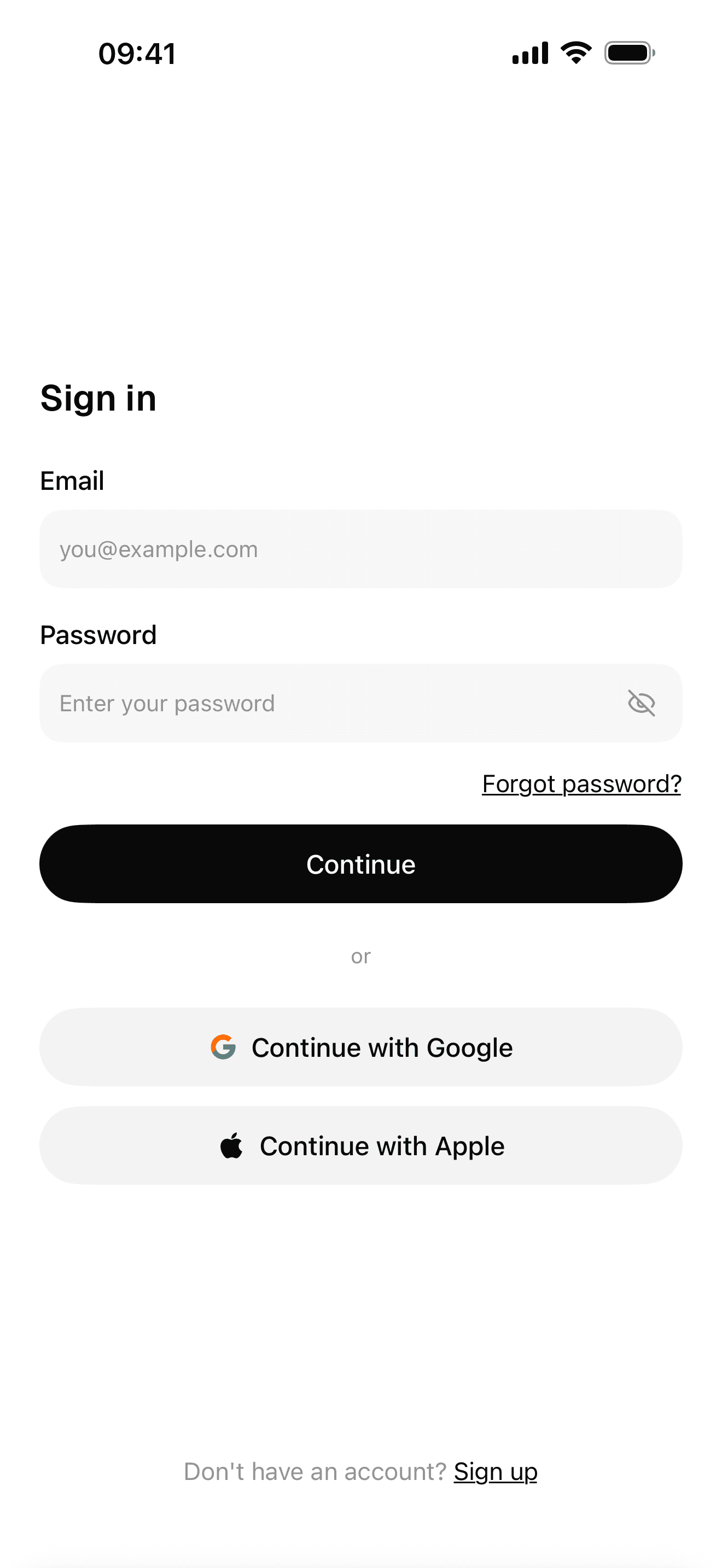
Sign-in with Google, Apple and email
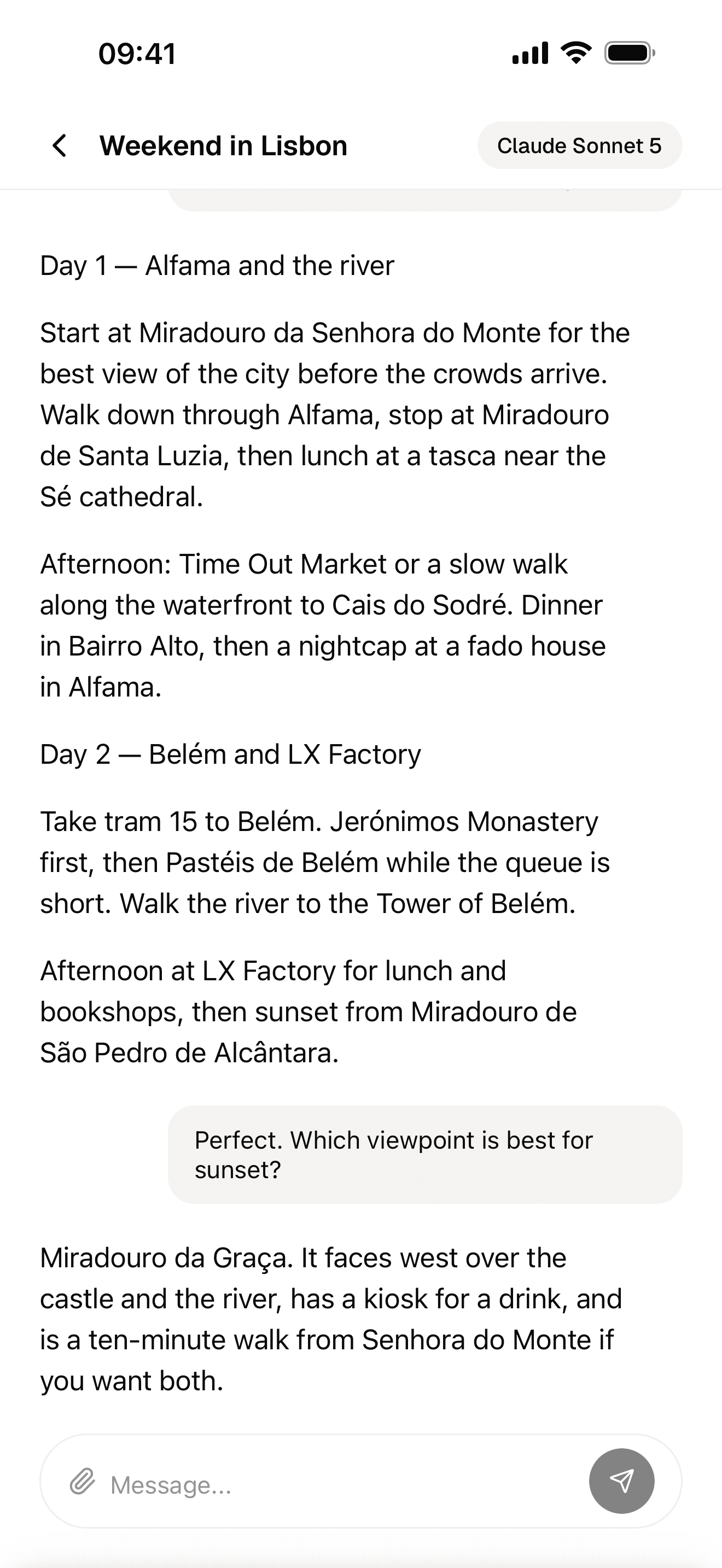
Streaming AI chat
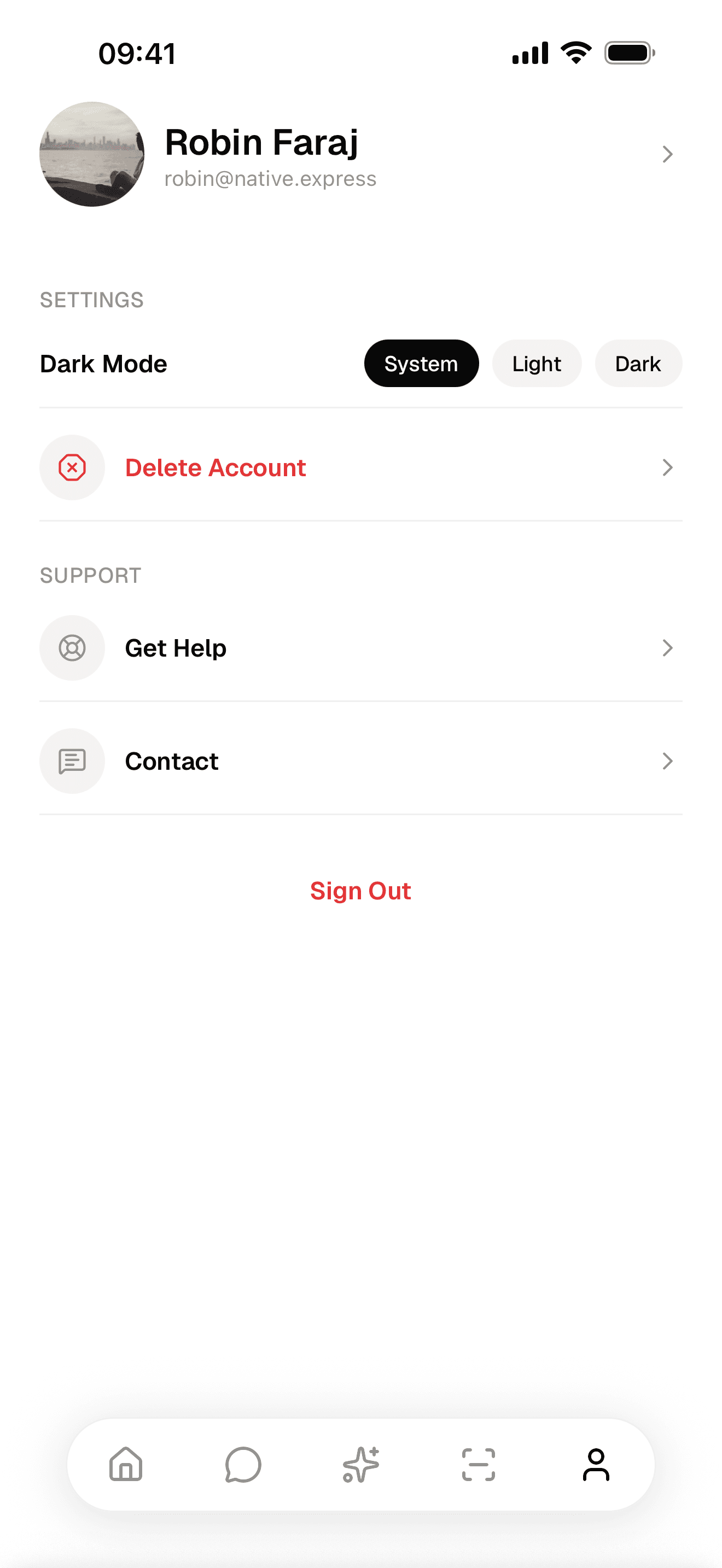
Profile and account management
You can follow this guide with Expo's own template too. Just know how much plumbing you are signing up for.
4. Build the features in small steps
One screen or one behavior per prompt, then check it on the phone before the next. A short product brief in the repo, the data model before the screens, the real error pasted instead of a summary of it, and a commit after every step that works: those habits do more for agent output than any clever prompt. More on that workflow in how to vibe code an app.
Your agent writes most of the code. You still decide what to build, read errors, sign in to services and test.
5. Switch to a development build
Expo Go includes a fixed set of native modules. Once you add a library it does not include, you need a development build: your own app binary with your native code inside, still reloading on save. On Android this needs no paid account. The Expo docs give the commands:
npx expo install expo-dev-client
npm install --global eas-cli
eas login
eas build --platform android --profile development
EAS builds it in the cloud. When it finishes, scan the QR code with your phone or press Y to install it on the emulator.
6. Add sign-in and payments the way Google Play expects
Two policies shape this step:
- Account deletion. If users can create an account, Google Play requires an in-app path to delete the account and its data, plus a web link where they can request the same without the app installed.
- Google Play Billing. Apps that charge for digital features or content must use Google Play's billing system, apart from programs for alternative billing in some countries. RevenueCat on top of Play Billing is a common setup in React Native, and you create the subscription products in Play Console.
Unlike Apple, Google does not require you to add a privacy-focused login next to Google sign-in. If you do offer Google sign-in, read the next callout before your first upload.
7. Build an App Bundle and upload it to internal testing
Google Play has required the Android App Bundle (.aab) for new apps since August 2021, and it is what EAS Build produces by default. EAS also creates and stores the upload keystore that signs it.
eas build --platform android --profile production
eas submit --platform android
Before the first submit, create the app in Play Console and give EAS a Google service account key so it can upload for you. By default the first upload lands on the internal testing track, which takes up to 100 testers and is the fastest way to get the store version onto your own phone.
8. Run the closed test: 12 testers for 14 days
This is the step that surprises people. Personal developer accounts created after November 13, 2023 must run a closed test before they can publish. Google's wording: "At least 12 testers must be opted in to your closed test when you apply for production access, and they must have been opted in continuously for the preceding 14 days." Organization accounts do not have this requirement.
Use the two weeks for real feedback. When you apply for production access, Google asks how you recruited testers, what feedback they gave and what you changed because of it.
9. Fill in the store listing and the App content forms
While the test runs, finish the Play Console paperwork. The App content page asks for a privacy policy, an ads declaration, sign-in details for reviewers, your target audience, a content rating questionnaire, and a permissions declaration if you use sensitive permissions. Then the Data safety form:
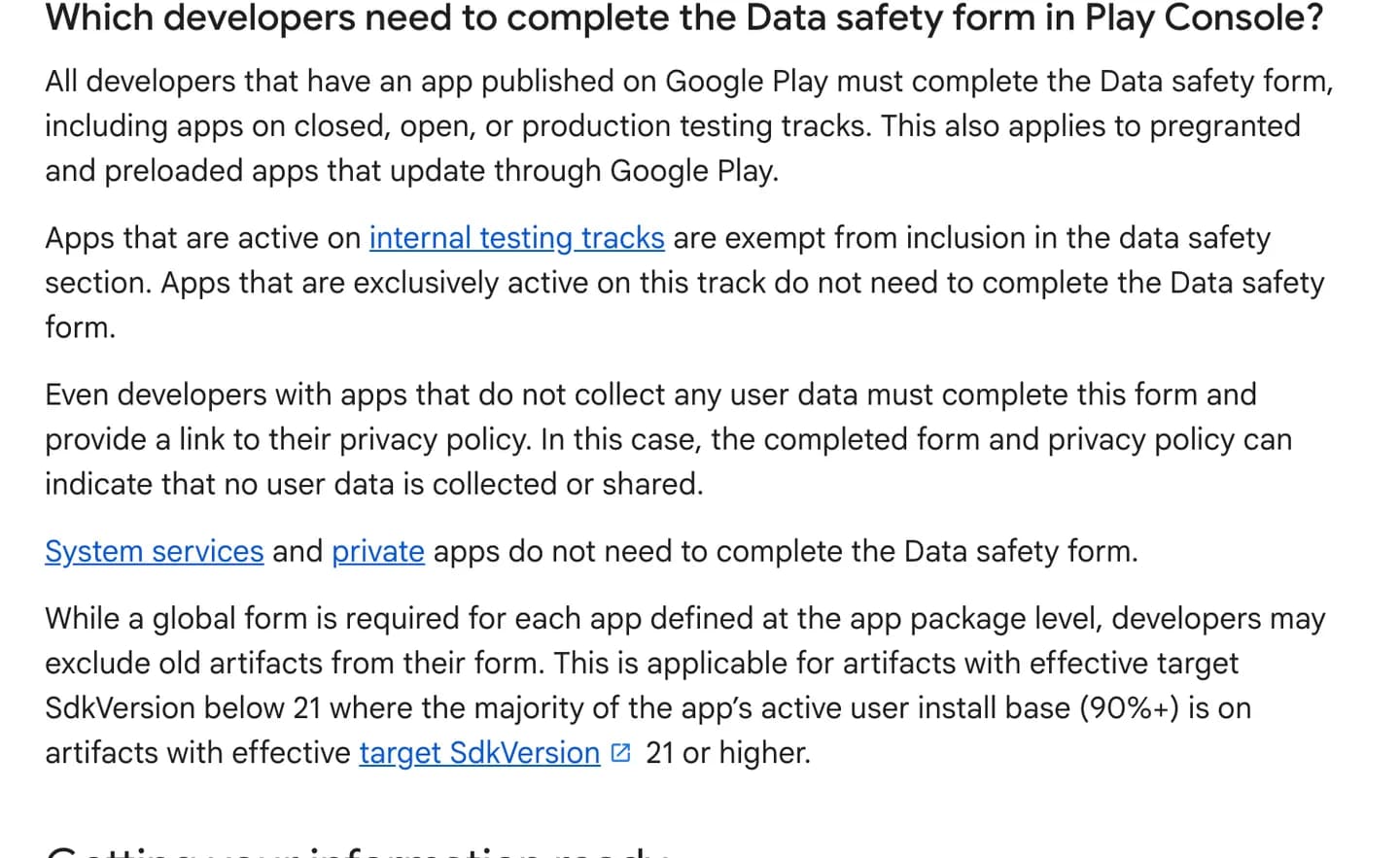
Every app on a closed, open or production track needs the Data safety form, even if it collects nothing. Source
The form asks what data leaves the device, including data your SDKs collect. Analytics, crash reporting and push libraries all count, so list them honestly. Add a title, short and full descriptions, an icon, a feature graphic and phone screenshots, then apply for production access. Google warns that some accounts get review times of up to seven days or longer, and new accounts are the usual ones.
The target API level requirement in October 2026
Every year Google raises the Android version your app must target. Since August 31, 2026:
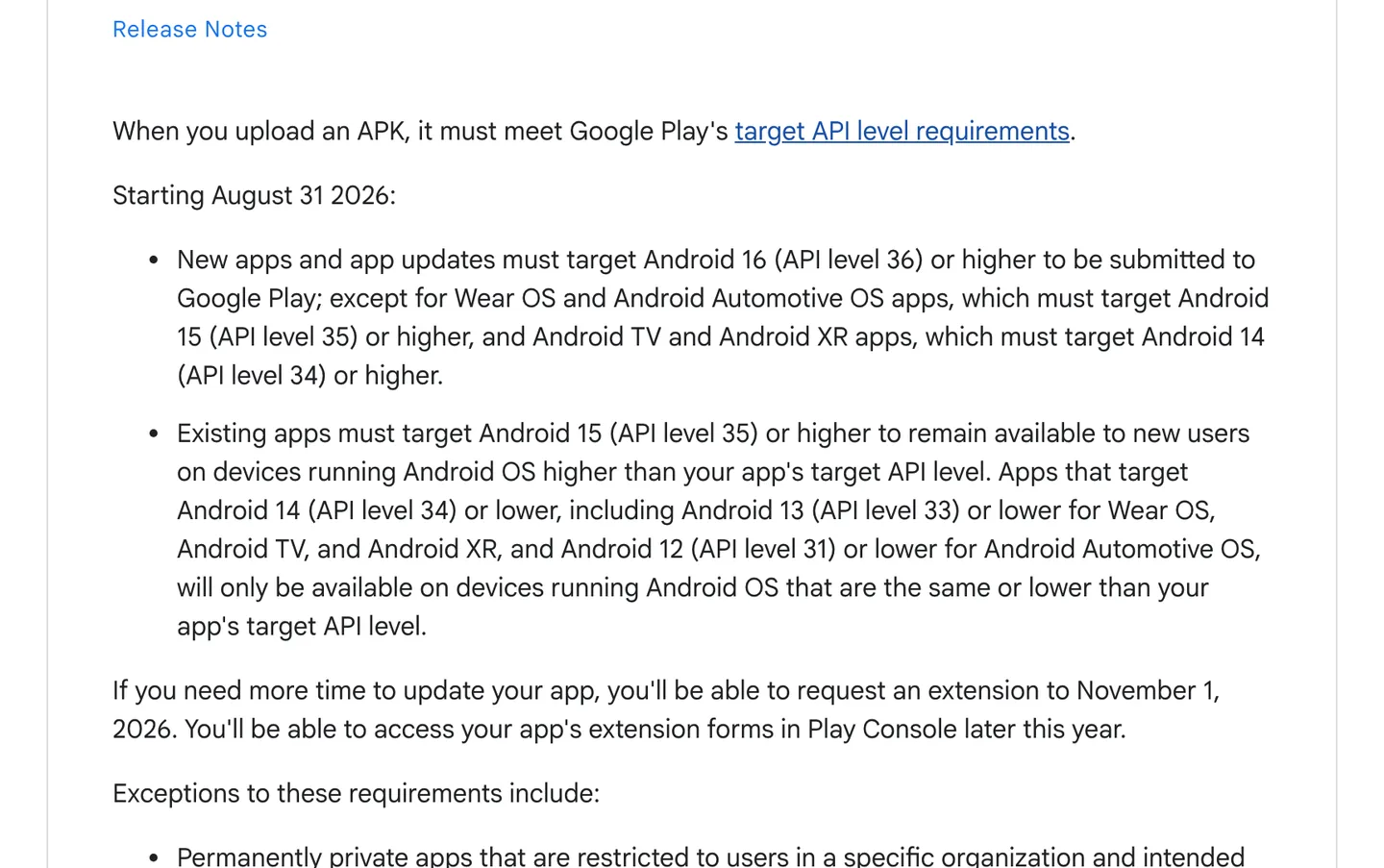
New apps and updates must target API 36. Existing apps below API 35 stop showing up for new users on newer Android versions. Source
Apps that needed more time could request an extension to November 1, 2026. With Expo, the target comes from the SDK version, so staying on a current SDK covers it. In Android Studio you set targetSdk in your Gradle file yourself, and moving to a new target can change behavior: apps targeting Android 16, for example, can no longer opt out of edge-to-edge layout.
Common Google Play rejections and policy problems
Google's review team checks policy compliance. It does not test your app for you. The problems we see most on first Android apps:
- Reviewers cannot get in. If any part of the app needs a login, Google requires sign-in details that work at all times, in English, for a test account. Expired demo credentials get rejected.
- Data safety answers that do not match the app. An analytics SDK sending a device ID while the form says "no data collected" is the kind of mismatch that gets an app flagged.
- No account deletion path, in the app and on the web.
- Digital purchases outside Play Billing, such as a Stripe checkout for a Pro plan.
- Sensitive permissions without a reason. SMS, call log, background location and all-files access need a declaration and a core feature that uses them. If you do not need them, remove them from the manifest.
- Broken sign-in after release, from the missing signing fingerprint covered in step 6.
- An outdated target API level, which blocks the upload before review even starts.
A rejection does not end anything. Rejections do not affect your developer account standing, and the previous version stays live. Fix the cited issue and resubmit.
One codebase gives you the iPhone app too
If you built with Expo, the iOS version is the same project with --platform ios. The difference is Apple's side: a $99 yearly membership, TestFlight instead of testing tracks, and stricter rules on sign-in and in-app purchases. We cover that path in how to make an iPhone app and the submission in how to publish an app on the App Store.
As a web developer building my first app, this boilerplate made my life so much easier.
 Andrei HudovichIndie Maker
How to make an Android app for free
Building it is free. Android Studio, Expo, React Native and Flutter cost nothing, and Expo's free plan covers 15 Android builds a month. You can install your own APK on your phone and share it with friends without paying anyone.
The one unavoidable cost is the US$25 Play Console fee, and only when you want to be on Google Play. Backends, analytics and AI APIs usually have free tiers that cover a first launch. For the full picture, including what agencies charge, see how much it costs to make an app, and for pricing your app, how to make money with an app.
One change to watch if you plan to share APKs outside the store: Google's new Android developer verification starts protecting installs in Brazil, Indonesia, Singapore and Thailand from September 30, 2026, and expands globally in 2027. Google says Play automatically registers 99% of apps, so it mainly affects apps distributed outside Google Play.
FAQ
Can you build your own Android app?
Yes. Anyone can install Android Studio or Expo for free, build an app and run it on their own phone. To publish on Google Play you register a developer account for a one-time US$25 fee and verify your identity. With a coding agent you do not need prior mobile experience, but you still make the decisions and test.
Is it difficult to make an Android app?
A simple app that runs on your phone takes an evening. A finished, published app is more work: sign-in, payments, the policy forms, the 12-tester closed test for new personal accounts and the yearly target API level all take time. Starting with React Native and Expo, or from a starter that already handles sign-in and payments, removes much of that.
How to make an Android app step by step?
Choose a route, create the project and open it on your phone, build the features, then switch to a development build. Next, upload an App Bundle to internal testing, run the closed test if your account needs it, complete the store listing and App content forms, and apply for production access. Each step is explained in the guide above.
Do I need an LLC to start an app?
No. Google Play has personal accounts for individuals and organization accounts for businesses. A personal account shows your legal name, country and email on Google Play, and your full address once you monetize. An organization account needs a D-U-N-S number, skips the closed testing requirement and shows the company instead. Whether you should form a company for tax or liability reasons is a question for a lawyer or accountant where you live. This is not legal advice.
Should I learn Kotlin to make an Android app?
Only if you want to build Android-only apps or work as an Android developer. For a first app that should also run on iPhone, React Native with Expo lets you write TypeScript once for both, and it is the route we would pick. You can always add Kotlin later for a specific native module.